
The Sims 4 Free Update with Coach Collection: Complete Patch Notes & Overview
Electronic Arts and Maxis have released a free update for The Sims 4 on PC, Mac, Xbox, and Playstation. The announcement of this update promised 9 new items for the base game, as well as fixes for many bugs. Let's take a look at what changes have come to the game from EA's official blog:
“Sul Sul, Simmers! We hope you had a cheery holiday! While Father Winter might be settling in back home, we’re back from break to bring you a big ol’ bag of presents, overflowing with some free Coach assets and a bunch of bug fixes. The following fixes are part of our continued commitment to regularly fix top voted community issues.
Today we’re shipping improvements to 5 of the top voted Community Concerns, including: the notorious Gallery Upload Error, finalizing fixes for Sims no longer wearing clothes under their privacy mosaic, an update for Sims standing around with Infants, a fix for the Miss Work/School pop up, and a swath of fixes for Photos and Paintings losing data!
Thanks for all of your continued reports; your feedback is instrumental to our work.
Happy Simming!
— The Sims 4 Team”
Important Update Information
The update is available for download on the following platforms:
— PC: EA app, Origin, Steam, Epic Games
— Mac: Origin, Steam
— Playstation: PS4 and PS5
— Xbox: Xbox One and Xbox Series X / S
The update size is 1.4 GB for PC and 1.3 GB for Mac.
Game version: 1.120.140.1020 (PC) / 1.120.140.1220 (Mac)

Update Details
The update was released shortly before the announcement of the new expansion The Sims Royalty & Legacy, which is scheduled for release in February.
Coach Collection
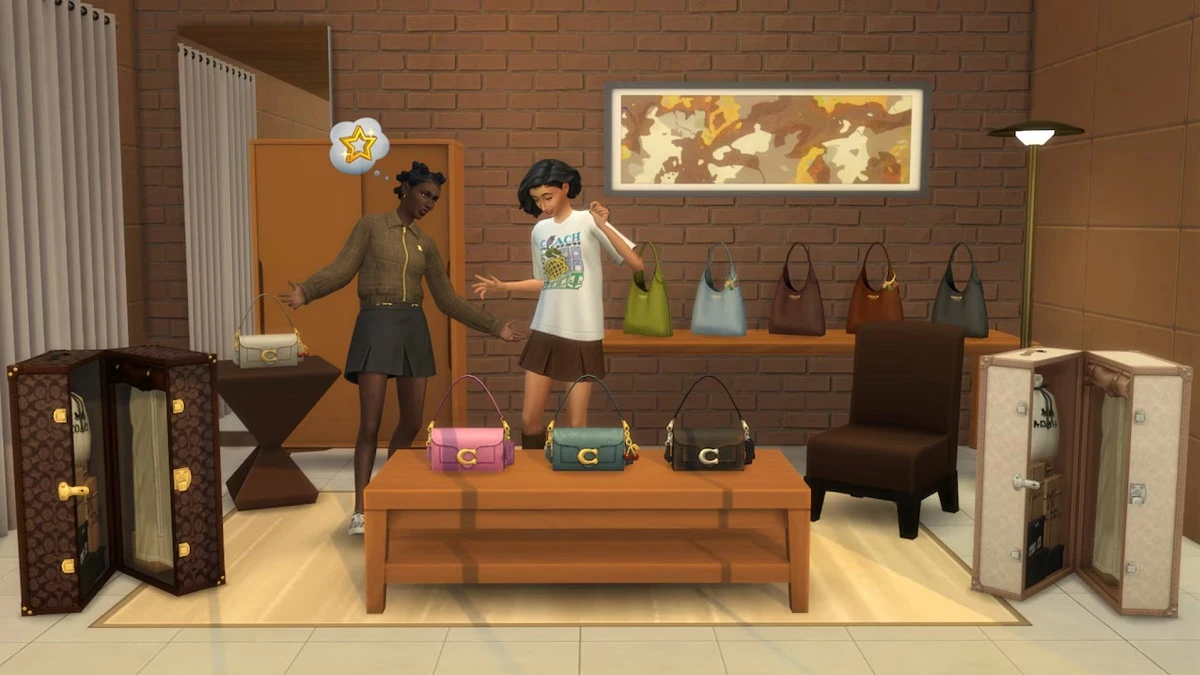
The Coach Collection, featuring nine new items, drops for free in The Sims 4. Give your Sims the style upgrade you didn’t see coming.
Expect bold statement pieces, wearable staples, and iconic decor with that signature Coach polish, bringing everyday luxury to Create a Sim and Build Mode. Learn more in The Sims newsroom.
We wrote about this collection in more detail here. Let's immediately review everything that was added to CAS and the Build mode with the Coach collection.
Source: ea.com
Overview of new clothes in CAS
With the new update, three types of jackets have appeared in character creation: two for women and one for men. There is also one T-shirt for both women and men, several types of jeans, a skirt, and shoes.
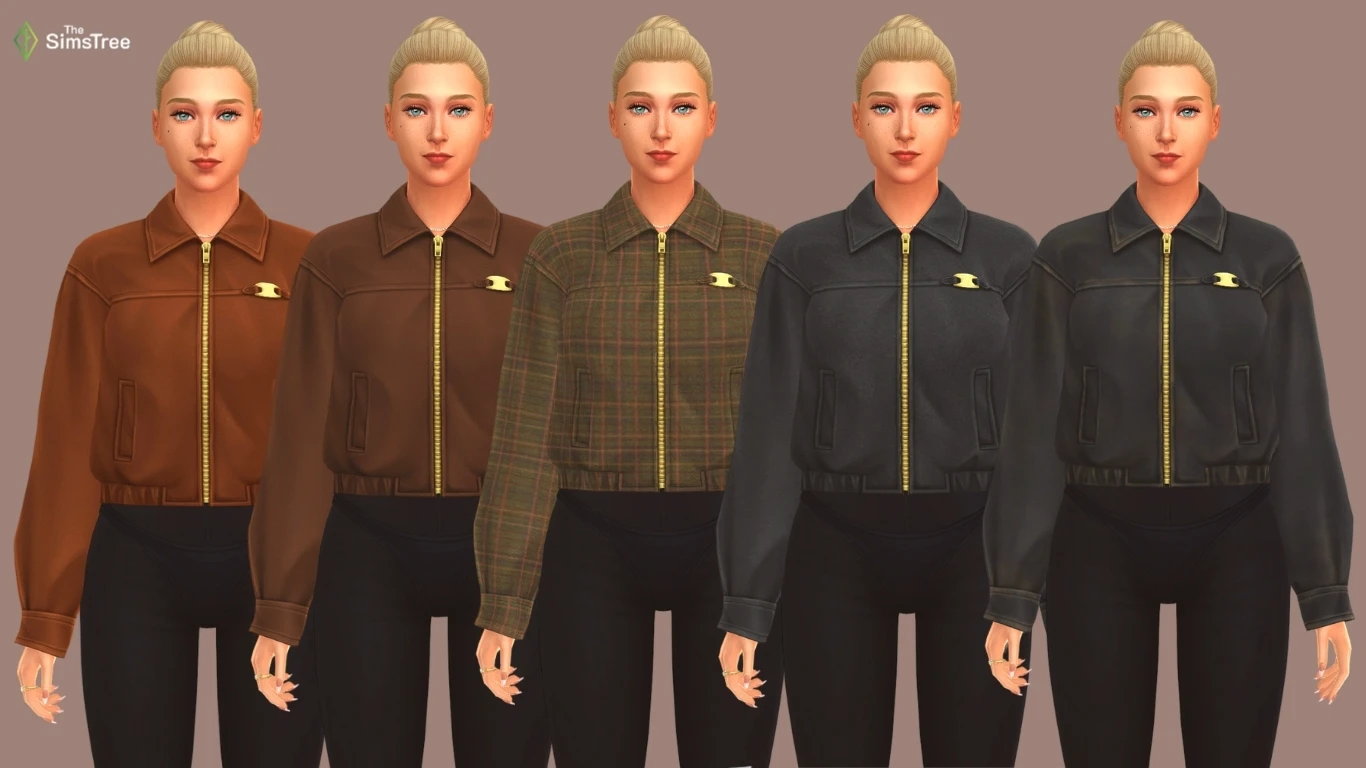
The women's jacket comes in 5 colors
The women's bomber jacket is available in 10 colors
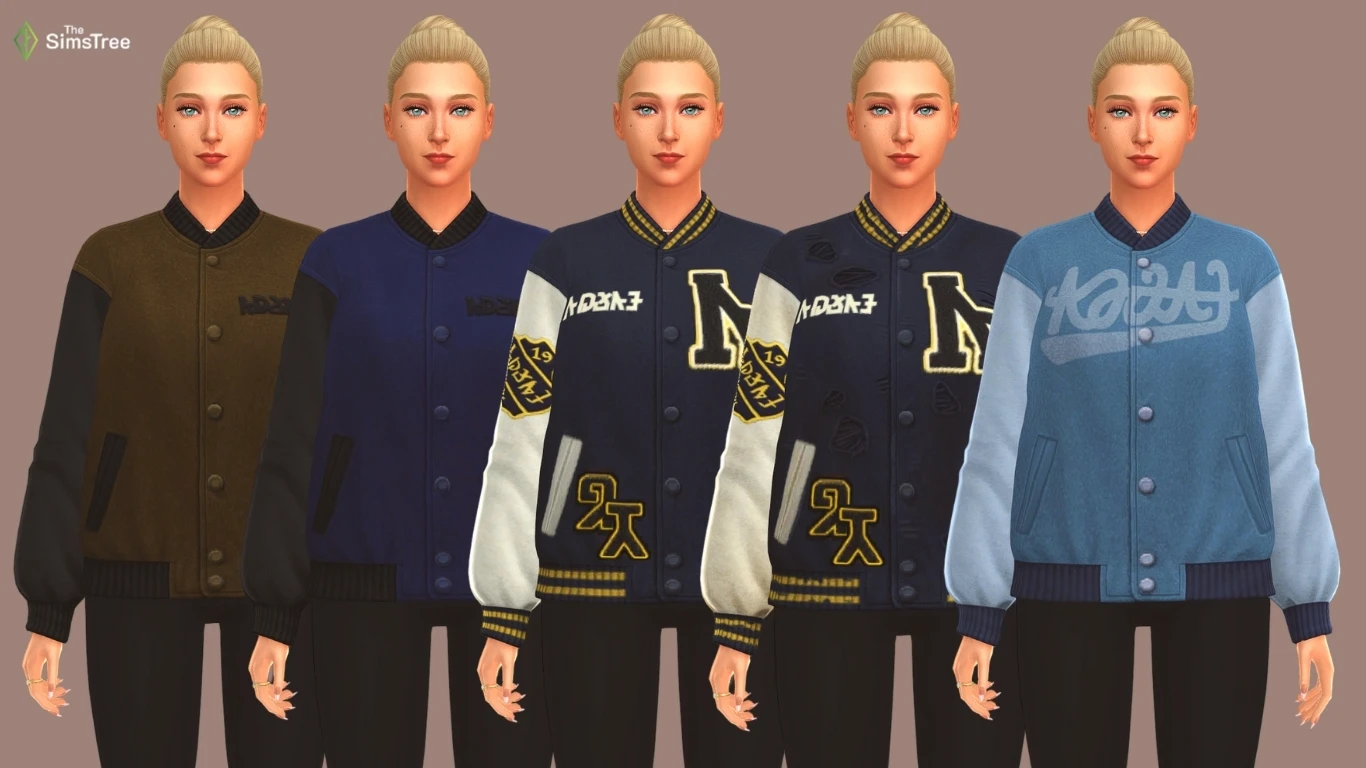
The bomber is presented with inscriptions in English and Simlish. In this case, we essentially have 5 colors, while the remaining 5 differ only in the inscriptions.
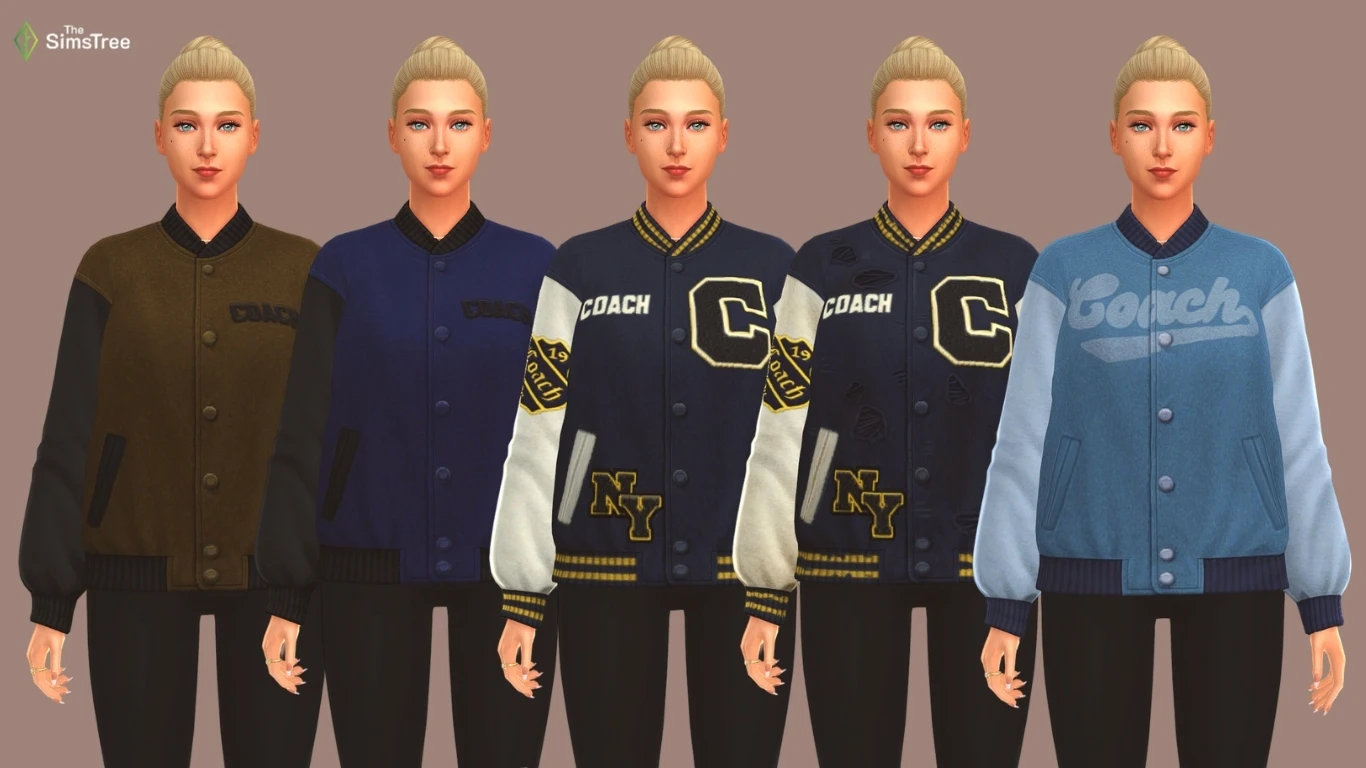
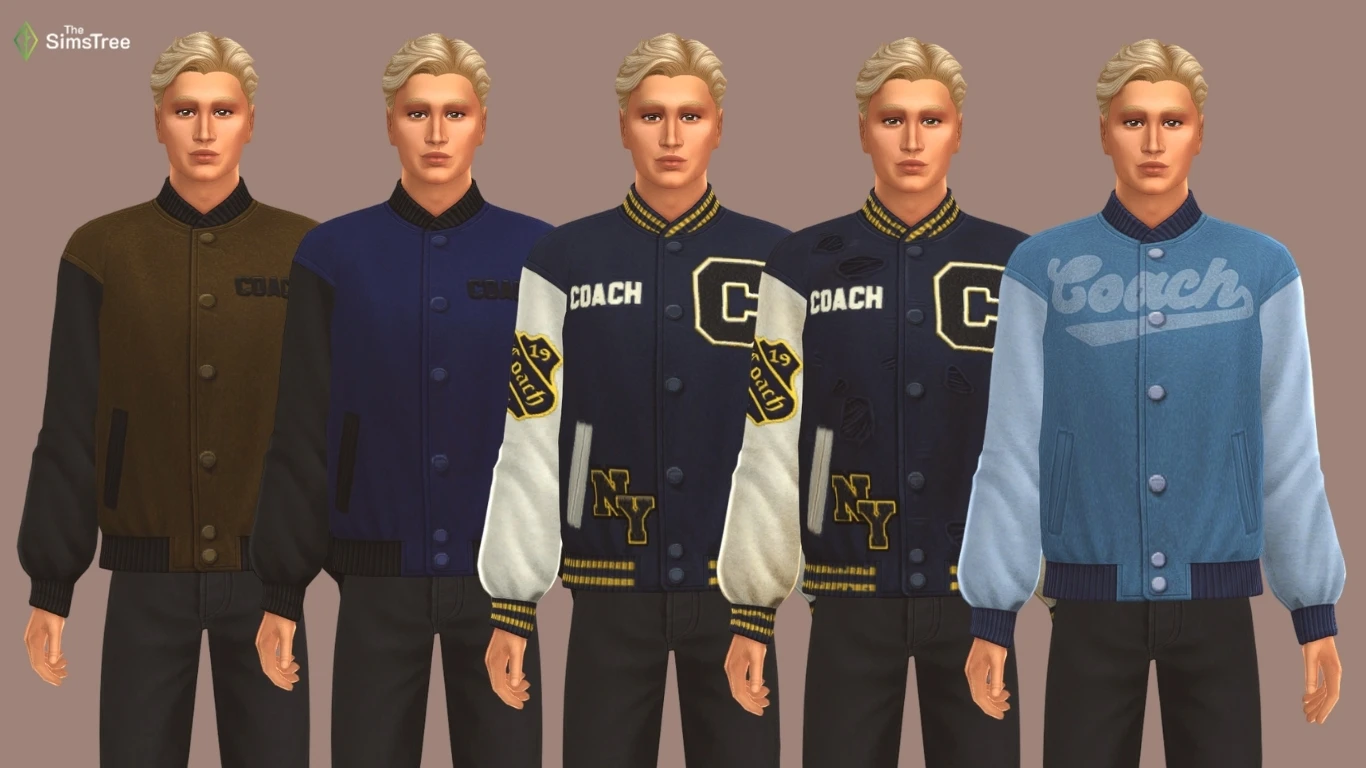
The men's bomber jacket is available in 10 colors
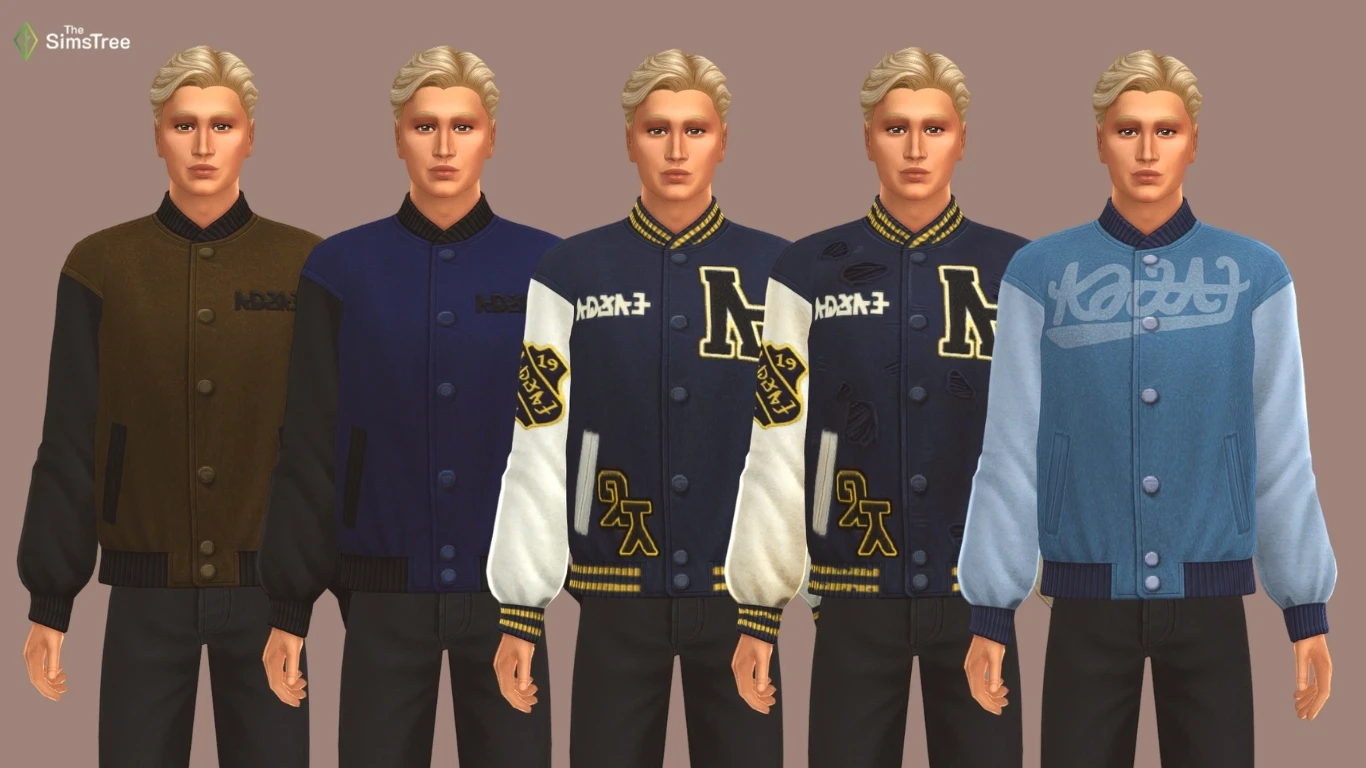
Just like in the women's version, the remaining five colors differ only in the inscriptions.
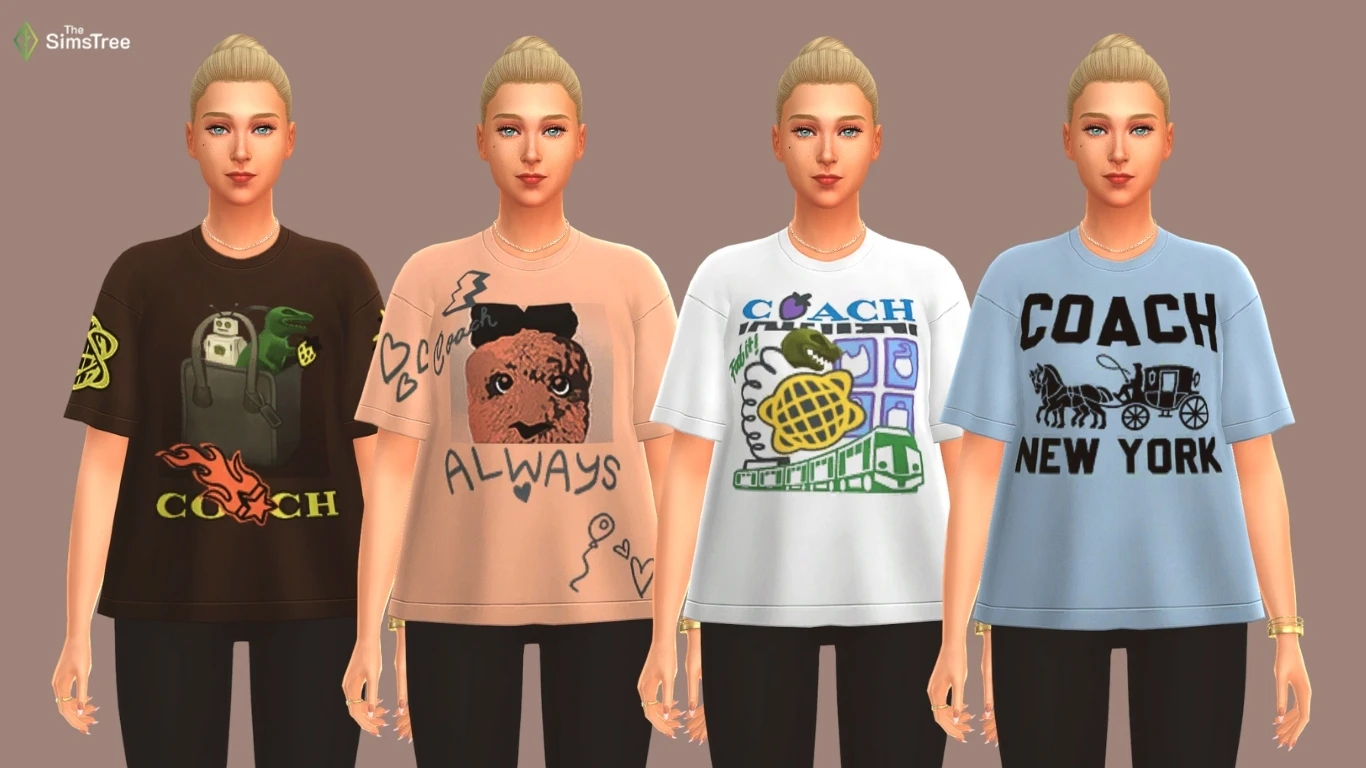
Unisex oversized T-shirt
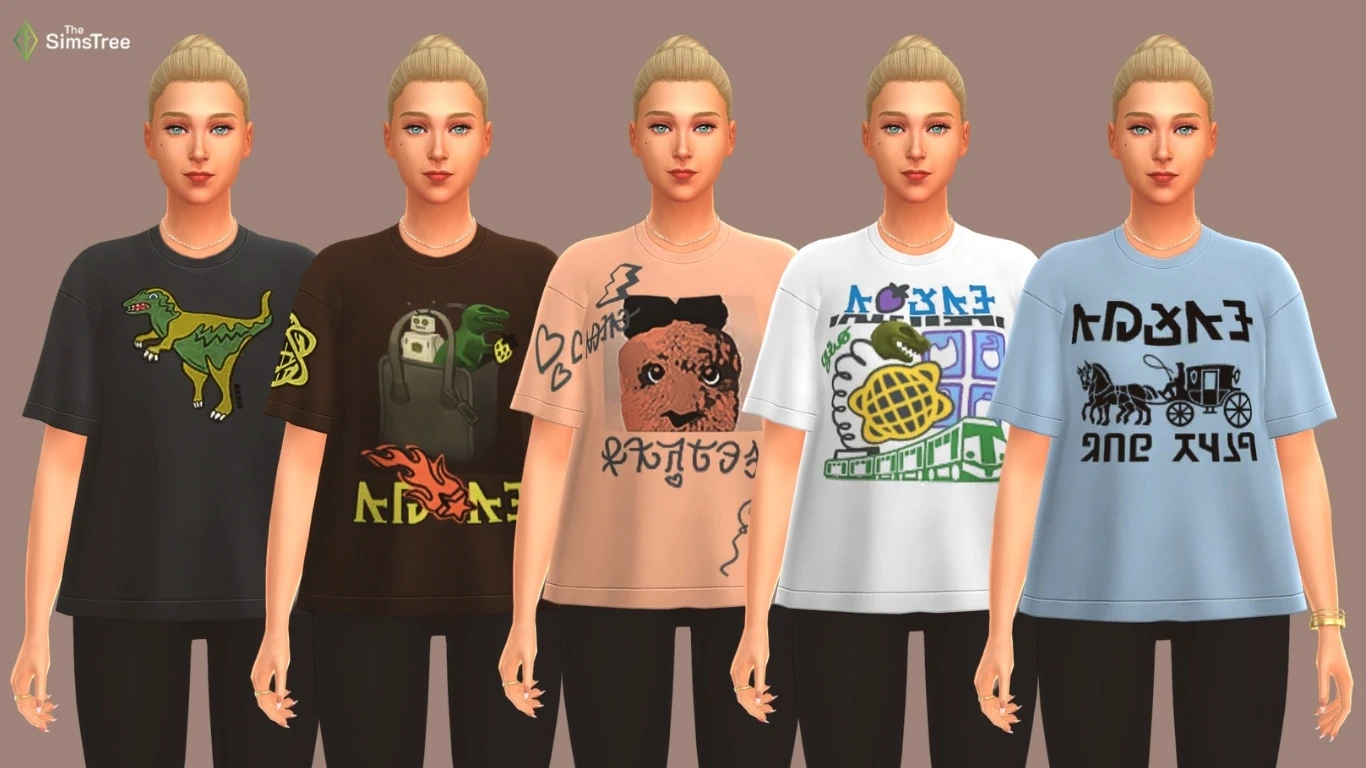
There are 9 colors available: one without an inscription, four in Simlish, and four with English inscriptions. It could be called an oversize T-shirt, but it seems to lack length for that. The men's version has exactly the same colors.
Skirt with unisex sneakers
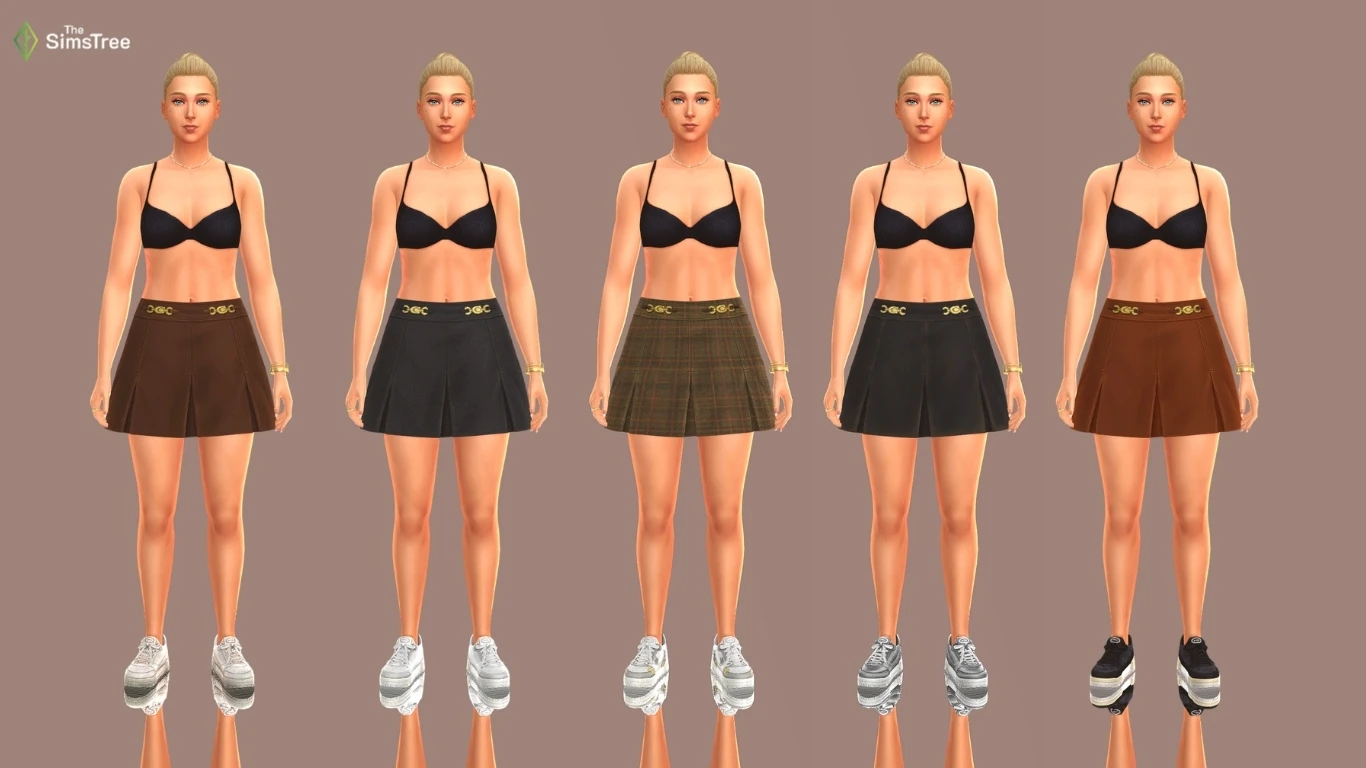
Here are all the color options for the skirts and some of the shoe colors. Below, other options will be presented in combination with jeans.
Unisex jeans paired with shoes
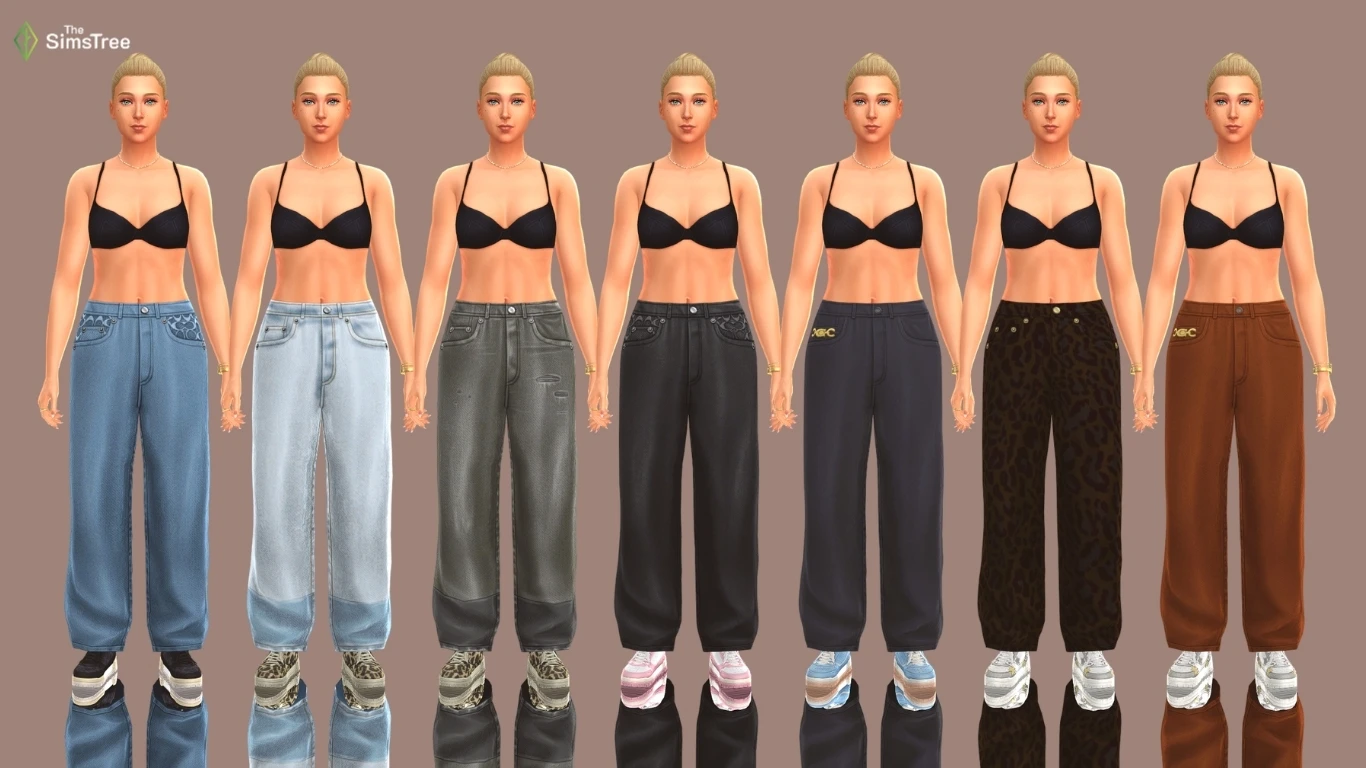
There are 9 colors, the same for women and men. The remaining shoe colors are also shown.
Build / Buy mode overview
Two types of bags and a functional suitcase with ready-made Coach outfits have appeared in the buy mode.
Coach Tabby bag
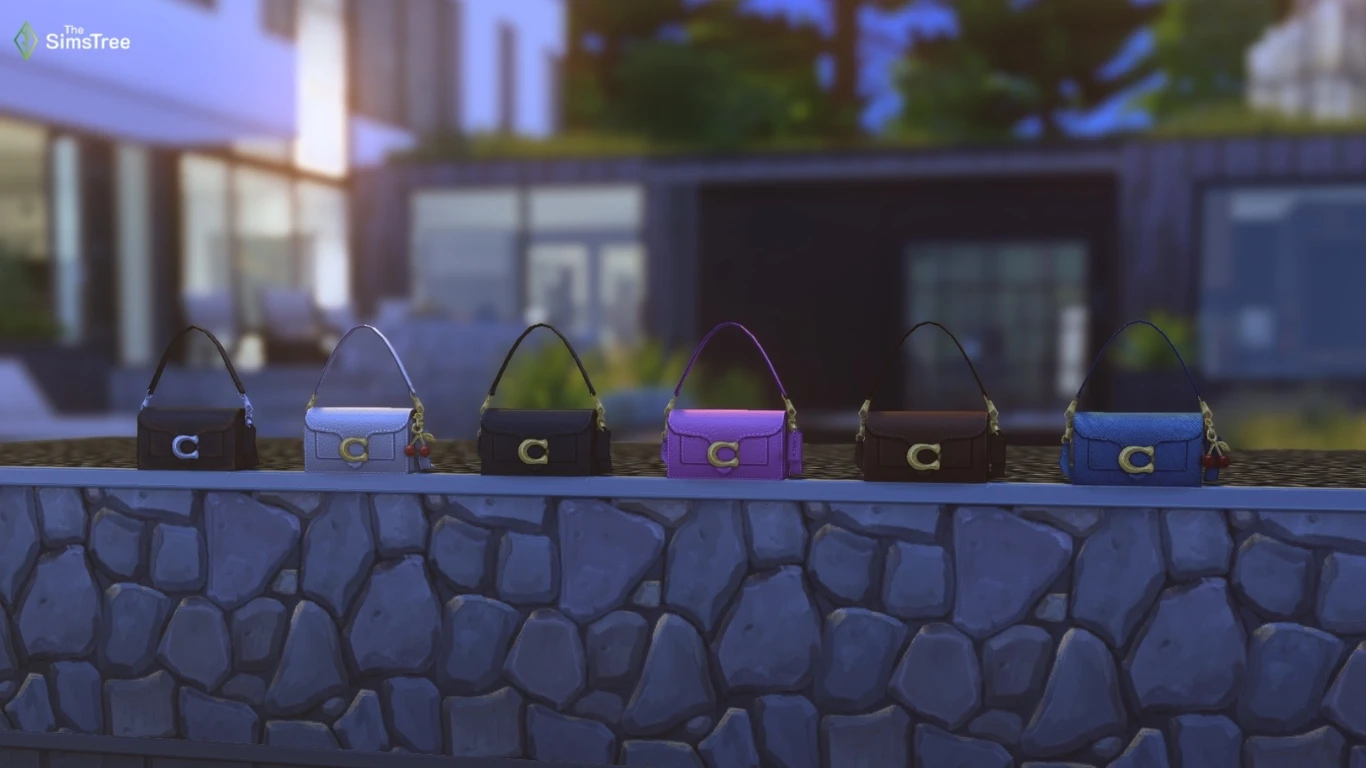
Coach Brooklyn bag
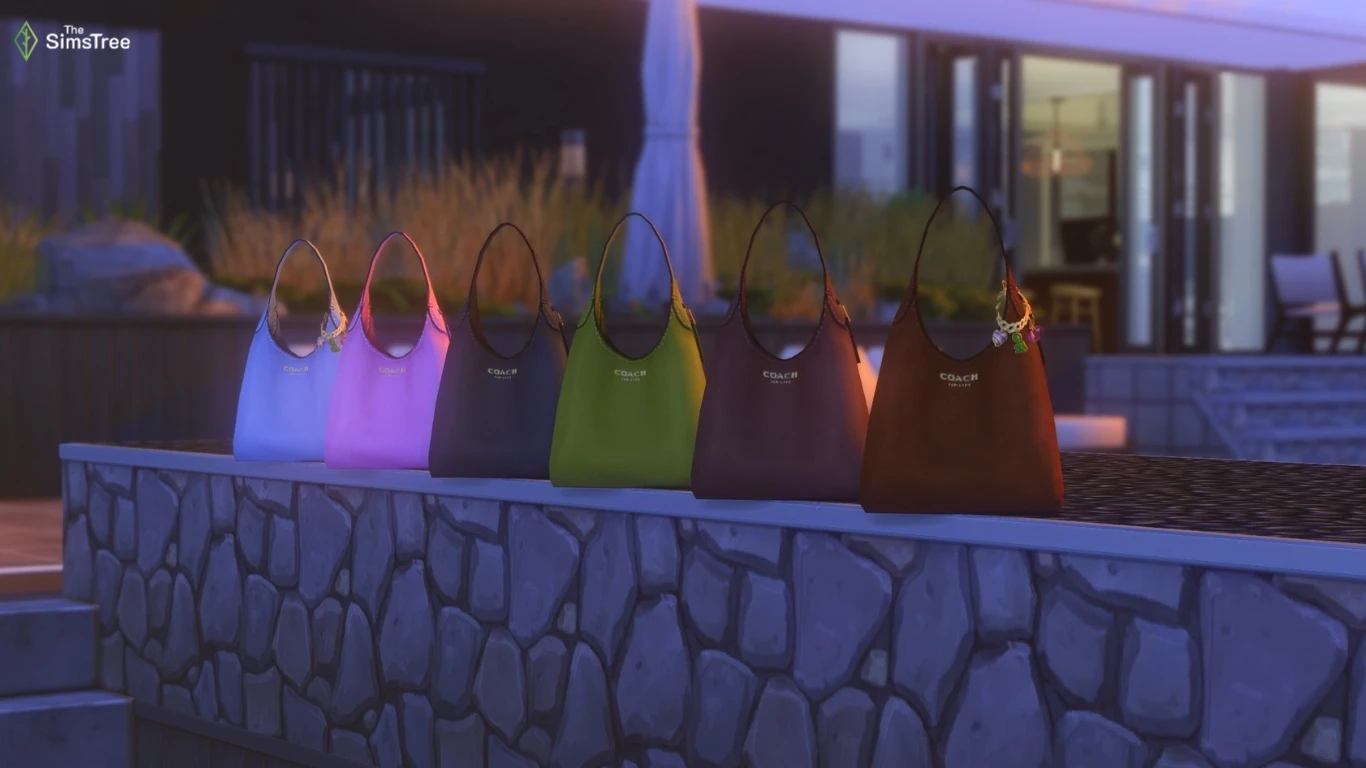
Functional «Grass» chest
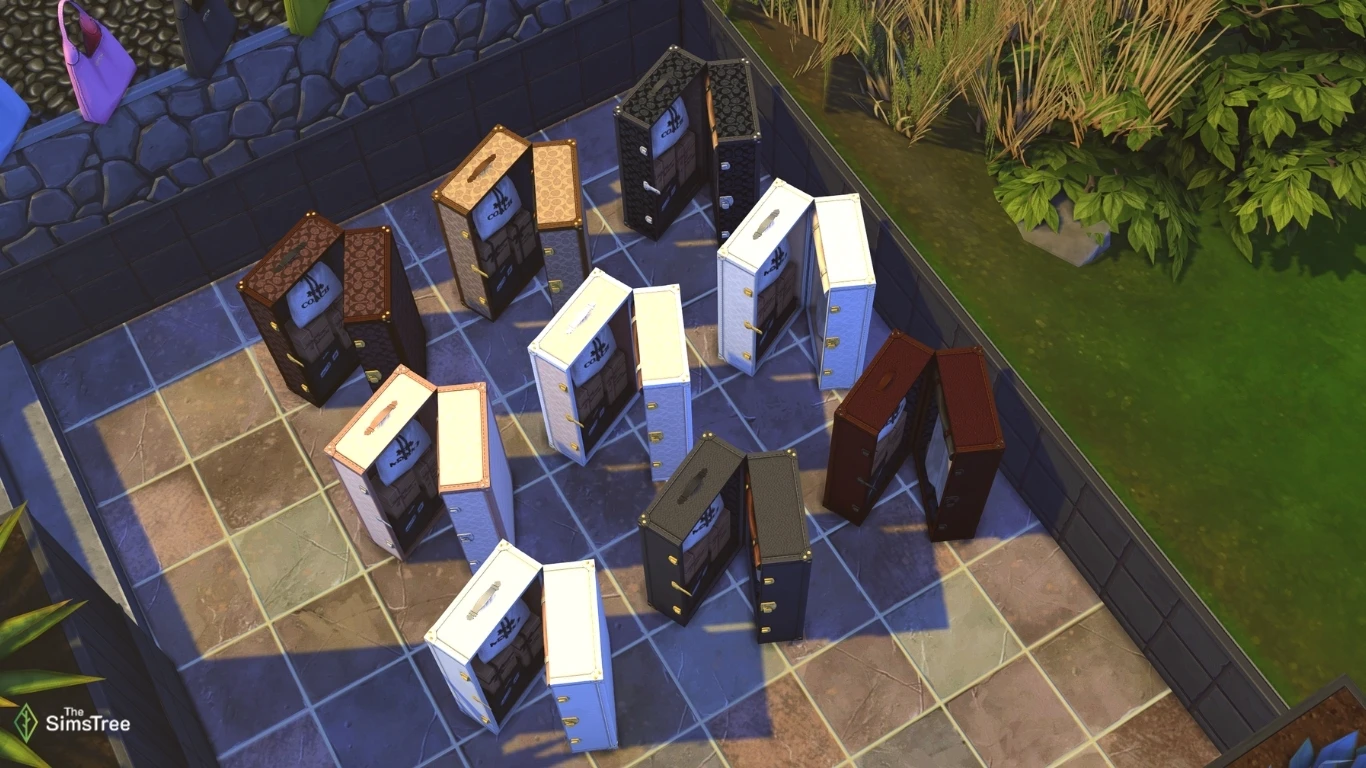
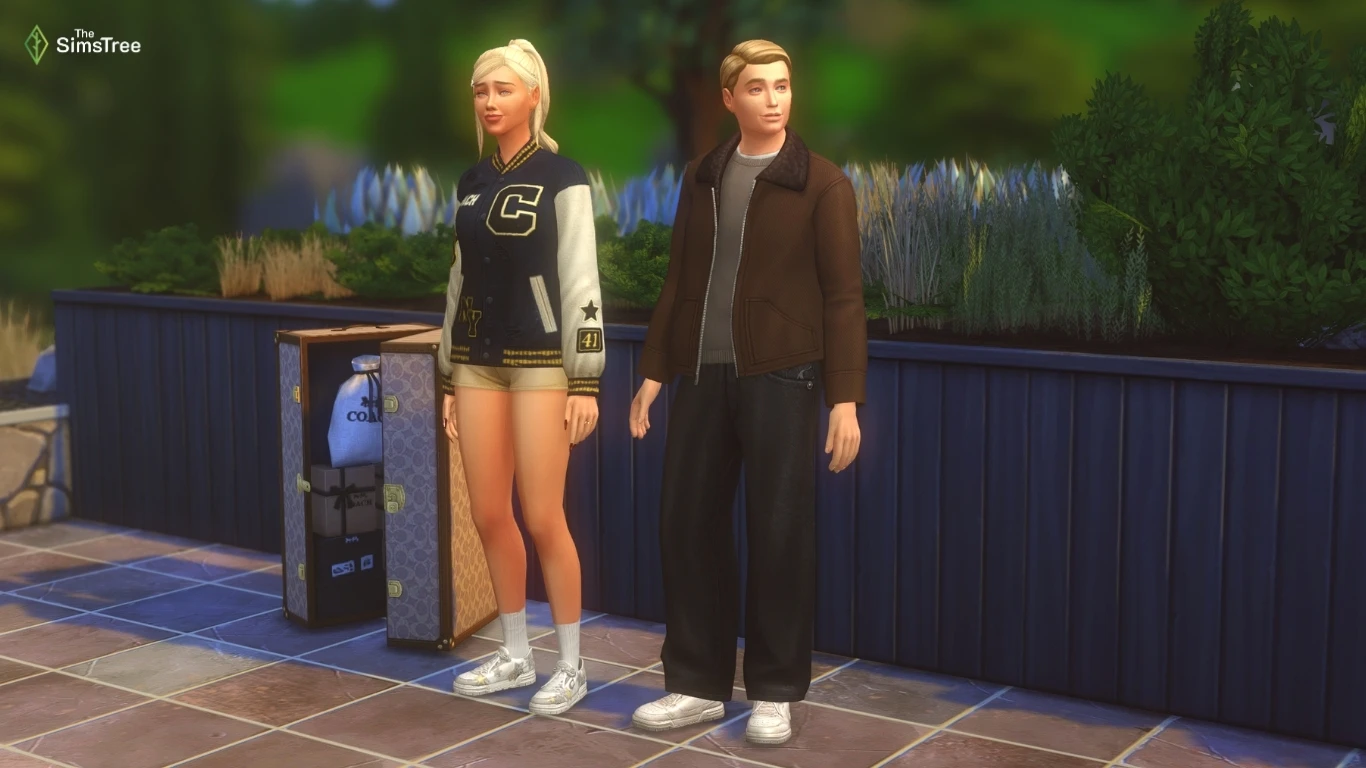
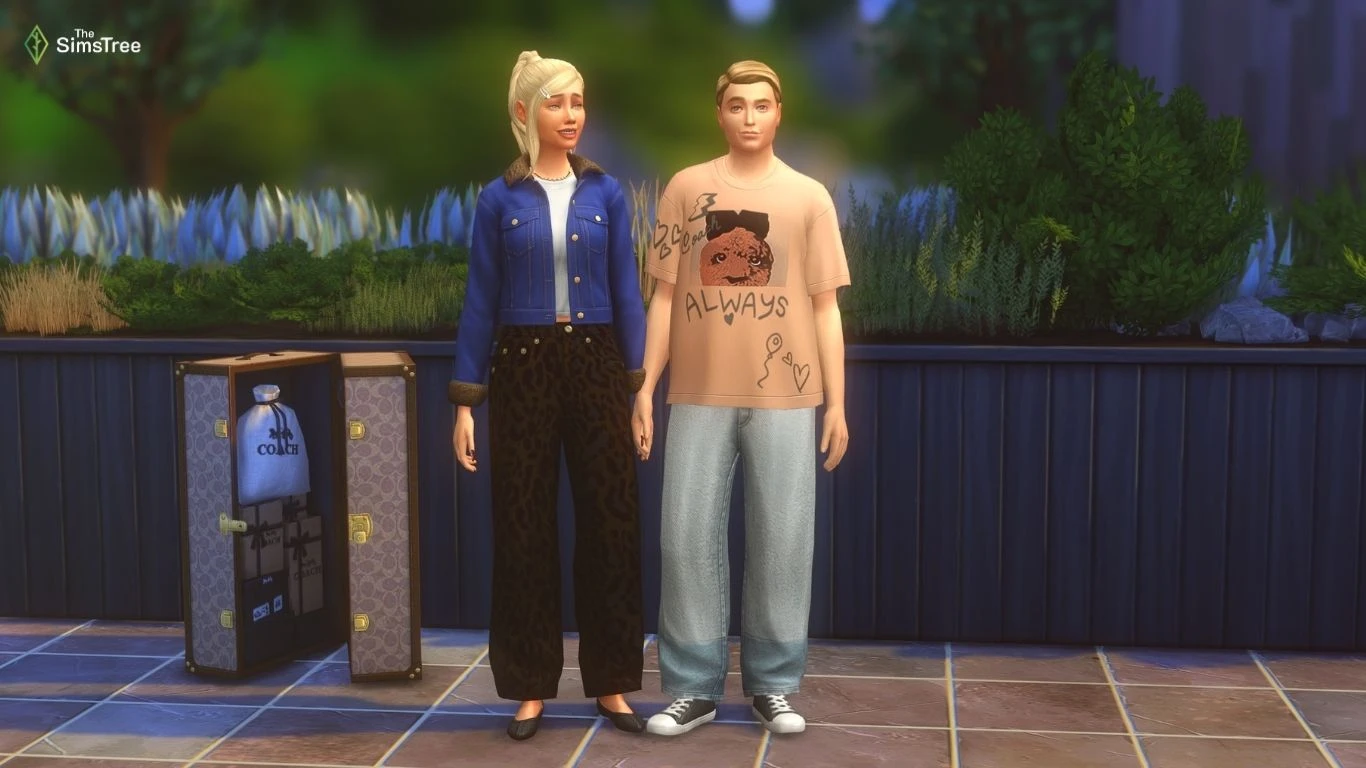
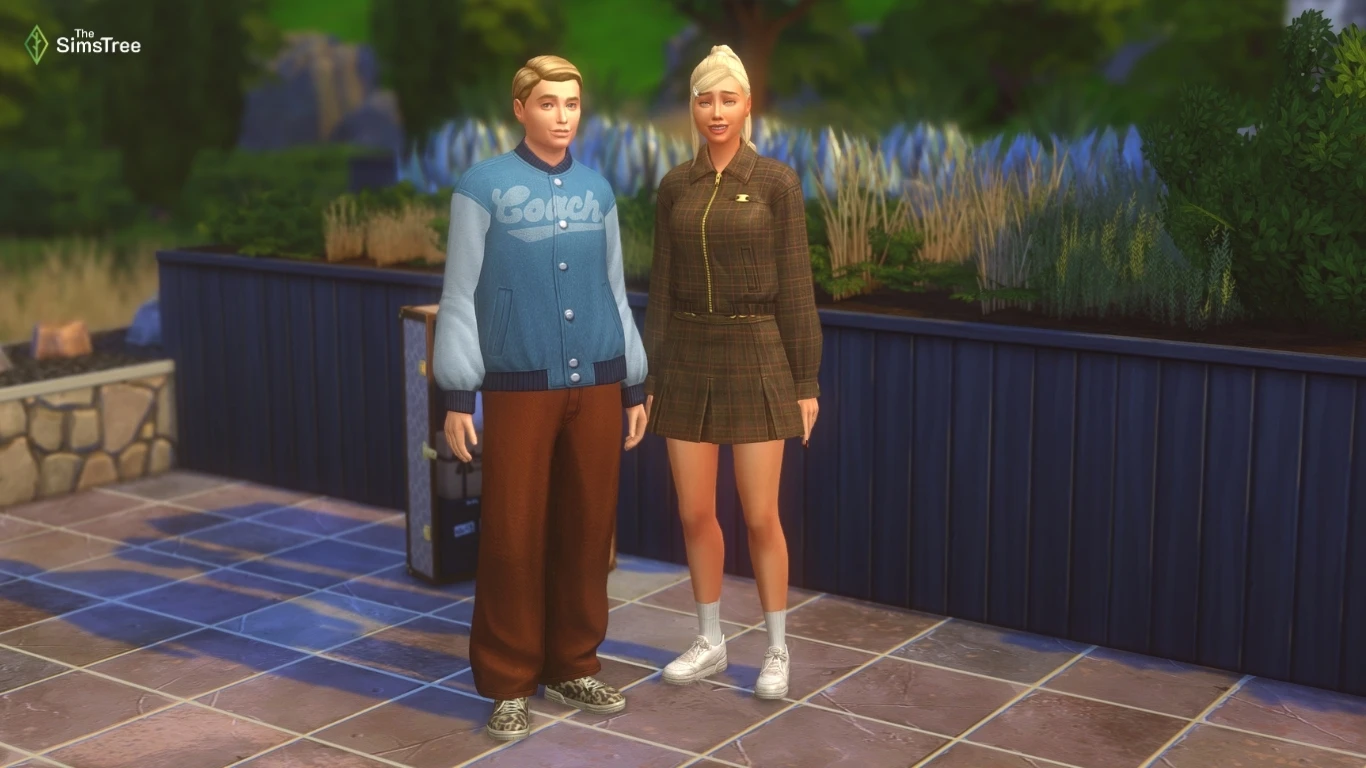
The chest is a mini-wardrobe through which you can quickly change into Coach outfits that give an emotional mood to the characters.
Playful women's and men's outfits:
Flirty outfits:
Outfits that give confidence:
This is all that the developers added in the update. What about mods? Some authors have already commented on the status of their mods, but many have not yet provided any information.
Update for mods for version 1.120.140.1020
Mods by these authors are compatible with the update:
- LittleMsSam
- Wyndkin
- Amethyst Lilac
- Basemental
- FrequentlyBasic
- ilkavelle
- PECO
- Thatssojordy
- Deaderpool
- SImRealist
You can track the status of the mods you need on the authors’ own pages or using Mod List Checker. We’ve already written an article about it to make your life with mods easier.
Now let’s take a look at the bugs that the developers fixed with this update.
Bug fixes
Top 5 Most Voted Fixes:
— [EA Forums] We addressed the top reported issue: Server Error while Uploading to Gallery/Library. This was primarily a Console issue but could occur with PC. (Base Game)
— This error is a valid error that should occur under certain circumstances, but we fixed the flow so that it is more forgiving to player systems and far less likely to occur. The Upload button will not be available until all thumbnail issues have been generated.
— When this error does occur, we have updated the generic “Server Error” message, and players will now receive a dialogue that provides more information and says “Time out during upload. Please check the internet connection or try again in a minute.”
— [EA Forums] In our 12/2/25 Update, we fixed an issue where Child, Teen, Young Adult, Adult, and Elder Sims no longer had clothing visible under their privacy mosaic. We are now addressing this issue for the remaining age groups, fully resolving the issue. (Base Game)
— [EA Forums] We fixed a notable instance of Sims standing around and not caring for their infants. While holding Infants, Sims were playing an idle animation that delayed responsiveness to queued interactions. This idle was removed. We hope to further address additional Infant issues in future updates. (Base Game)
— [EA Forums] We fixed an issue where Memorial Portraits and Graduation Photos would no longer display a Sim's image and appear blank. This fix does not address Portraits and Photos that were already broken, but will work on old saves for future gameplay with these objects. (University, Life & Death)
— [EA Forums] Household, Small Business-employed Sims will no longer receive a 'Miss Work/School' UI pop up when opening a Small Business while the Sim is at the Work/School Rabbit Hole. (Multiple Packs)
Save Corruption
As part of our ongoing efforts to address Save Corruption, we have two Save Corruption bugs that we’re addressing in this patch.
— [EA Forums] We fixed an issue where open street objects were being ‘shelved’ and never removed when traveling to an apartment building. (Multiple Packs)
— We fixed a case of Save Corruption where the player could become stuck in an endless load or be returned to Manage World after setting a custom venue’s schedule to include a Romantic Orientation Role criteria. (Adventure Awaits)
Photos/Paintings Losing Data
For this patch, we knew that “Memorial Portraits and Graduation Photos no longer displaying a Sim’s image” was a top community concern. We wanted to address as many bugs in this category as we could. Here are all related issues we fixed:
— [EA Forums] Paint by Reference Paintings will no longer turn white after they’ve been put in a Sim’s inventory and the game has been relaunched. This fix is retroactive and should be fixed in previous saves where it occurred. (Base Game)
— [EA Forums] Photos captured with Phone/Camera will no longer turn black once they’ve been mounted on a wall and the game is relaunched. This fix is not retroactive and will not address instances where photos were already missing data, but the fix will prevent this from happening in the future (even in old saves). (Base Game)
— [EA Forums] Photos captured with Phone/Camera will no longer turn black once they’ve been put in Sim’s Inventory or placed in storage chests and the game is relaunched. This fix is not retroactive and will not address instances where photos were already missing data, but the fix will prevent this from happening in the future (even in old saves). (Base Game)
— [EA Forums] The “Create Copy” interaction on a painting no longer will result in a blank, white painting canvas when placed on the wall. This fix is retroactive and should be fixed in previous saves where it occurred. (Base Game)
— [EA Forums] Celebrity Autographs will no longer appear blank after they’ve been hung on a wall and the game is relaunched. This fix is not retroactive and will not address instances where photos were already missing data, but the fix will prevent this from happening in the future (even in old saves). (Get Famous)
— [EA Forums] As noted above in the Top 5 Fixes, we fixed an issue where Memorial Portraits and Graduation Photos would no longer display a Sim's image and appear blank. This fix is not retroactive and will not address instances where photos were already missing data, but the fix will prevent this from happening in the future (even in old saves). (University, Life & Death)
Now Available CAS Items!
We fixed four instances where CAS items were being hidden from players, so you’ll now have them available for your enjoyment.
Please note that in today's update hairs in the Afro Textured CAS category were renamed to Curly. This is a temporary change; our next update in early Feb will have both Curly and Afro Textured hair style tags to make finding the right look easier than ever.
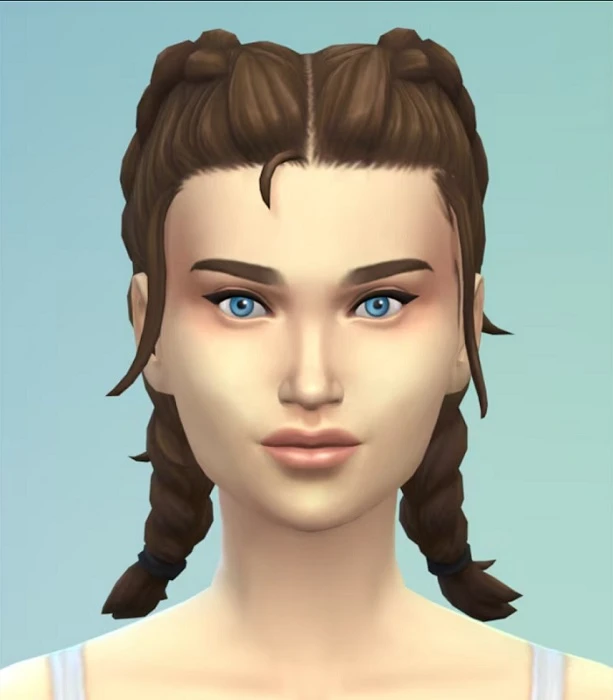
— [EA Forums] (yfHair_EP20DoubleDutchBraid_LightBrown) now properly appears brown, rather than being an exact copy of the Light Blonde variant. (Adventure Awaits)
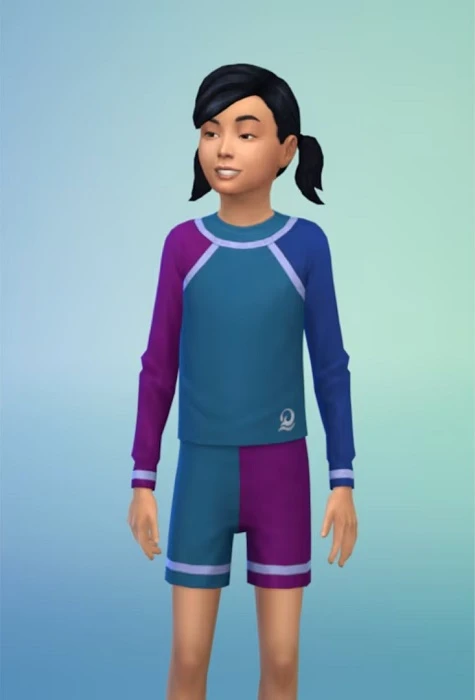
— [EA Forums] The (cuBody_EP20RashGuard_LogoNavy) variant is no longer missing. (Adventure Awaits)
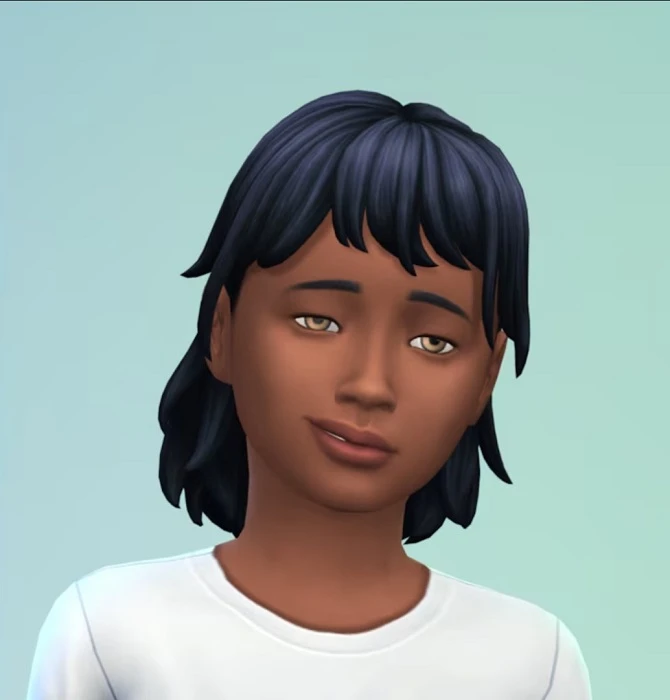
— The (EP14BangsMedium) hair (and all variants) are now also available for Child Sims. (Horse Ranch)
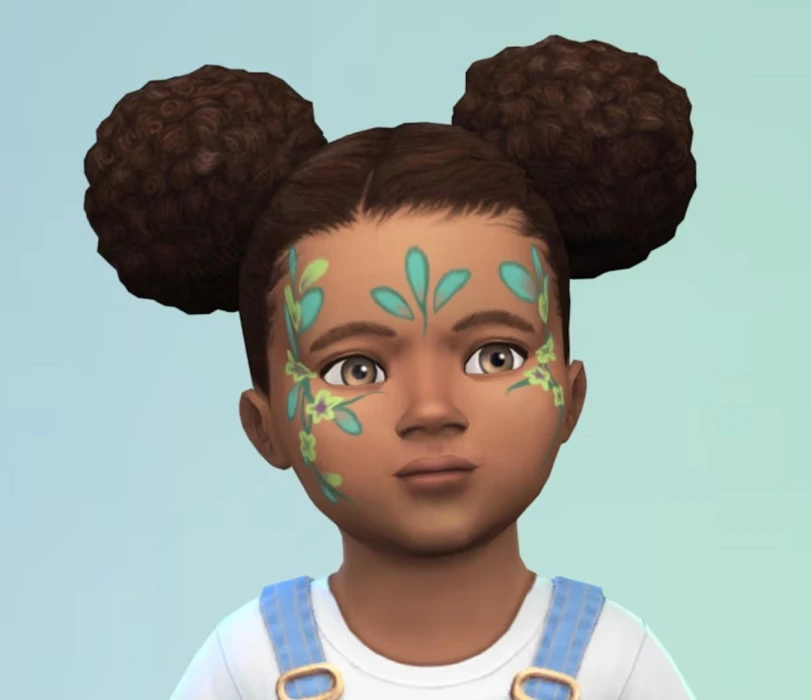
— While investigating an issue with the Toddler Makeup category, we discovered the (puMakeupFacepaint_EP19Floral) asset was hidden, and we have unlocked it for your use. (Enchanted by Nature)
General Bug Fixes
We addressed a handful of other important issues that were quickly rising, particularly problematic, or easy fixes to get in.
Base Game
— [EA Forums] We addressed a rather significant issue where Away Actions at work were causing Sims to never receive Need gains while at work or school due to a change that was made during Adventure Awaits to how Away Actions at work function.
— We fixed an additional bug pertaining to this where Toddler and Infant Needs will now increase while at Daycare properly. Bladder, Hunger, Energy, and Attention should receive large increases, Fun a small but tapering increase, and Hygiene no increase.
— [EA Forums] We addressed an issue where the “Fight” interaction was available on all Sims, even if they had a positive relationship. Now, it should only appear if the Sims have a negative relationship.
Seasons
— [EA Forums] Sims will no longer sometimes die of overheating while wearing the correct clothing. Blame the ghosts: this bug was due to the Overheating Ghost type and the aura they emanate.
— [EA Forums] In a previous patch we addressed an issue where sand sculptures were auto-generating on beaches when it rained a lot. We’re submitting the remaining portions of this fix to ensure it's now fully fixed in all cases.
Growing Together
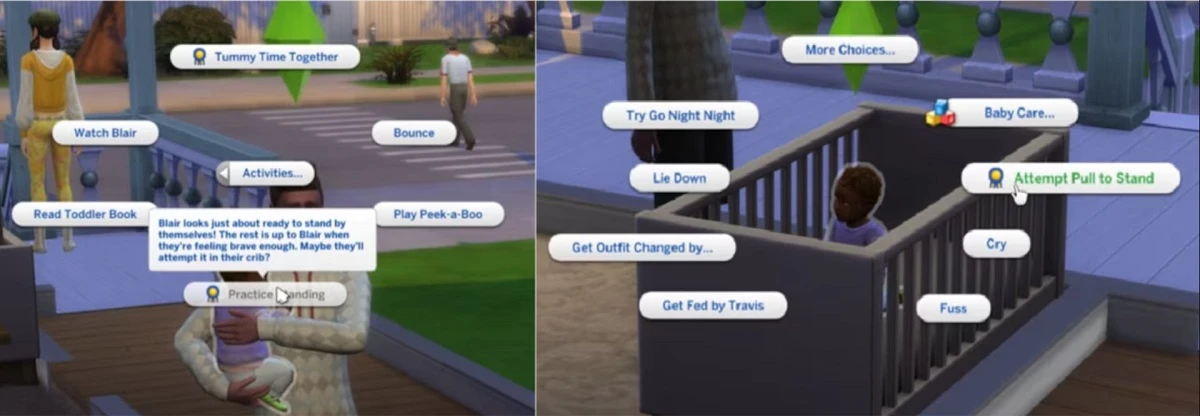
— [EA Forums] We’ve addressed an issue where it was difficult to unlock the Pull to Stand Milestone. The problem is that Infants need to be near certain specific objects to pull themselves up for the first time, but this is never indicated to the player and sometimes infants aren’t located near these objects. They can still unlock this Milestone as they could previously, but to address the concerns with this not being obvious in many cases, we’ve added a greyed out interaction and hovertip that directs the player to place the Infant in the Crib. While in the crib, the Infant can pull themselves to a stand, and (as an additional option) we’ve added a new interaction to Infant Sims in the crib to pull themselves up once they are ready to unlock the Milestone. This interaction is available on the Infant Sim when the Infant is the Active Sim.
Business & Hobbies
— [EA Forums] We fixed an issue where Small Business Employees were leaving early (only 2-3 hours after opening) if a business was 5-Star and selected customer criteria was supervised customer only. Now, all hired employees should stay on a small business lot while it is open.
Adventure Awaits
— [EA Forums] (yfTop_EP20VNeckTee) no longer has a visible seam on the shoulder when worn by Sims downloaded from the Gallery.
— [EA Forums] Imaginary Friends will no longer reset and disappear from the Relationship Panel after returning from another lot.
— [EA Forums] Custom Venues will now save Roles and Schedules with a custom role containing a Romantic Orientation criteria. This issue was resulting in a case of Save Corruption as well that was addressed and is noted above in that section.
Werewolves
— [EA Forums] We fixed an issue where Werewolf offspring of Werewolves had black textures and no pelts upon aging to Teen. Our fix should apply a texture to any Werewolf Sim who is lacking one upon entering CAS and should address old instances of this occurring.
Multiple
— [EA Forums] We fixed all reports of the camera being obstructed by trees in Gallery preview views of lots.
— [EA Forums] Maids and Butlers will now once again try to mop puddles instead of vacuuming them fruitlessly for hours. We assure you they were trying their best, and we appreciate your patience with them.
CAS & Build Mode Tagging Updates
We had the opportunity to address a large swath of simpler tagging bugs, making CAS and Build Mode sorting more accurate overall. The Lump of Clay (Base Game) and Stack ‘o Books (Cats & Dogs) objects also acquired some new gameplay functionality. Here are related issues we fixed:
Base Game
— Lump of Clay now sorts as a Kids Activity and also sorts in the Creative Skills Section. It has also been updated to provide Creativity Skill gain for Children Sims.
— The In Full Bloom Centerpiece is now sorted as an Indoor Plant.
— Wedding Pillar with Floral Basket is now sorted as an Indoor Plant.
— (sitDining_EF07IRN02), (sitDiningIRN_01), and (SitDiningGENChess) now sort under Outdoor Seating and will filter for Park venues.
— The Men’s Shoe Rack and Women’s Show Rack objects now sort under the Storage Misc Category.
— The Bonsai Tree now sorts as an Indoor Plant.
— PenguinVision Children's Television Set now sorts as a Kids Activity.
— (yfHair_EP08BraidedPonyTail) now sorts as Afro-Textured.
— (cfHair_SP10ShortPinCurlLoose) now sorts as Wavy.
— (yfHair_EF90WaveMedium) now sorts as Wavy.
— (yfHair_EF90FiveFivePerm) now sorts as Straight for all ages.
— (yfHair_EF03TragicClown) now sorts as Straight.
— The (pmHair_SP12TightCurls) hairstyle now also appears as a Feminine Fashion Choice.
— (cuTop_Shirt) now properly sorts as a Button up instead of a T-Shirt.
Get to Work
— (cfHair_EP01BraidsBunSide) now sorts as Afro-Textured.
Cats & Dogs
— The Stack 'o Books object now sorts as a bookshelf, and it is also now functional as a bookshelf.
— Outdoor Patio Piece now counts as a Picnic Table.
— (ymHair_EP04Pompadour) now sorts as Wavy.
— (yfHair_EP04CurlyLongMiddlePart) now sorts as Wavy.
— (yfHair_EP04LowLoopWavy) now sorts as Straight.
— (cmHair_EP04WavyHawkDetail) now sorts as Afro-Textured.
Seasons
— The Bow-tiful Candlelight is now properly sorted in the Off the Grid Lighting Category.
Island Living
— (yfHair_EP07FlowerCrown) now sorts as Straight.
Cottage Living
— (pfBottom_EP11ShortsDrawstring) was moved from the Cropped category and into the Shorts sub-category.
— (cfBody_EP11Jumpsuit) was moved from the Short Dresses to Jumpsuits sub-category for sorting.
— All (EP11CurlyBun) hairstyles now sort as Wavy for all age groups.
Horse Ranch
— All three Horse Ranch facial hairs have been sorted into their respective Beards and Moustache sub-categories.
Eco Lifestyle
— (yfHair_EP09CurlyBun) now sorts as Wavy.
— (yfHair_EP09BunFade) now sorts as Straight.
Snowy Escape
— The Komorebi Shrubbery no longer sorts as an Indoor Plant.
— The Lantern in a Paper Cylinder and Stone Tōrō Lantern lights are now properly sorted into the Off the Grid Lighting Category.
— The (EP10ShortBuzzed) hairstyle is now consistently tagged between all age groups.
— (yfHair_EP10LongBraidedWavy) now sorts as Afro-Textured.
— (EP10LongBraidedWavyHighlight) now sorts as Afro-Textured.
— (yfHair_EP10LongBraidPony) now sorts as Straight.
— (EP10BunBangs) now sorts as Straight.
Growing Together
— The (EP13LongBraids) hair now sorts consistently across all age groups.
— (EP13WavyMed) now sorts as Straight for all age groups.
Lovestruck
— Makeup from Lovestruck will now appear for Cold and Hot Weather Outfits as an option.
— The Elongated Zebra Pothos Plant now sorts as an Indoor Plant.
Business & Hobbies
— (ymHat_EP18Beanie) now sorts as a Brimless Hat.
— (yfHair_EP18_SlickBun) now sorts under Updo and Medium Length Hair.
— (yfHair_EP18Hattie) now sorts as a Long Length Hair.
— (yfHair_EP18FingerCurls) now sorts as an Updo.
Spa Day
— The Foot Illumination System and Foot Illumination Corner Edition lights have been added to sort in the Lighting Category in Build Mode.
Parenthood
— The Hanging Lights - long length and Hanging Lights - short length lights have been added to sort in the Lighting Category in Build Mode.
Jungle Adventures
— (yfHair_GP06ShortPony2Tone) will now appear for Male and Female Sims for both fashion choice options.
Realm of Magic
— The following lights will now be properly sorted in the Off the Grid Lighting Category:
- Light of the Marasenna
- Sconce For Little Light
- Totally Lit Bug Light
Dream Home Decorator
— (cuBottom_GP10Shorts) were removed from the Skirts sub-category, added to the Shorts sub-category, and also added as a Hot Weather option.
Holiday Celebration Pack
— The String of Snowflakes lights have been added to sort in the Lighting Category in Build Mode.
Movie Hangout
— (SP05LongBraidCurled_DirtyBlonde) is now sorted as Wavy for all age groups.
Moschino
— The Photo Drape, Fashion Studio Backdrop Curved, and Fashion Studio Backdrop Straight objects have been added to the Creative sub-category in Build Mode’s Activity and Skills category.
Paranormal
— (SP18AngleBootsToeOpen) now sort as Wedges.
Little Campers
— We fixed a text error where the Light My Way to the Moon Lamp object had a “Functional Off-the-Grid 10” typo error.
— The Light My Way to the Moon Lamp has been sorted into the Off the Grid Lighting Category.
Goth Galore
— All makeup from Goth Galore will now appear for Cold and Hot Weather Outfits as an option.
Autumn Apparel
— [EA Forums] The (ymBottom_SP69PantsLong) now sort as a Masculine Fashion Choice.
Here’s the update we’ve got! We hope the photos have been fixed once and for all, and now they won’t turn black and ruin your Sims’ stories. But even if something goes wrong, the photos of your Sims will never turn black on our service. Just so you know…



