
WickedWhims Animations for The Sims 4: Download and Installation Guide
WickedWhims animations are essential for enhancing your experience with this popular adult Sims 4 mod. While the core WickedWhims mod provides a wide range of features, adding additional animation packages transforms the gameplay, making sim interactions more realistic, lively, and diverse. This comprehensive guide will walk you through the process to easily download and install WickedWhims animations for The Sims 4.
Do You Need Animations for WickedWhims to Work?
By default, the WickedWhims mod functions without extra animations. Even without these add-ons, it provides plenty of useful features: it's convenient for posing characters in specific positions to create beautiful photos, disabling overhead effects, adjusting various game settings, and much more.

However, if you want to unlock the full potential of WickedWhims and change sim behavior for a truly dynamic and immersive adult gaming experience, installing additional WickedWhims animation packs is highly recommended.
WickedWhims is an adult Sims 4 mod (18+) containing explicit content intended only for mature audiences. It is not suitable for underage users.
Before proceeding, ensure you have already installed the WickedWhims mod. If you haven’t yet, check out our comprehensive guide on how to download and install WickedWhims.
Let's move on to the instructions.
Step 1: Navigate to the WickedWhims Animations Download Page
1. Visit the official WickedWhims website, go to the “Download” section.
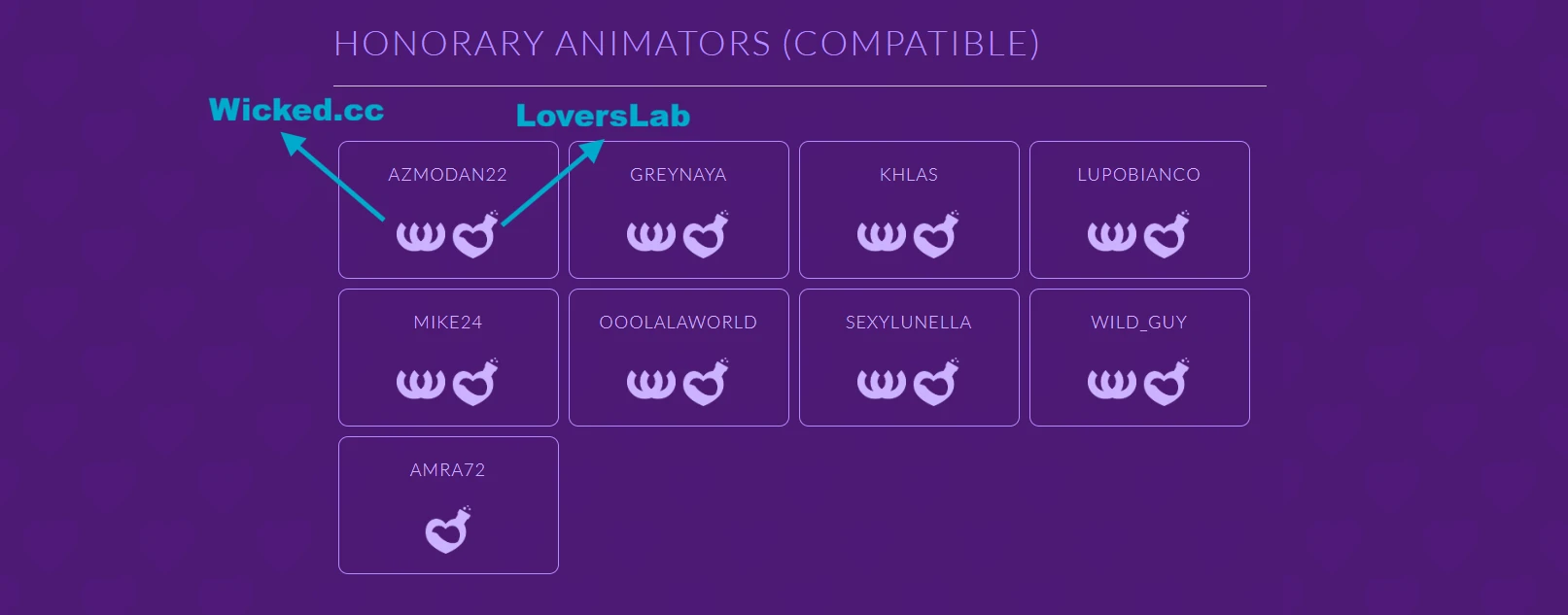
2. Scroll down to find lists of animation authors and two main download sources.
Step 2: Choose a Download Source
For downloading WickedWhims animation packs, you have two primary sources:
- LoversLab: Registration of a free account is required.
- Wicked.cc: No registration required, providing quick and easy downloads.
If you prefer not to register, choose Wicked.cc for fast access to WickedWhims animations.
Step 3: Download WickedWhims Animation Files
1. Click your preferred download link (opens in a new tab).
2. Scroll down the page to locate the section for animation files.
3. Download every available WickedWhims animation file individually.
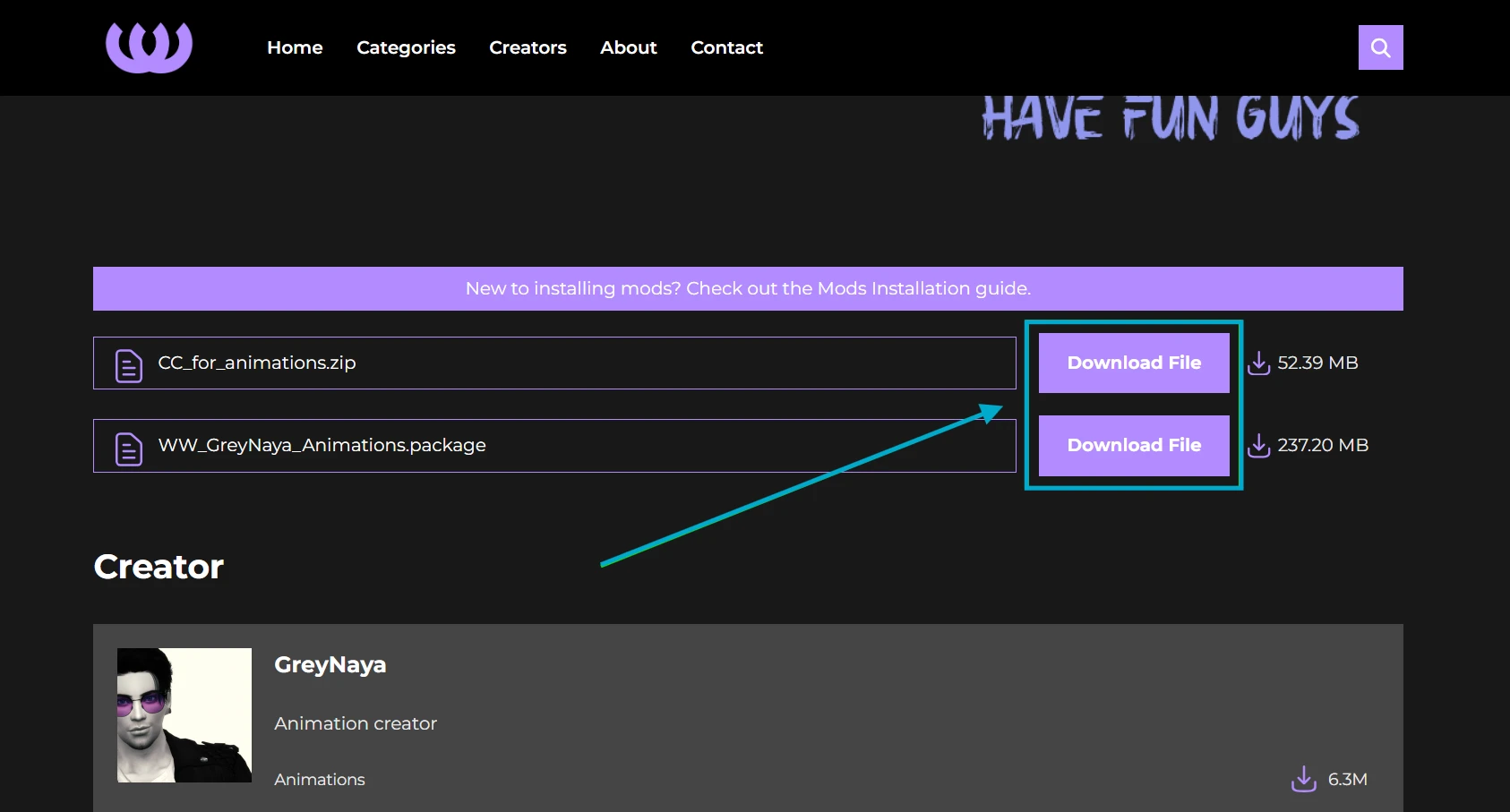
Most animations files are delivered in .package format. Some creators may provide additional custom content (CC) required for the animations (such as accessories) in zipped files. Extract these archives before use.
Step 4: Add Animations to the Sims 4 Mods Folder
1. Access your Mods folder via this path:
Documents — Electronic Arts — The Sims 4 — Mods
Create a “Mods” folder manually if it doesn’t exist.
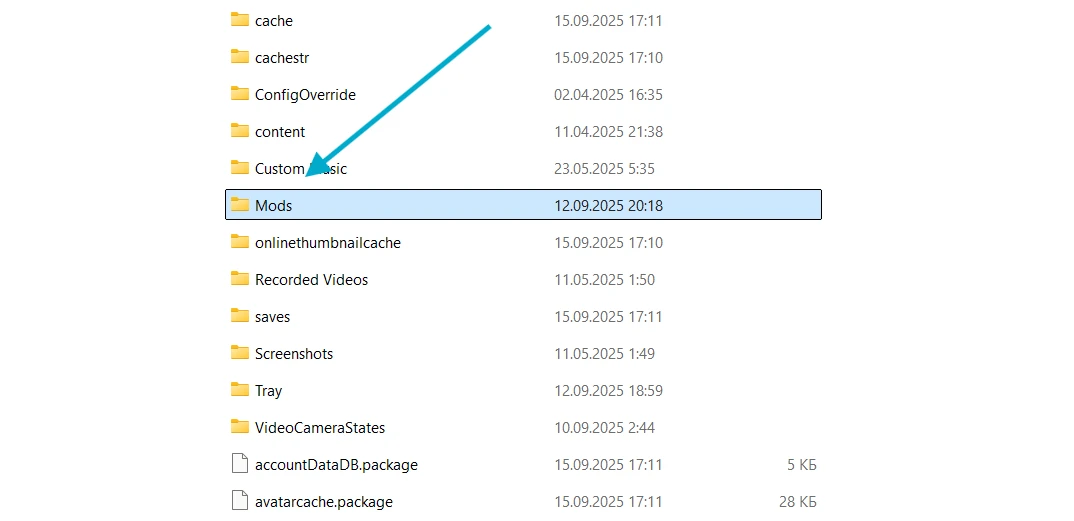
2. Create a new folder inside Mods (no deeper) for better management. For example, name it WW Animations.
3. Copy all downloaded WickedWhims animation packages into the new folder. Optionally, create a separate folder for required CC (e.g., WW CC).
Step 5 (Optional): Enable Mods and Custom Content in Sims 4
If you haven't activated mods in The Sims 4 yet:
1. Launch The Sims 4.
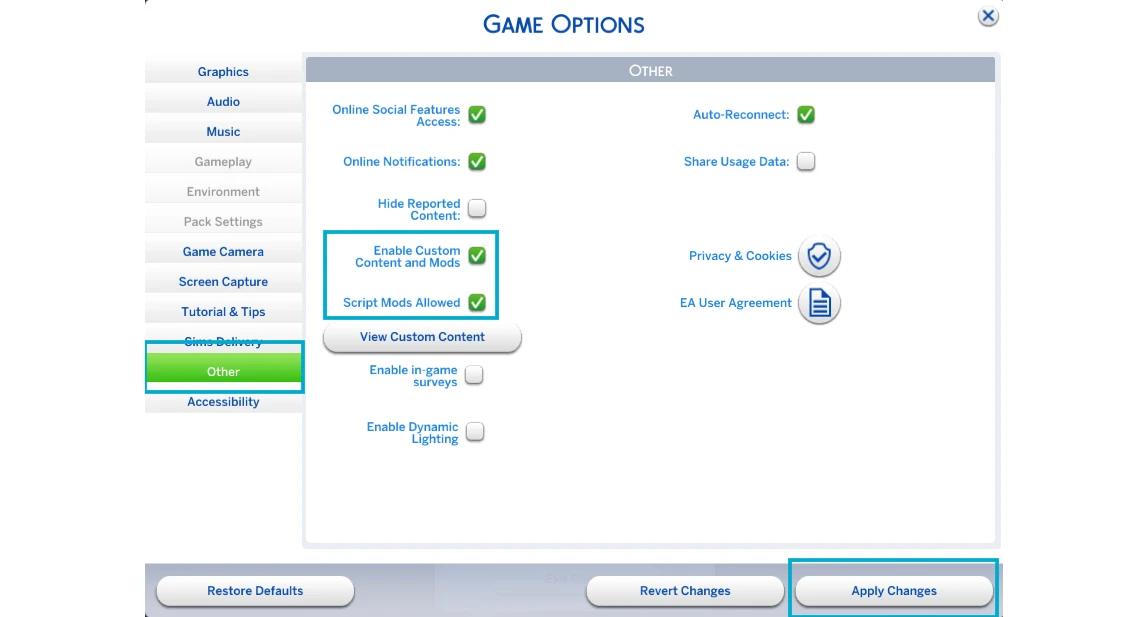
2. Go to Game Options.
3. Open the “Other” tab.
4. Check “Enable Custom Content and Mods” and “Script Mods Allowed.”
5. Click “Apply Changes” and restart the game to load your WickedWhims mod with new animations.
Now your WickedWhims animations are installed and ready for use, bringing more variety and immersive adult interactions to your Sims 4 gameplay.



