
Sims 4 Mesh Guide: Why CC Disappears and How to Fix Missing Meshes
Are your Sims 4 custom content (CC) clothes or hairstyles disappearing from Create-a-Sim (CAS) or not showing up in your game? This is one of the most common Sims 4 CC problems and usually happens due to a missing mesh. In this comprehensive Sims 4 CC troubleshooting guide, we cover everything about Sims 4 meshes, including what a mesh is, when to download Sims 4 meshes separately, and how to fix Sims 4 CC not working or broken Sims 4 custom content.
What Is a Mesh in Sims 4 Custom Content?
A mesh in Sims 4 is the 3D model or "skeleton" of an item, such as clothes, hair, or objects. Every Sims 4 CC item consists of two essential files: the mesh (3D structure) and the texture (color, pattern, material).

Types of Meshes in Sims 4
1. Default EA Meshes: Included in the Sims 4 base game and expansion packs/stuff packs (DLC).
2. Custom Meshes (CC): Created by talented community creators using 3D modeling tools, often shared on sites like The Sims Resource (TSR), Patreon, or Tumblr.
What happens in the game without a mesh
Sims 4 missing mesh issues usually manifest as:
— Sims 4 CC not showing or items "disappearing" in CAS or gameplay
— Sims in underwear or with invisible/broken body parts
— Sims 4 CC hair or clothing appearing glitched/malformed
These issues are likely due to a required mesh file not being present in your Mods folder.
When Do You Need to Download a Sims 4 Mesh Separately?
You DO NOT need to download a mesh if:
1. The CC is a recolor/retexture of an item from the base game or official expansion/stuff packs.
The main thing: you need to have installed the expansion pack/stuff pack where this item exists.
How to tell:
In the description, the author usually indicates which DLC is needed.
2. The CC creator has merged/included the mesh with the download.
The author received permission from the original mesh creator and included it in the file. This is also usually stated on the page with the CC.
You MUST download a mesh separately if:
1. The CC is a recolor of custom content (third-party mesh), and the author only provides textures. The download page will state “mesh not included” or “requires original mesh” often with a link.
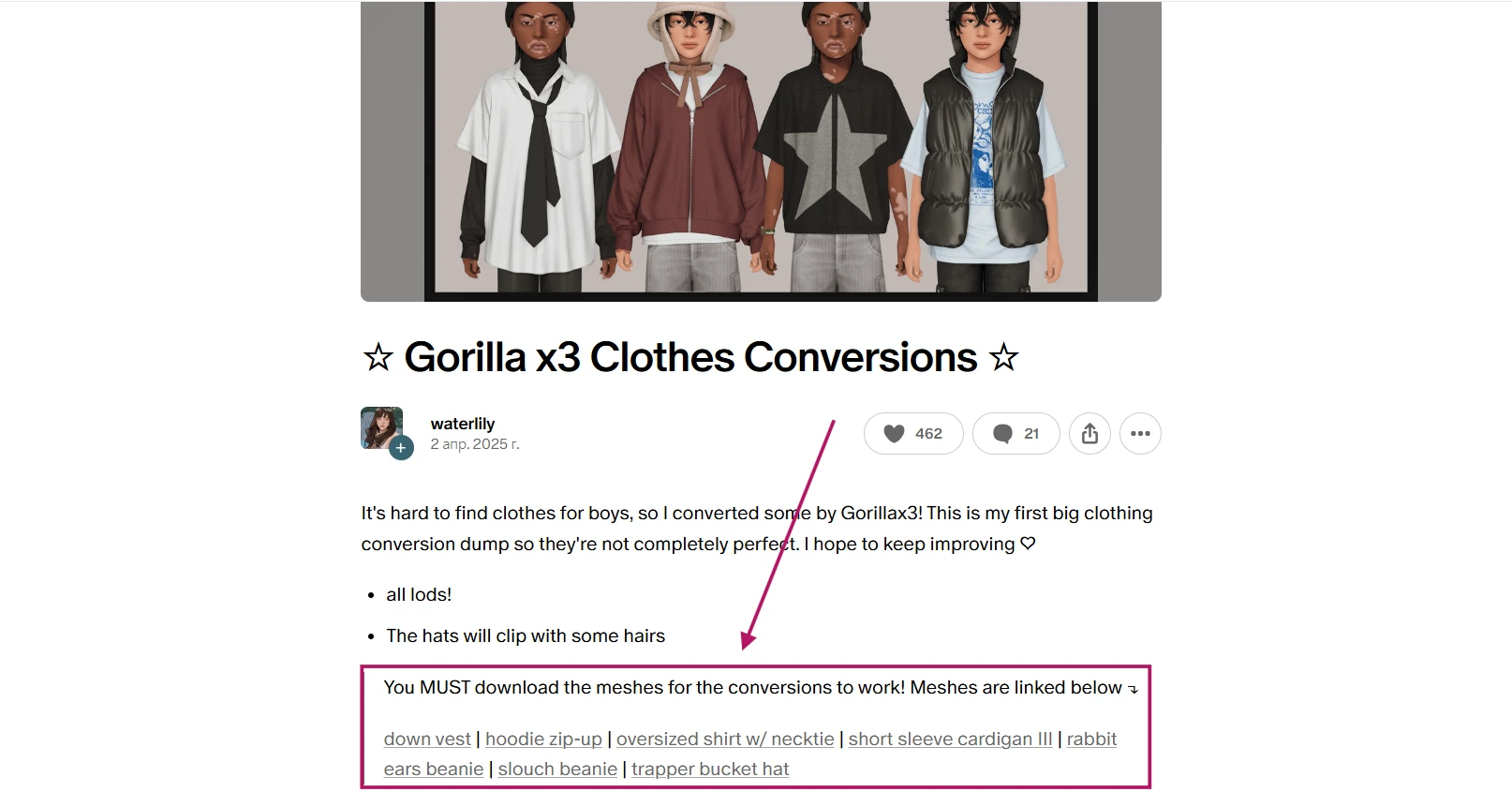
2. The CC is a conversion for another age or gender, such as converting adult meshes to toddlers/children or female meshes to males, etc. The conversion relies on the base 3D mesh, which must be downloaded separately.
The author also indicates on the page with the CC that you need to additionally download the mesh, and most often provides a link to the original.
Important: Always download CC from the original authors (Patreon, Tumblr, TSR, etc.) – re-uploaders often remove descriptions and links to required meshes, which causes the content not to work.
How to Find and Fix Broken Sims 4 CC and Missing Meshes
You can find broken CC in several ways: you can simply encounter them in the game when creating a character, or you can use third-party programs for scanning. You can read in detail about different ways to find such CC and how to understand what exactly is wrong with them in our two articles:
— How to Find and Delete Broken Sims 4 Custom Content (CC) Using Tray Importer
Very often the problem will be a missing mesh.
If you used Sims 4 Tray Importer for searching, problematic files will be marked in red with the label "Dependencies not found". This means that the game cannot find the required mesh.

You have two solution options:
1) Delete problematic CC: if you don't need the item, simply delete the file from the Mods folder.
2) Find the missing mesh: copy the name of the problematic CC and type it into a search engine (you can add "sims 4"). Find the original author's page – there's almost always a description indicating which mesh is required and a link to download it.
How to Prevent Missing Mesh Issues in Sims 4 CC
— ALWAYS read the full description before downloading custom content.
— Download Sims 4 CC and meshes ONLY from original creators and trusted Sims 4 CC sites (“How and Where to Download The Sims 4 Mods & CC Without Risks”).
— Stay organized: Regularly review and structure your Mods folder by categories (see our guide: “How to Organize Your Sims 4 Mods Folder for Faster Loading and Fewer Conflicts”).
— Keep the required Sims 4 expansions/stuff packs installed if the CC depends on them.



