UI Cheats Extension for The Sims 4: Installation, Features, and Compatibility
Forget about endlessly typing "motherlode" and "testingcheats true" — with the UI Cheats Extension mod for The Sims 4 by weerbesu, cheats are seamlessly integrated into the game interface. Just click on the desired element, and you can instantly fulfill needs, boost skills, and add money. This mod is one of the most popular Sims 4 mods for quality of life improvement, dramatically enhancing gameplay efficiency. UI Cheats Extension saves you hours of real time in your game experience. Below, we will provide a detailed breakdown of its features, installation process, and usage tips for The Sims 4.
As a reminder, we have previously discussed other useful mods, as well as the best places to safely download Sims 4 mods and CC. Comprehensive instructions for installing script mods such as UI Cheats Extension can be found in our complete beginner’s guide to installing Sims 4 mods.
What is UI Cheats Extension?
UI Cheats Extension is a script mod for The Sims 4 that brings built-in cheats directly into the game’s user interface. Rather than opening the cheat console (Ctrl+Shift+C) and manually entering cheat codes, you simply right-click or left-click on the relevant UI element — whether it’s the needs panel, skill bar, weather icon, another sim’s portrait, or more. The UI Cheats Extension mod provides seamless cheat activation through intuitive interface interactions.
The mod supports any playstyle in The Sims 4: storytelling, building, legacy challenges, or laid-back gameplay. UI Cheats Extension for The Sims 4 saves countless real-life hours and removes repetitive tasks, making it an essential addition to your mod collection.
Why do you need UI Cheats Extension for The Sims 4?
This mod transforms game management into an intuitive experience. It’s especially valuable for:
— Storytellers — instantly progressing the narrative without repetitive skill grinding, with cheat integration for story development.
— Builders — instantly adding simoleons to your household budget for build mode with money cheats.
— Legacy players — efficiently solving issues with aspirations, quests, and milestones using UI cheats.
— Pack collectors — easily managing occult sims, family dynasties, and key life moments through the UI Cheats Extension mod’s simple controls.
UI Cheats Extension saves time and minimizes hassle, enabling you to focus on creativity and storytelling in The Sims 4.
Complete list of UI Cheats Extension features
Below is a comprehensive list of all UI Cheats Extension mod functions and features for The Sims 4. The features are organized by the various in-game interfaces for easy reference.
Needs Panel
- Left mouse button on a need bar sets its value to the click position.
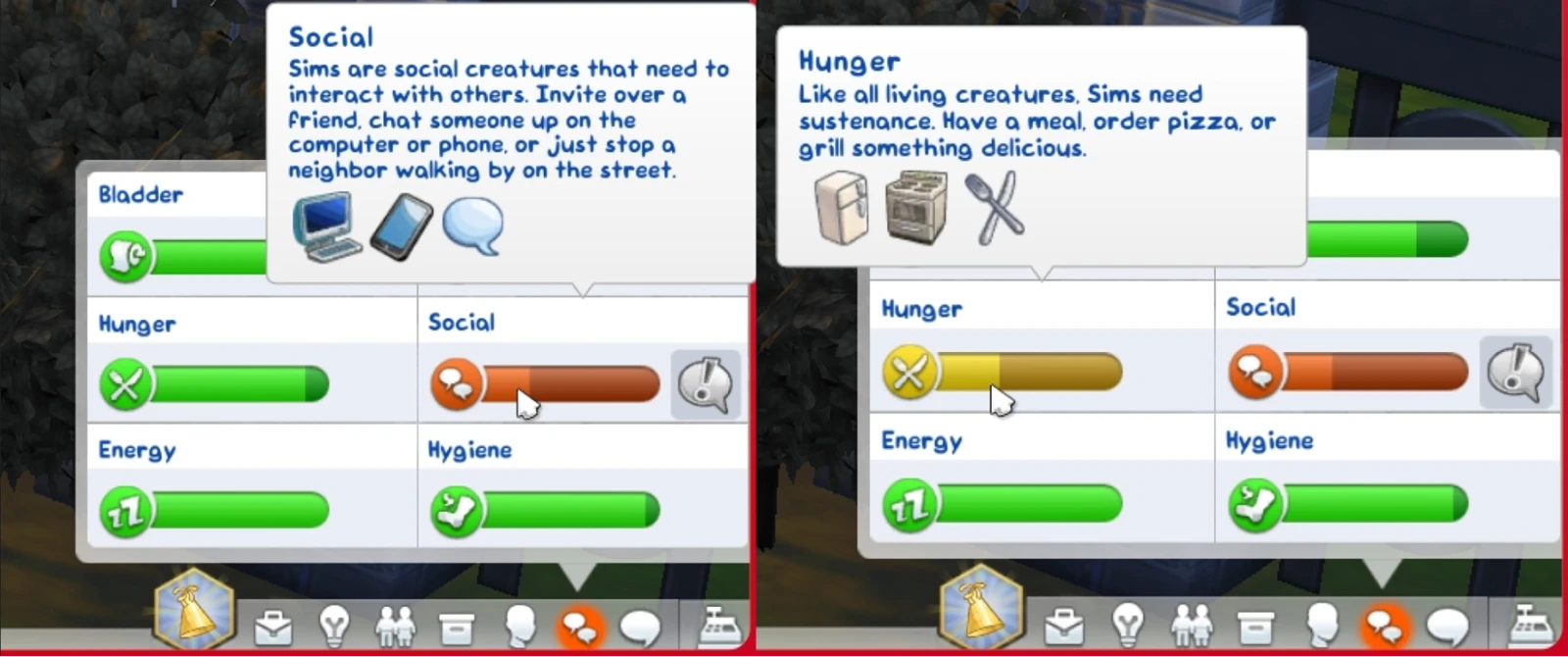
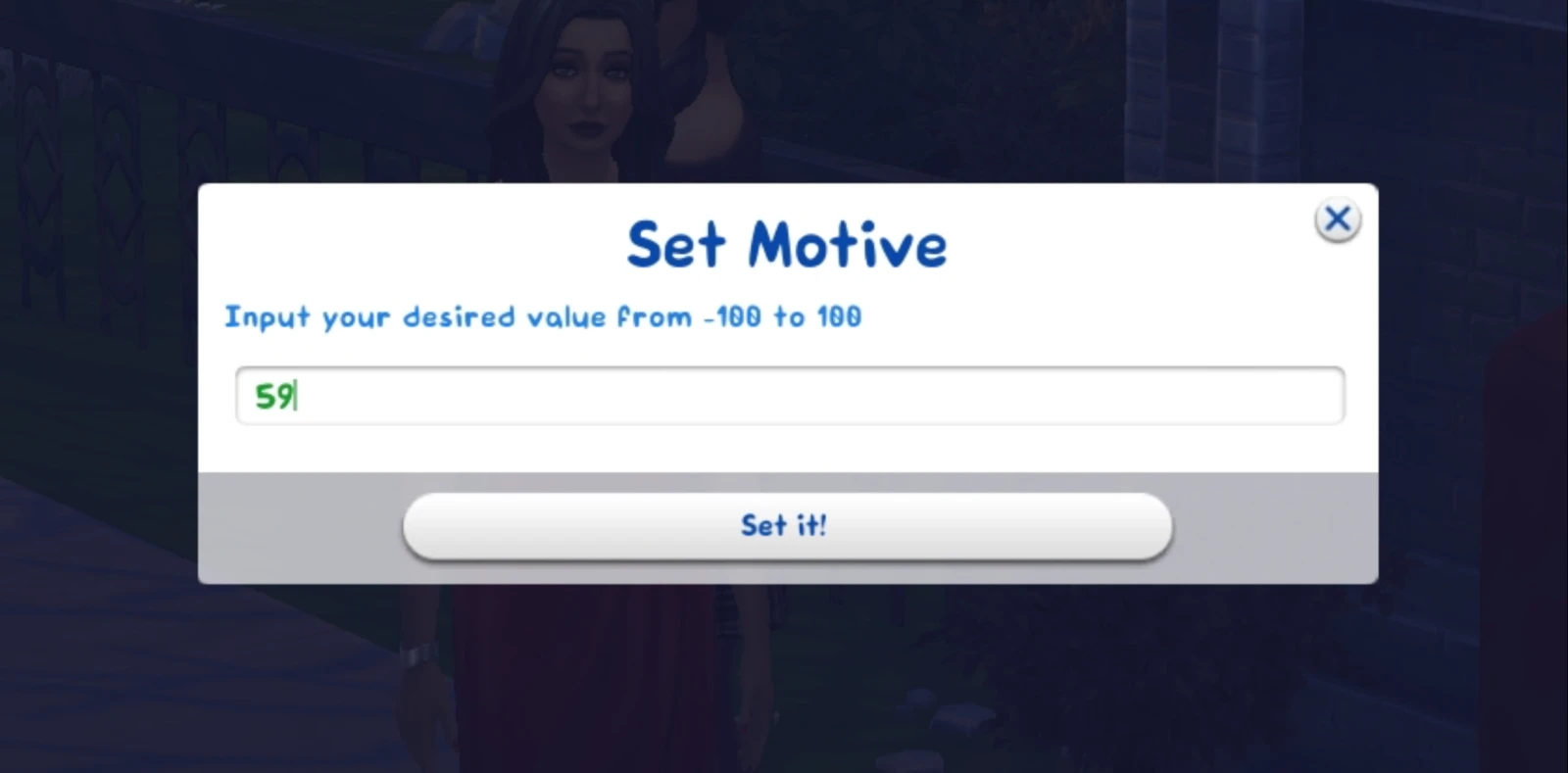
- Right mouse button on a need bar lets you set a precise value (from -100 to 100).
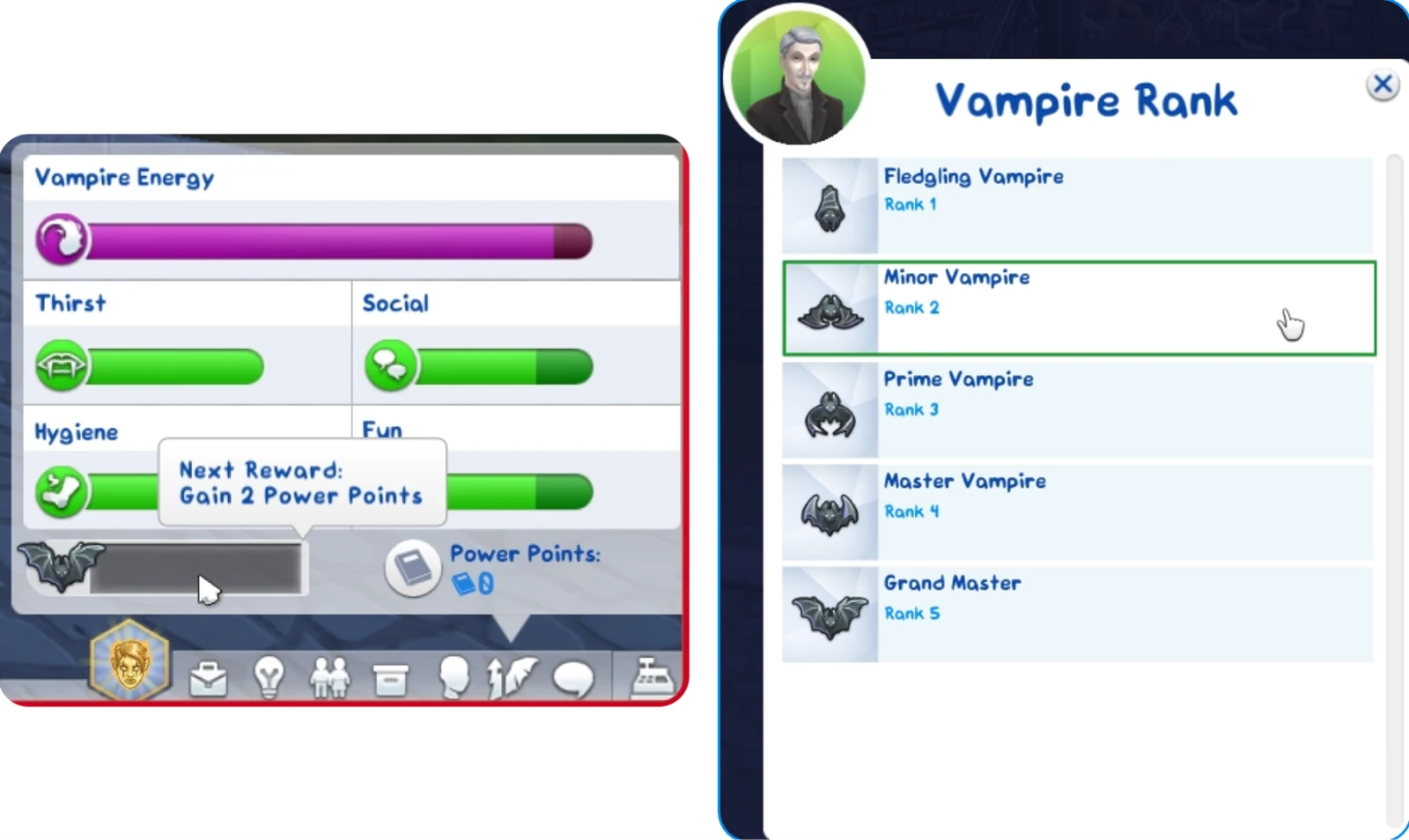
- Right-click on the vampire/spellcaster/werewolf experience bar — select rank.
- Right-click on the vampire/spellcaster/werewolf power points counter — set value.
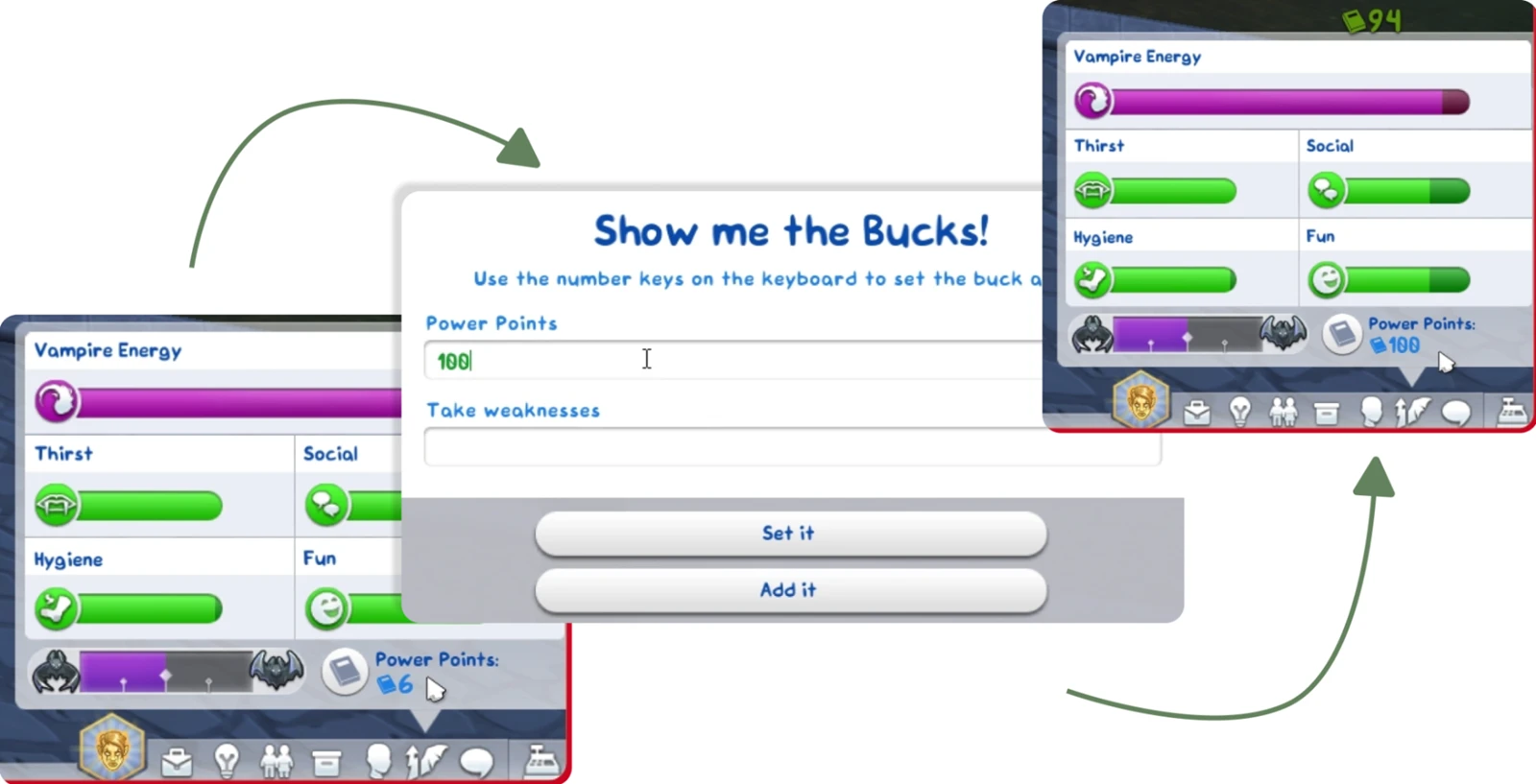
In this same window, we can obtain unique powers with one click. For instance, a vampire only has level 3 power, but we need an ability from a locked level. We simply right-click on the ability:
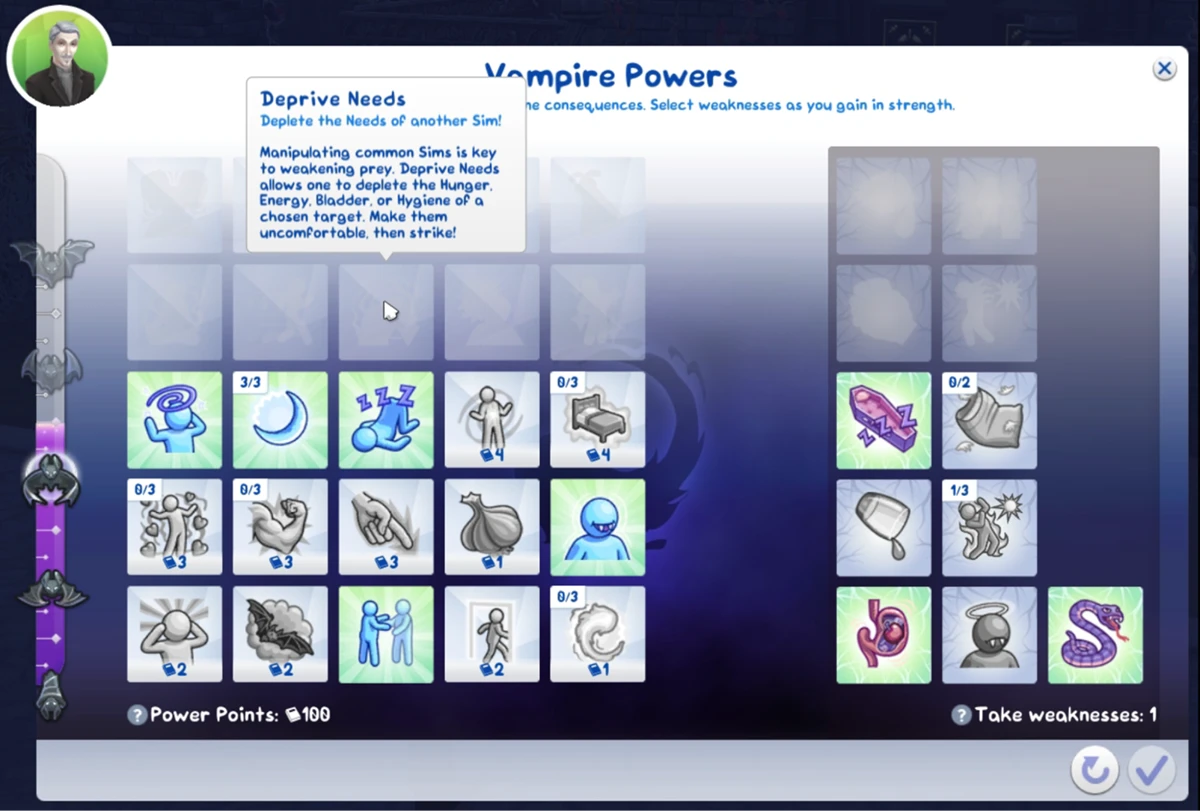
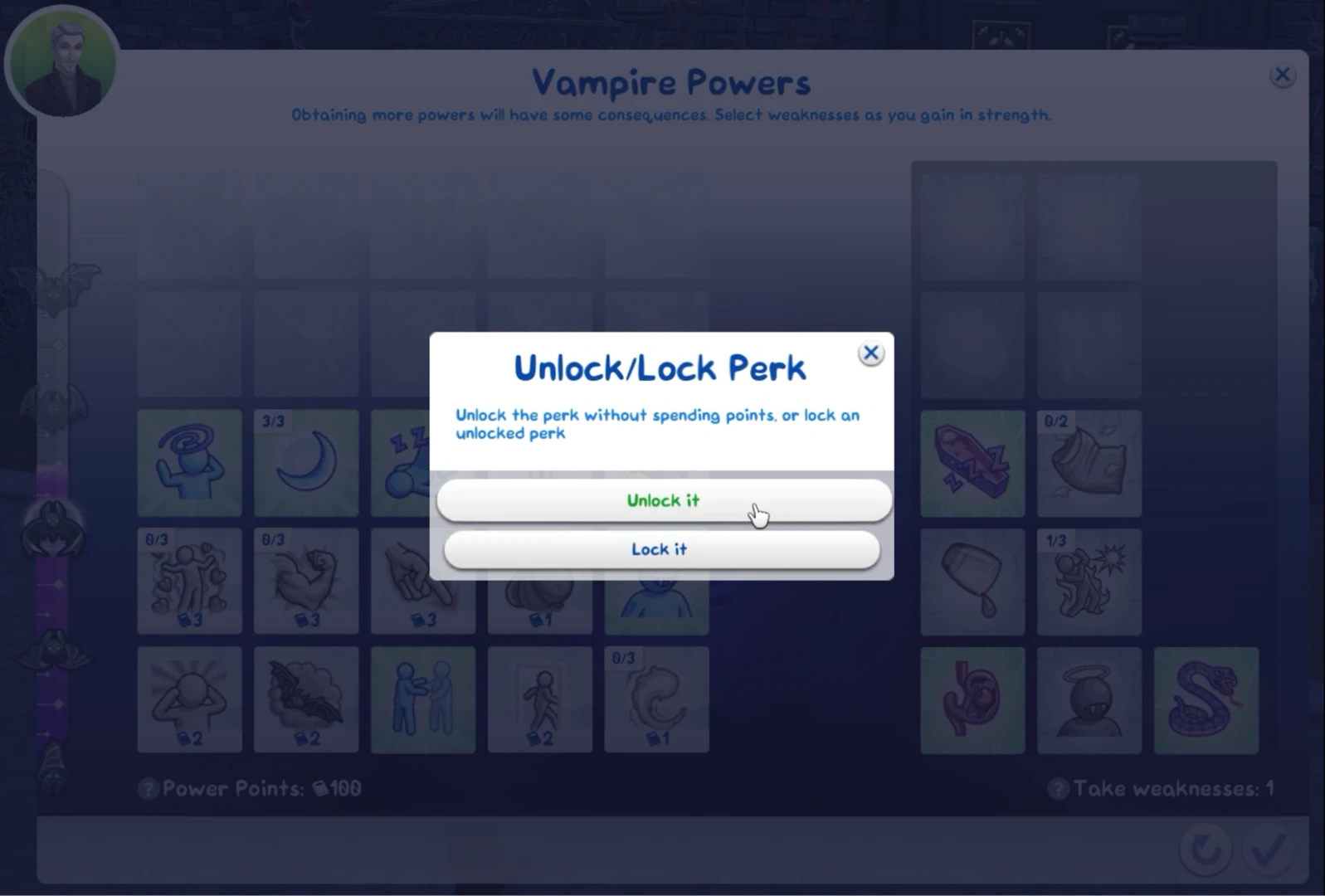
Then you can choose to unlock or, conversely, lock this skill. We select unlock. The same works with weaknesses for all occults.
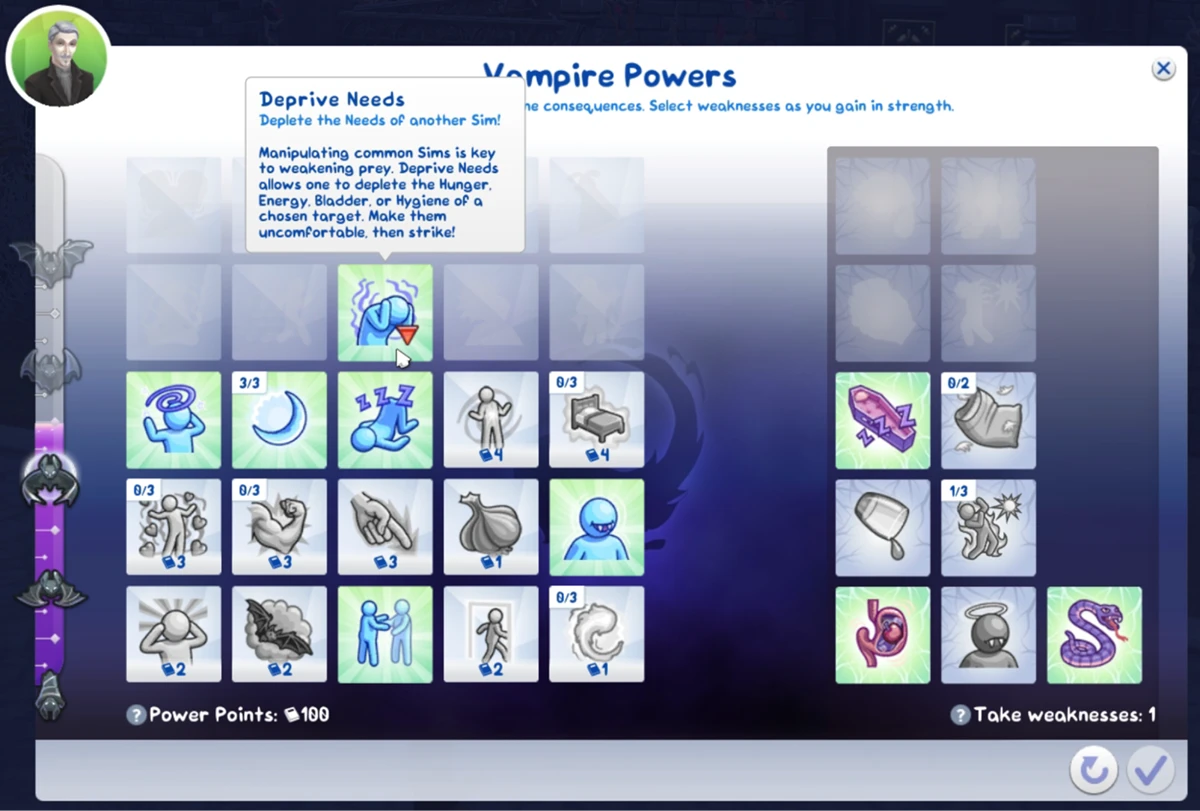
And that's it! The ability appeared, and the power level stayed in the same place. This way you can unlock sun protection for beginner vampires, for example.
Simology Panel
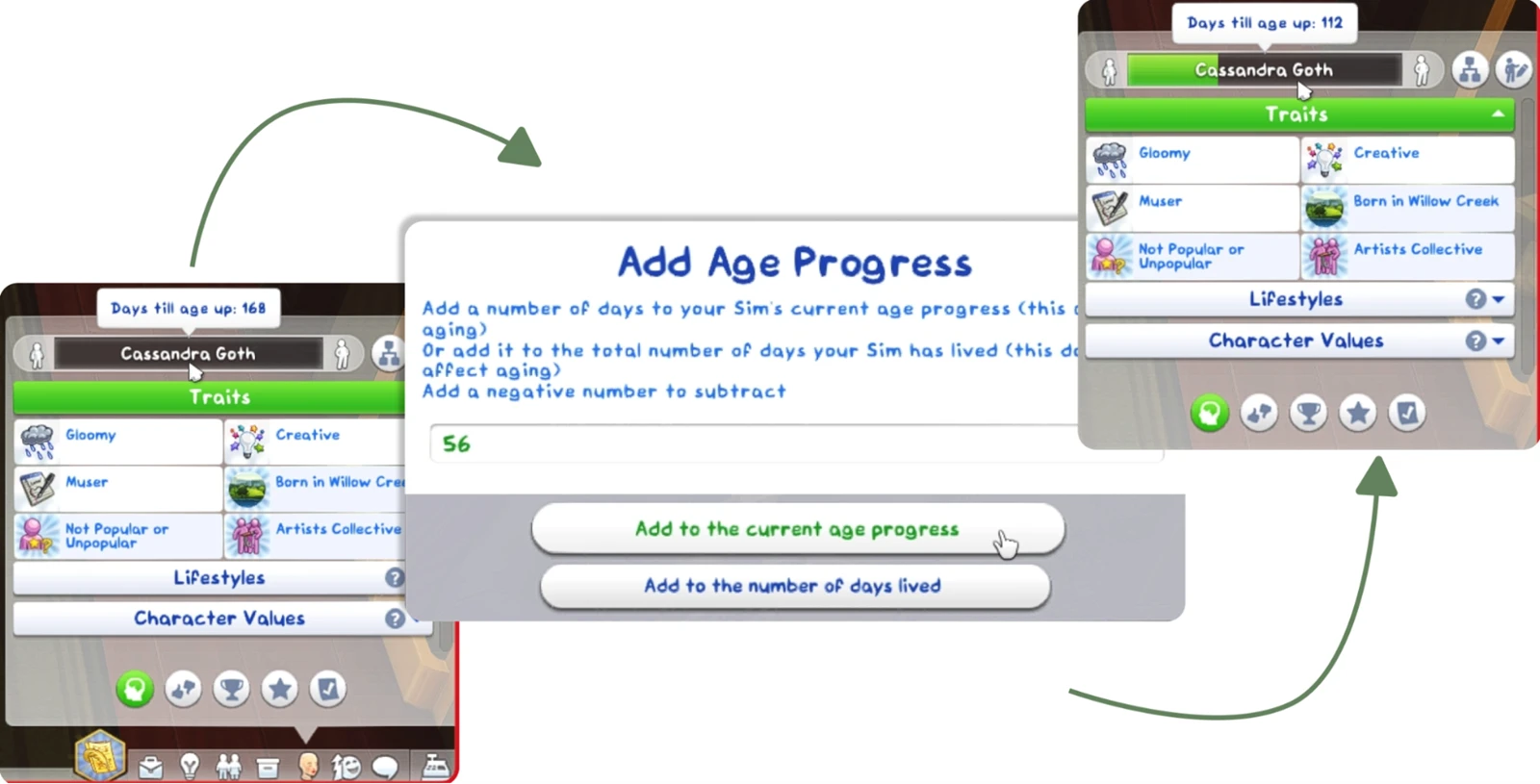
- Right-click on the age bar — adding or subtracting days lived (both in the current stage and total lifetime days).
- Right-click on the "Traits" header — adding one or more traits.
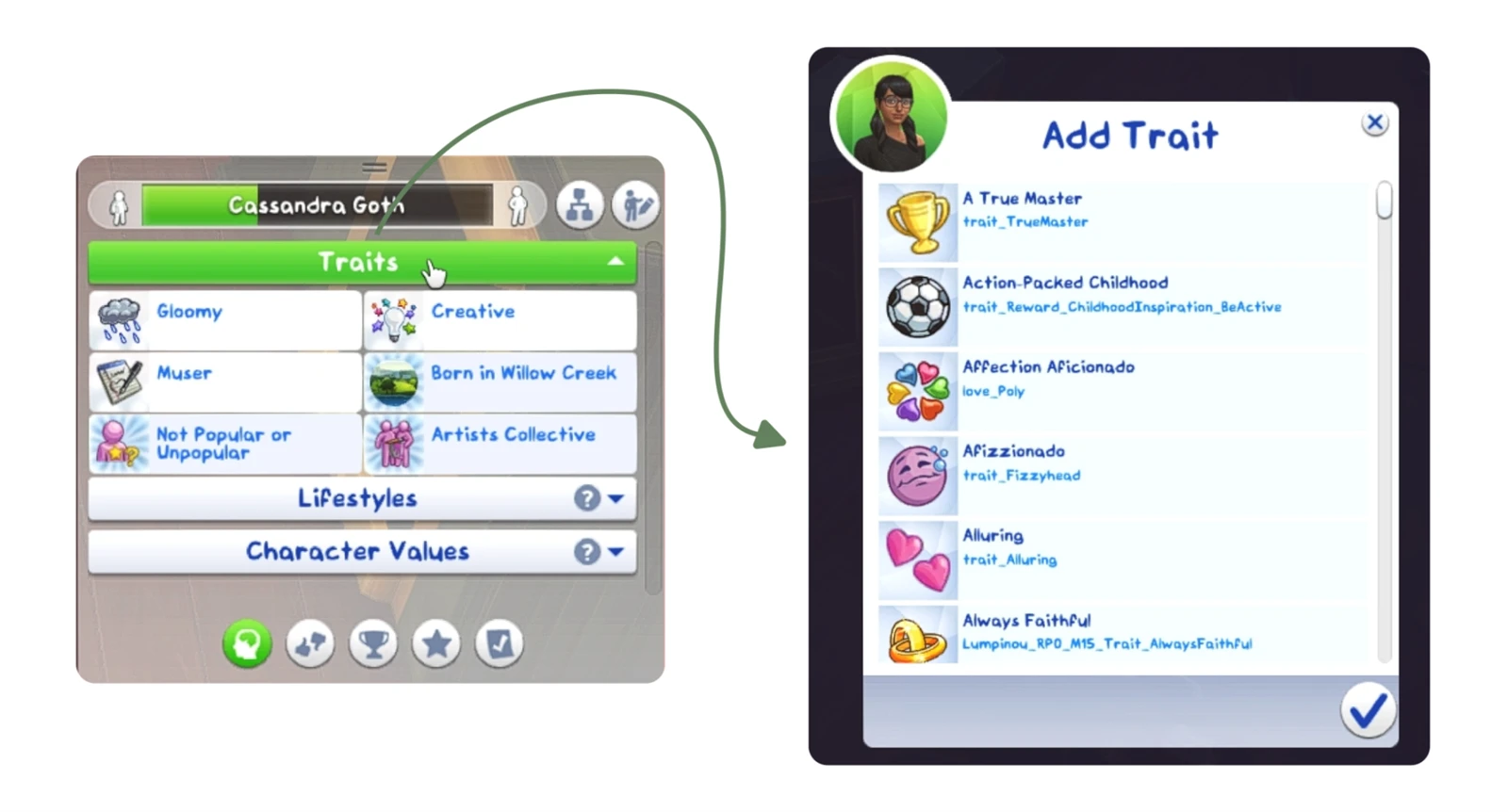
- Right-click on the "Lifestyles" header — adding one or more lifestyles.
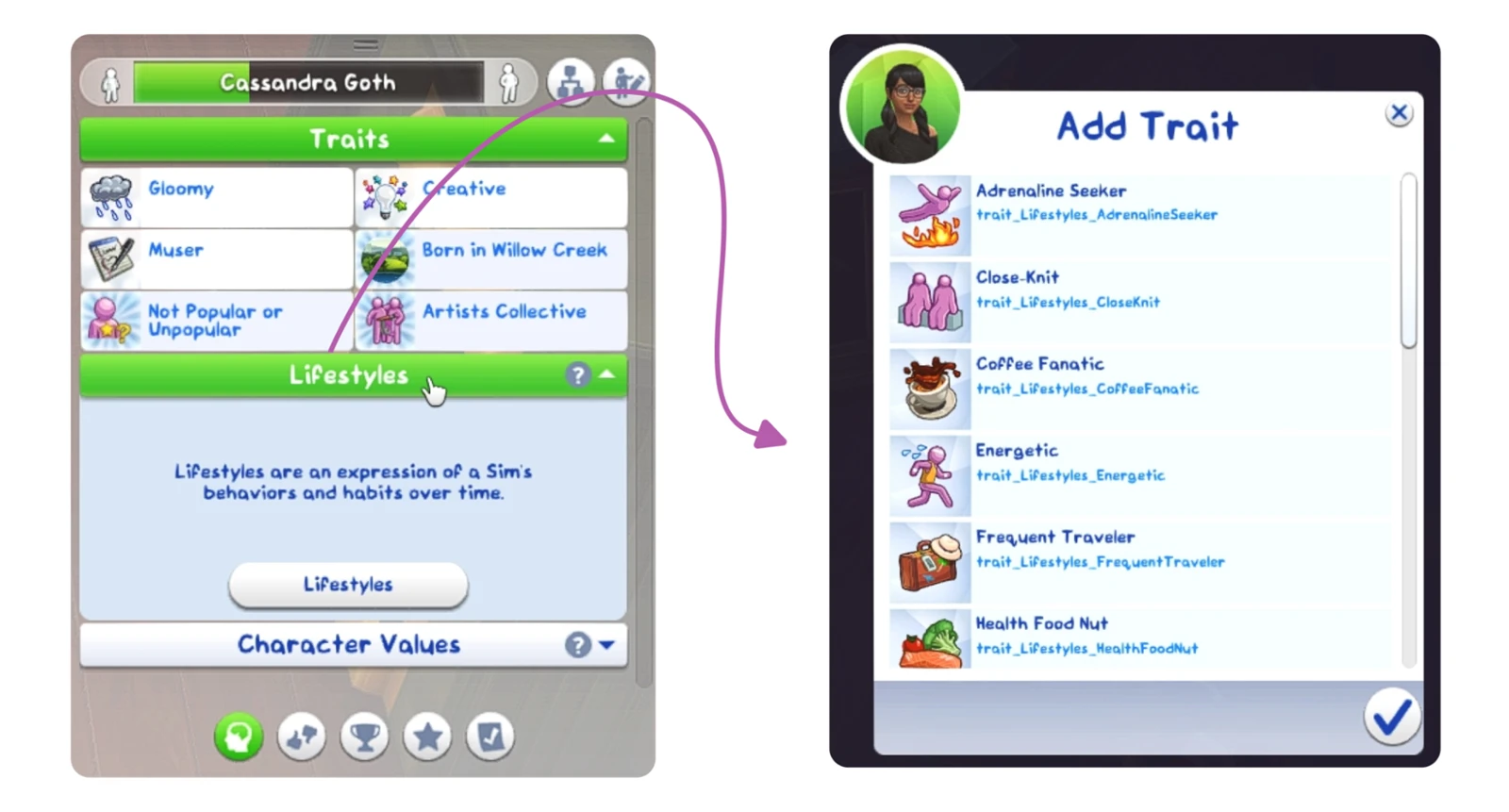
- Right-click on a trait, lifestyle, or university degree — removal.
- Right-click on the celebrity or reputation bar — select rank.
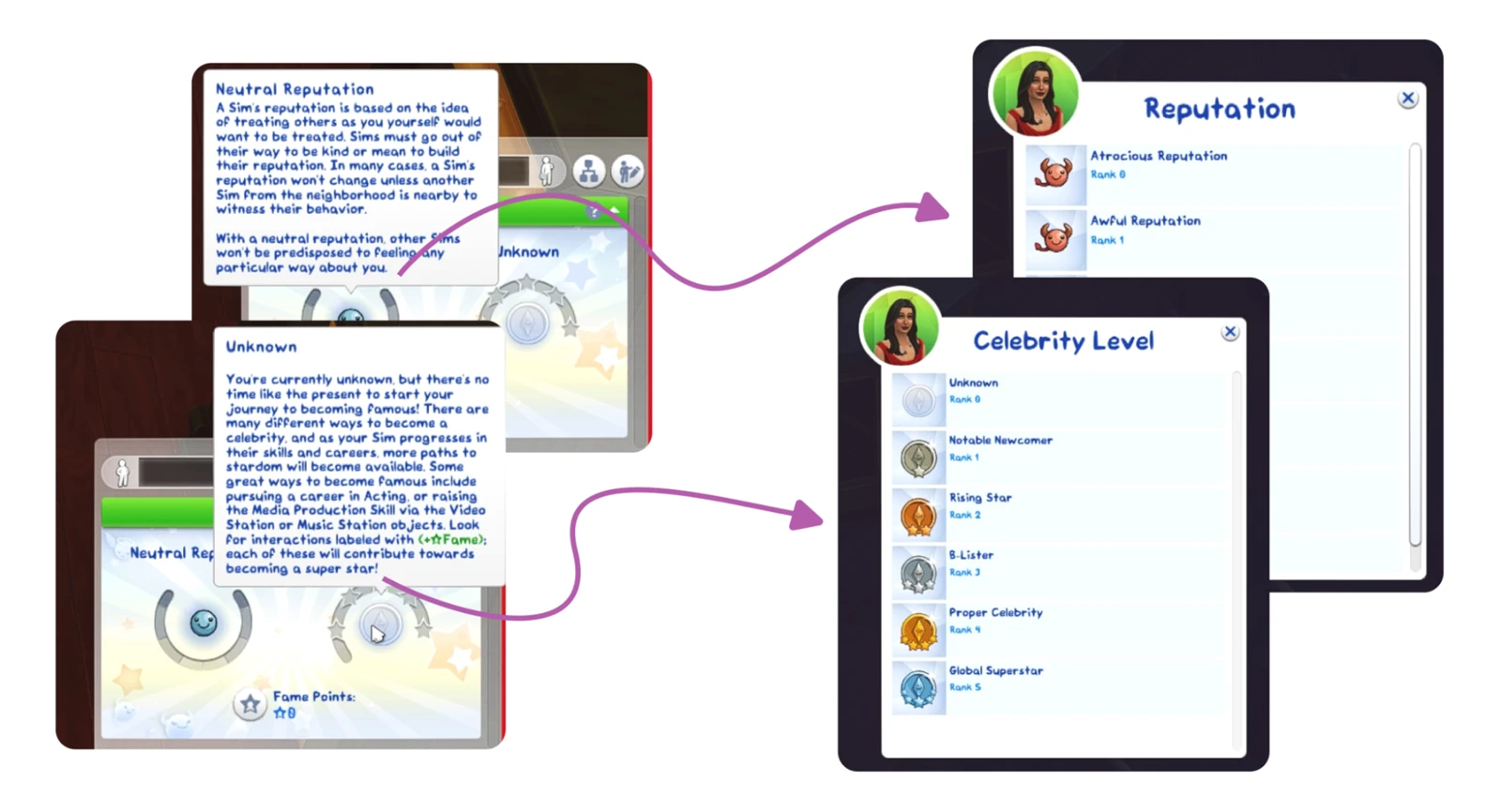
- Right-click on the fame points counter — set value.
- Right-click on the Batuu faction reputation bar — select rank.
- Right-click on the "Neighborhood Action Plans" header — opening the voting panel for the current neighborhood (even if the sim doesn't live there).
- Right-click on the influence points counter — set value.
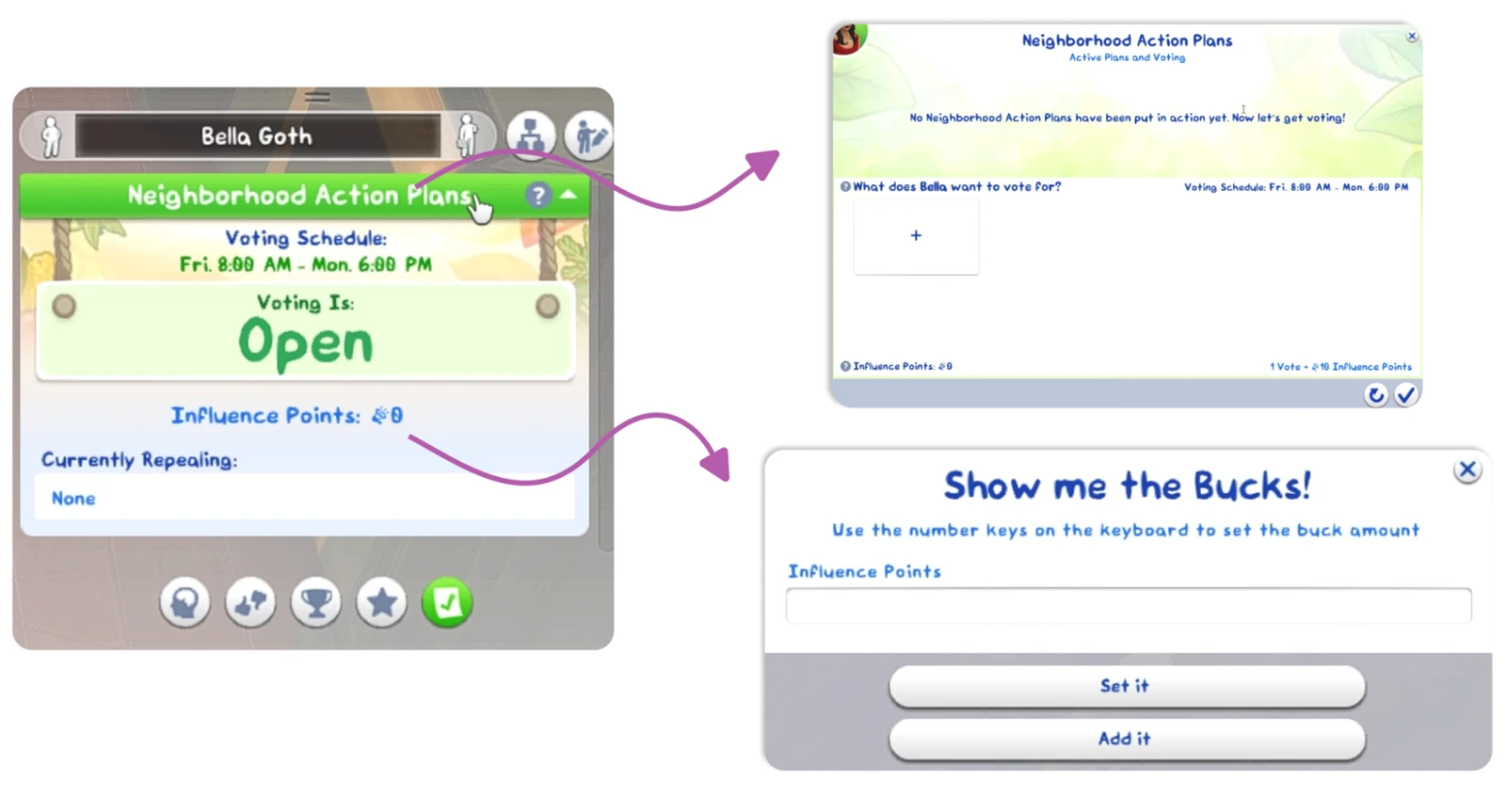
- Right-click on a life milestones category header — adding milestones from the selected category for the current age.
- Right-click on an existing milestone — removal or modification (of the sim, object, location, career, death type, trait) the milestone is associated with.
- Right-click on the ghost experience bar — select rank. Left mouse button on the "Balance and Imbalance" bar — set value to click position.
- Right-click on "Luck" — set value (from -100 to 100).
Relationships Panel
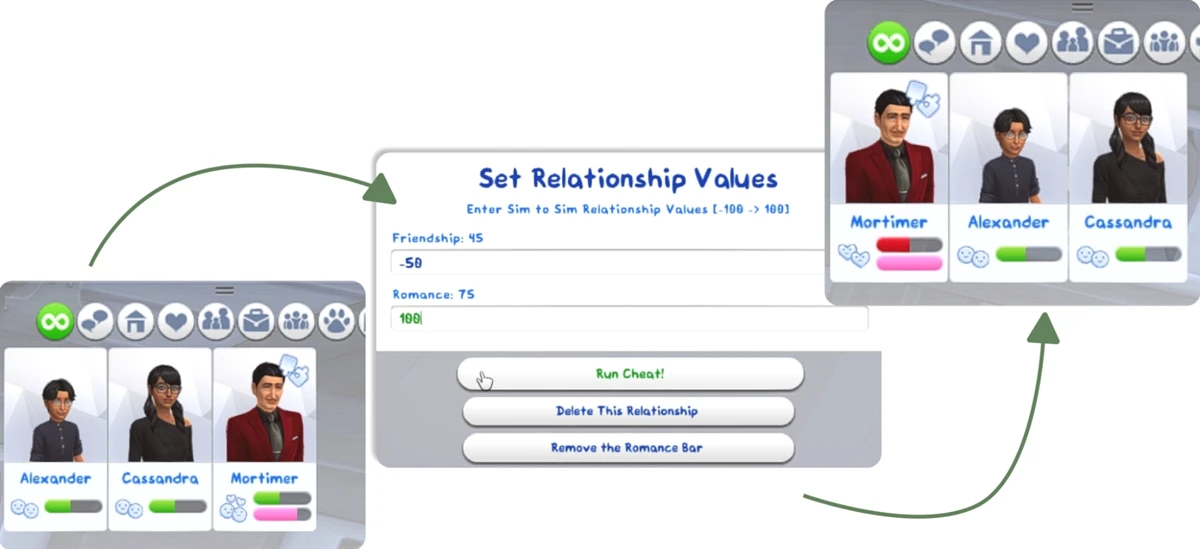
- Right-click on a sim — set friendship or romance level (from -100 to 100), as well as remove the relationship bar or romance bar.
Skills Panel
- Right-click on a skill bar — select level.
- Right-click on the skills panel open icon — adding new skills.
- Right-click on the green "Skill Mastery Perks" header — adding perks.
- Right-click on a mastery perks — removal.
Career Panel
- Right-click on the work icon or green career header — promotion, demotion, branch change, or level selection in the current branch.
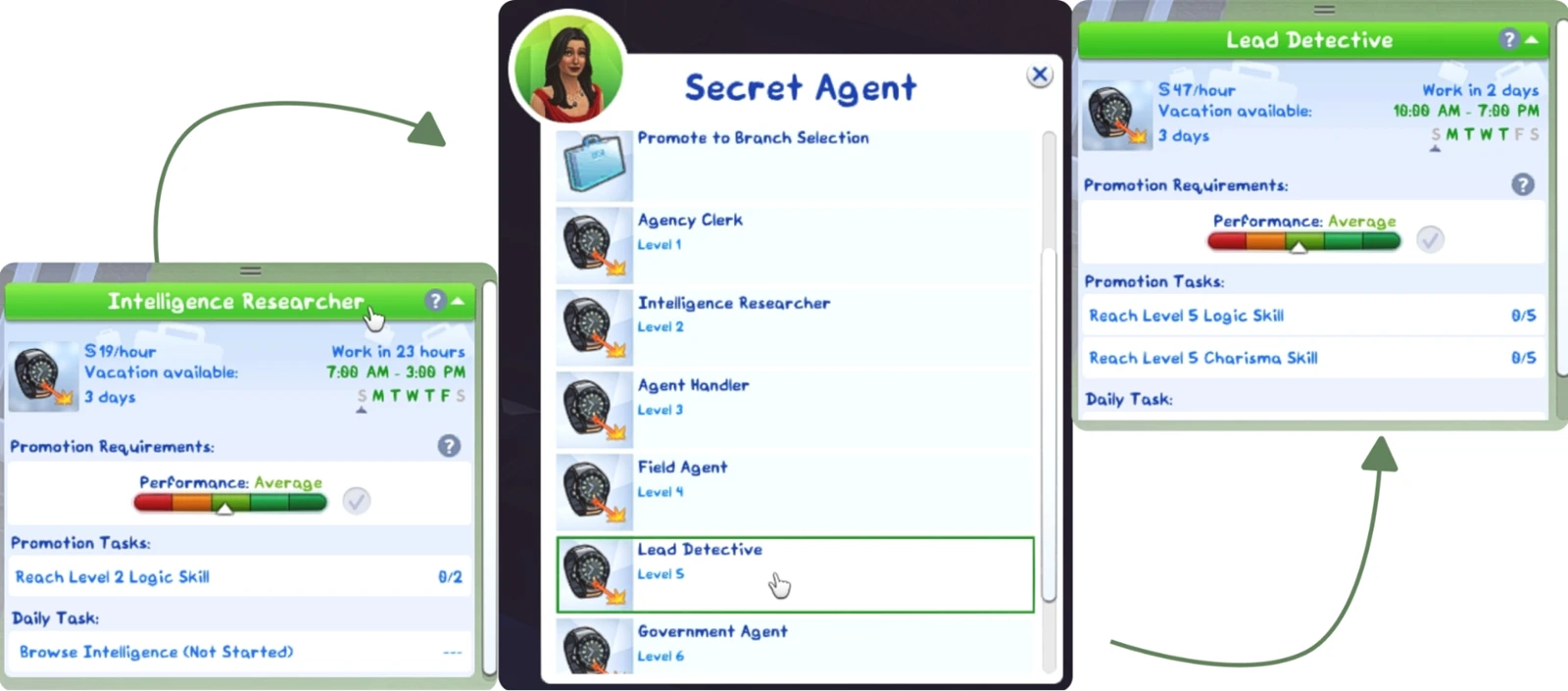
- Right-click on a promotion task, daily task, prep task, or work from home assignment — completion.
- Right-click on the work/school performance bar — set value (from -100 to 100).
- Right-click on the work performance bar — set value (from -100 to 100).
- Right-click on a work rival — removal.
- Right-click on the degree icon or green "Course Schedule" header — changing the sim's GPA at university.
- Right-click on the "on probation/academic probation" text — removing the sim from probation or academic probation at university.
- Right-click on a university course icon — set grade (from 0 to 100).
Aspiration Panel
- Right-click on an aspiration goal — complete goal.
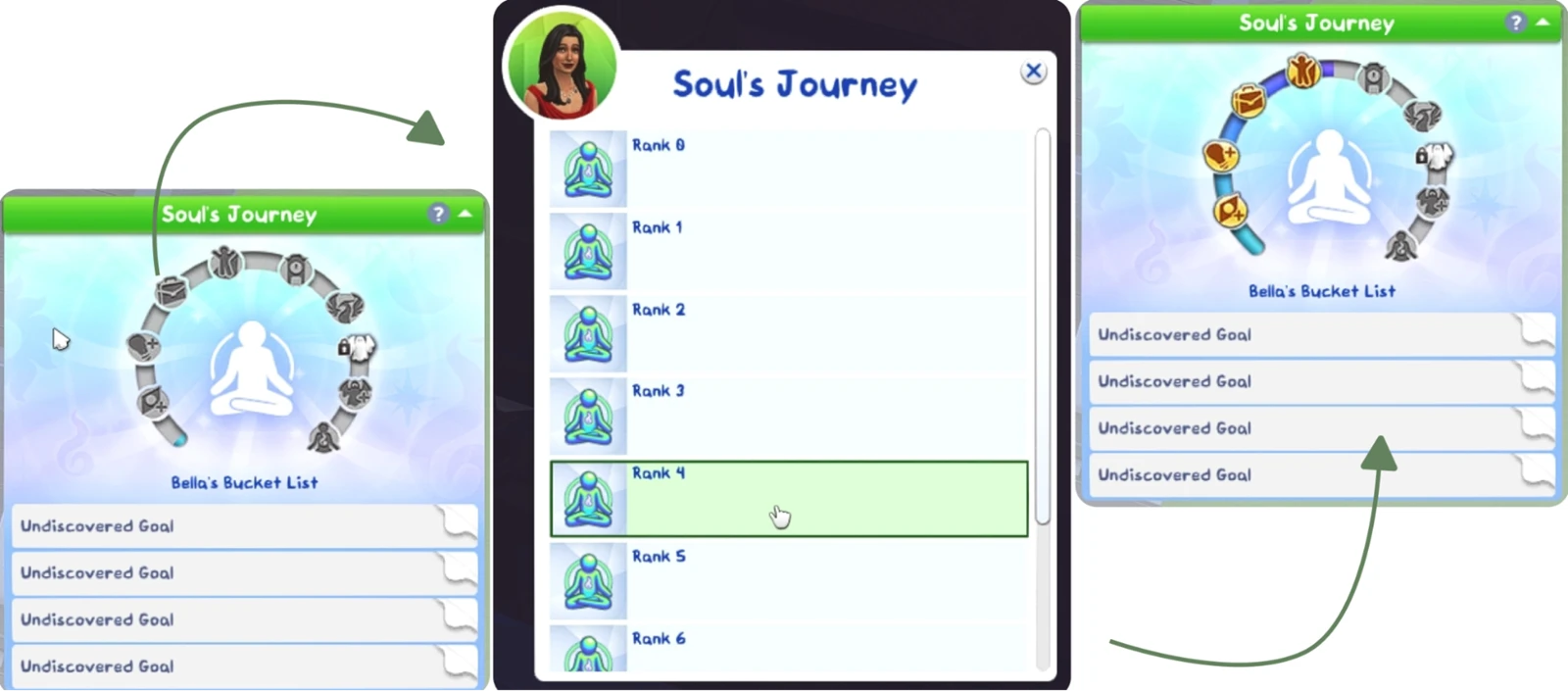
- Right-click on the "Soul's Journey" bar — select rank.
Clubs and Dynasties Panel
- Right-click on the club perk points counter — set value.
- Right-click on the Greek house experience bar — select rank.
- Right-click on a Greek house task — completion.
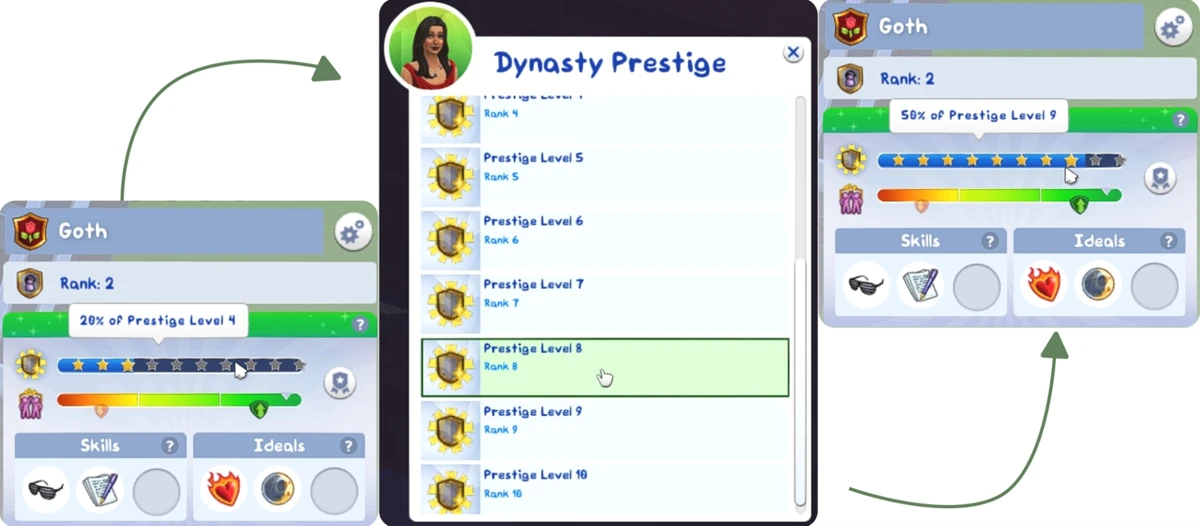
- Right-click on the dynasty prestige/unity bar — set value.
Owned Business Panel
- Right-click on the retail/restaurant/vet clinic/small business perk points counter — set value.
- Right-click on the restaurant/vet clinic star rating — change.
- Right-click on the small business notoriety/loyalty bar — set value.
Simoleon Balance, Moodlets and Moods
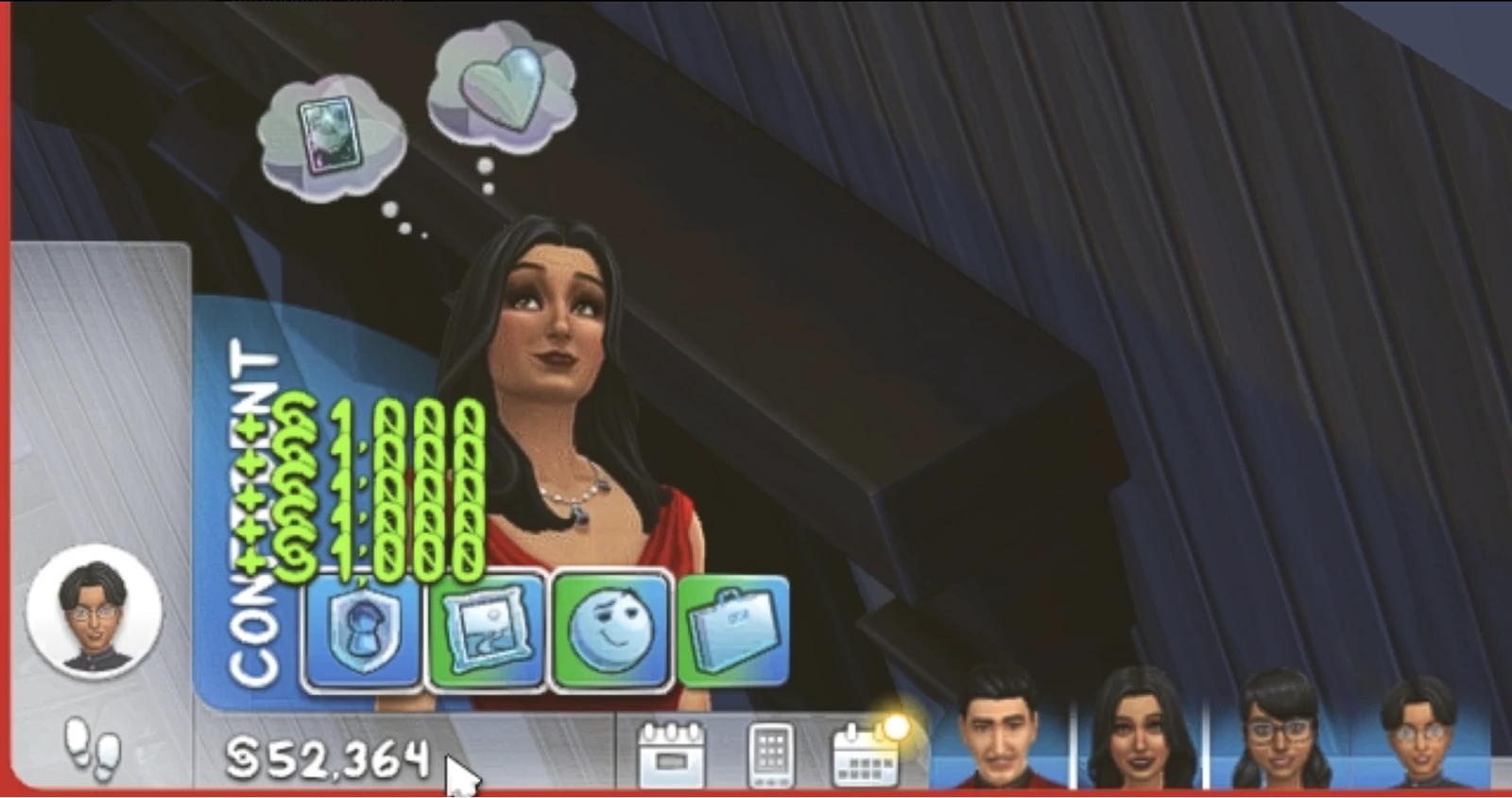
- Left mouse button on the money counter — add 1,000 simoleons.
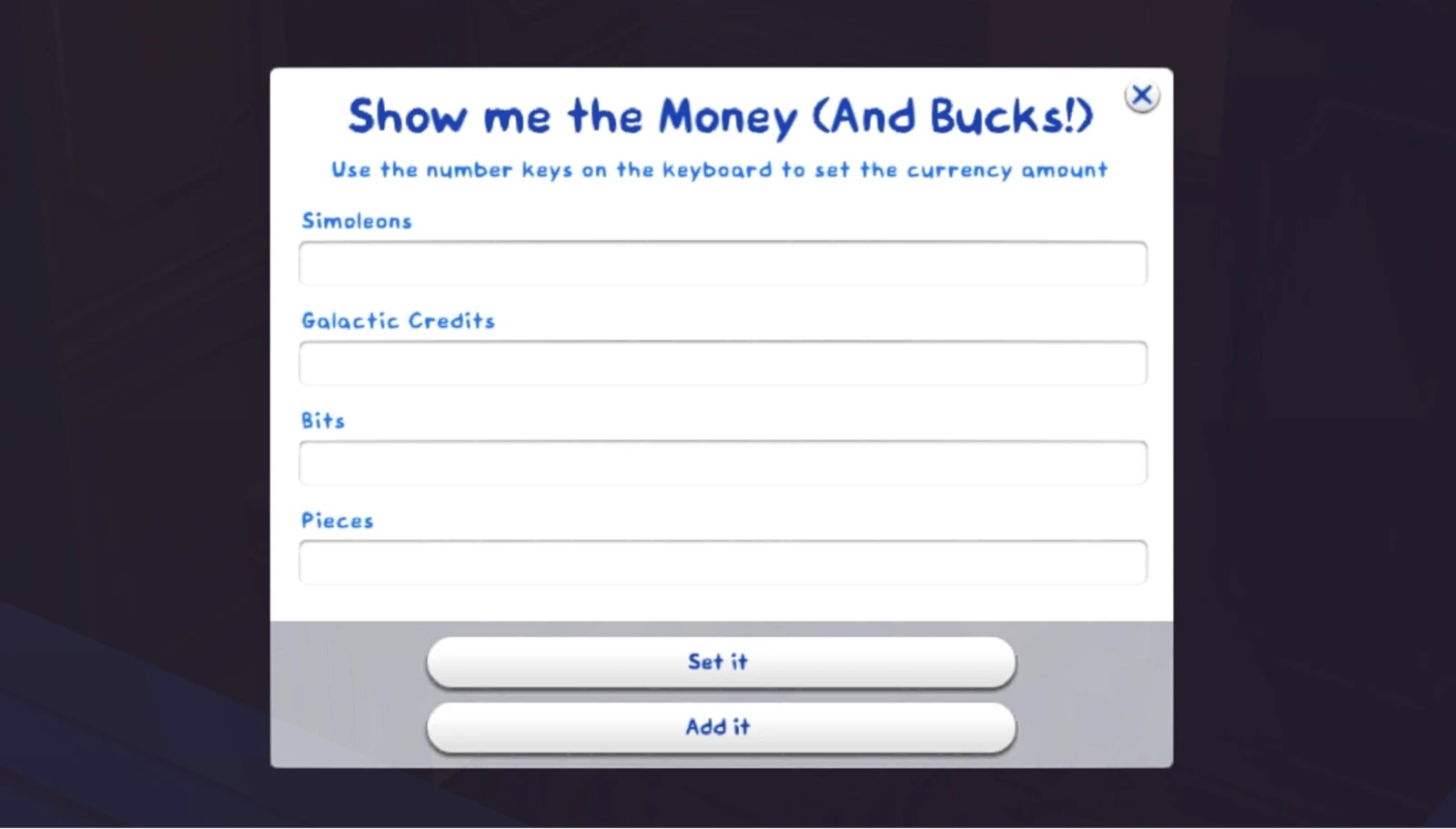
- Right mouse button on the money counter — set household funds.
- Right-click on a mood (moodlet) — removal.
- Right-click on a want — fulfillment or replacement.
Time and Weather Control
Be careful with the following cheats, changing time too drastically can negatively affect the game. Sims may critically drop their needs and also lag for some time.
- Right-click on the in-game clock — set time (from 0 to 23; for example, "15" will set 3:00 PM).
- Right-click on the season icon — set current season.
- Right-click on the weather icon — set current weather.
- Right-click on the moon phase icon — set current moon phase.
- Right-click on the eco footprint icon — set lot or neighborhood footprint (from -500 to 500).
Sim Profile in Relationships Panel
- Right-click on the green "Relationships" header — adding one or more bit.
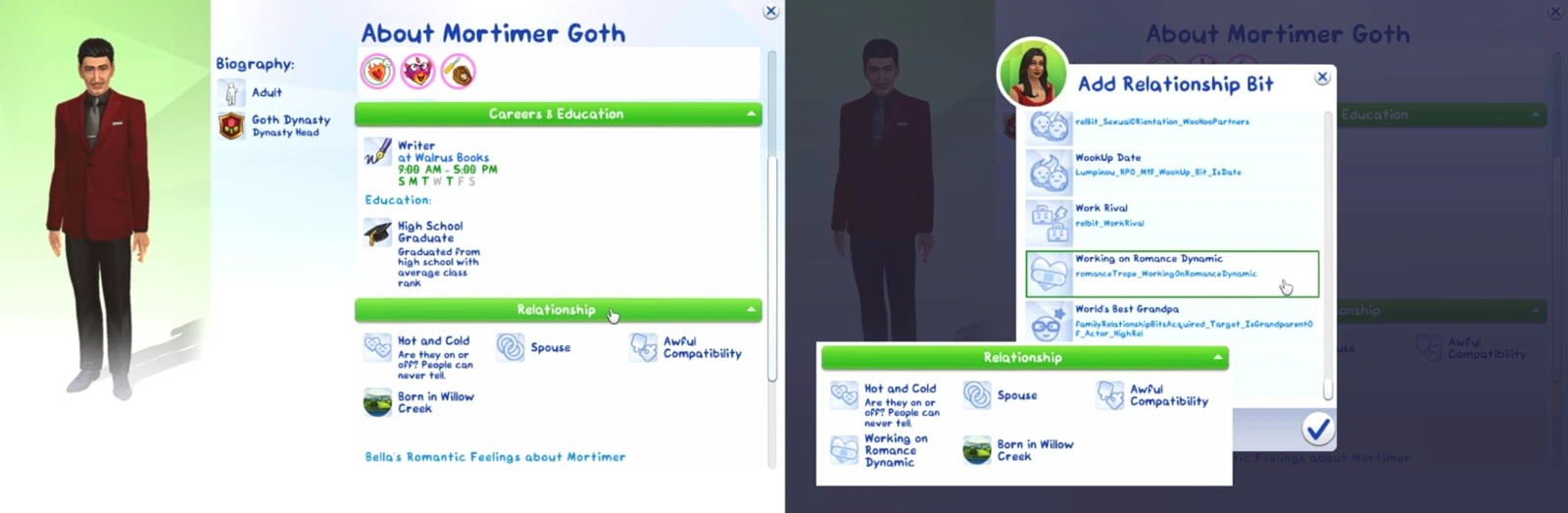
- Right-click on a bit icon — removal.
- Right-click on the known "Attractiveness" or "Romantic Satisfaction" stat — set value.
Create-a-Sim (CAS)
- Right-click on the confirm button (checkmark that applies changes and exits CAS) — random generation of name, traits, and aspirations (for quick test Sim creation).
UI Cheats Extension Installation Instructions
Download the latest version of the mod. The most reliable source is weerbesu's Patreon page. Make sure the mod version matches the current game version. The creator always announces updates on the mod page.
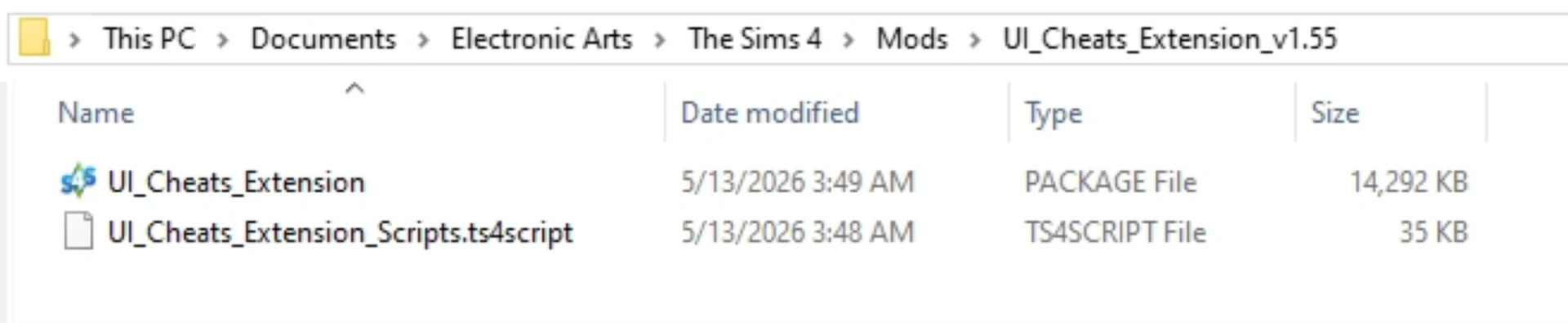
Unpack the archive. Inside you'll find files with .package and .ts4script extensions.
Move the files to the Mods folder. Typical path: Documents\Electronic Arts\The Sims 4\Mods. It's recommended to create a separate folder for UI Cheats Extension (for example, Mods\UI_Cheats), to make mod management easier.
Important: script mods cannot be placed deeper than one subfolder.
Enable mods in game settings. Launch the game, go to Settings → Other and make sure the checkboxes "Enable Custom Content and Mods" and "Script Mods Allowed" are active.
Restart the game. Changes will take effect only after a full restart. After that, the mod will be fully ready to use. If mods were already enabled in the game, restart is not required.
Important Notes and Compatibility
The mod may conflict with other mods that modify the same interface elements (for example, expanded relationship or skill panels). If some buttons stop working after installation, try temporarily disabling suspicious mods.
After each official The Sims 4 update, download the new version of the mod. An outdated version may cause errors or not work at all.