
The Sims 4 Marketplace Launches on PC & Mac: Moola, Free Kit, and Over 60 Bug Fixes
March 17th marked the launch of The Sims 4 Marketplace on PC and Mac. Alongside the new storefront, players received a massive patch featuring over 60 fixes and major improvements to Sim autonomy. Console players will get the update later, but for now, PC users can claim a free Kit and test out the new Moola currency.
Information From The Official EA Website
Game version with the new patch: 1.122.205.1030 (PC) / 1.122.205.1230 (Mac)
Sul Sul Simmers!
This update delivers The Sims 4 Marketplace to PC and Mac players, with Console coming soon! It also includes more than 60 quality-of-life bug fixes and improvements, many of which address top-voted issues from the community. Alongside these fixes, we’ve made several adjustments to Sim autonomy, targeting behaviors such as Sims socializing with strangers, excessive flirting, and obsessively using certain objects.
Happy Simming!
— The Sims 4 Team

What is The Sims 4 Marketplace?
The Marketplace is a new integrated platform where players can purchase both official Maxis Kits and Maker Packs from creators who have passed a special selection process. Purchases are made using the virtual currency Moola, which can be bought in-game or through game launchers.
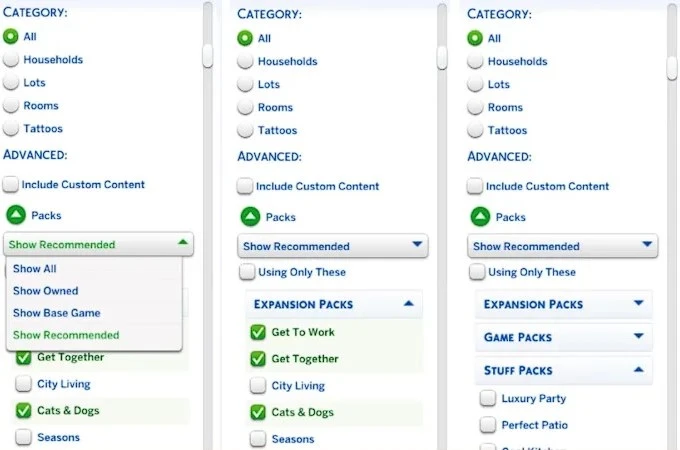
An important change: all Kits, including official ones, are now sold exclusively through the Marketplace and only for Moola. The Pack Select feature has been moved from the Game Options menu to the "My Collection" section within the Marketplace, where you can now manage downloaded content and keep track of your storage.


Source: simscommunity
The Gallery has also received an update with improved search filters, which should make browsing community creations much more convenient.
Источник: ea.com
A Free Kit as a Gift
To celebrate the launch, the Country Kitchen Kit is available for free in the Marketplace. You can find a detailed review of the kit in this article.
Top Community-Requested Fixes
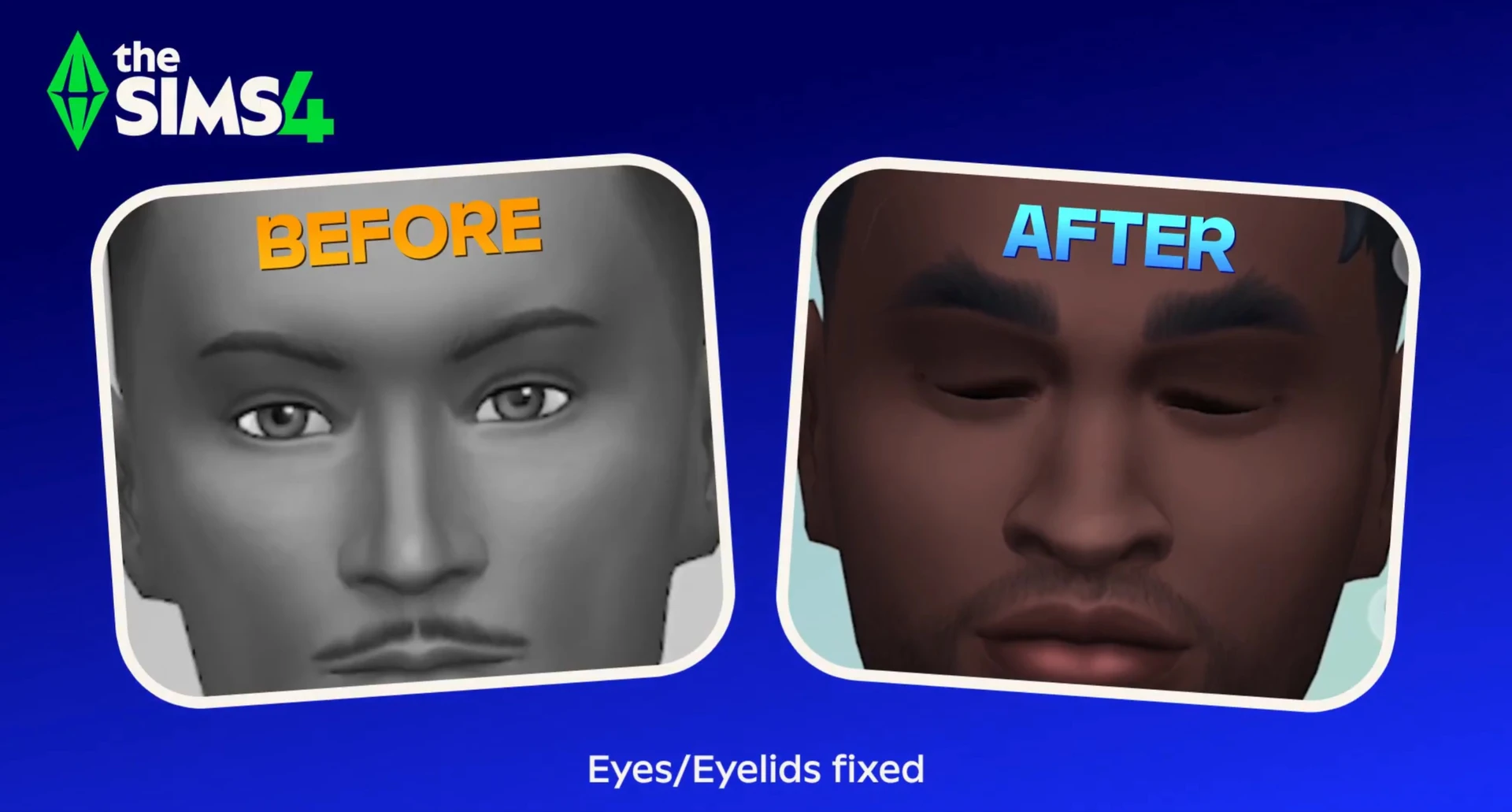
In this patch, the developers finally addressed the five most voted issues from the EA forums. Sims now blink correctly (their eyelids actually close), Prom is once again appearing on calendars for High School Years owners, and pet and horse data is no longer lost in new saves.
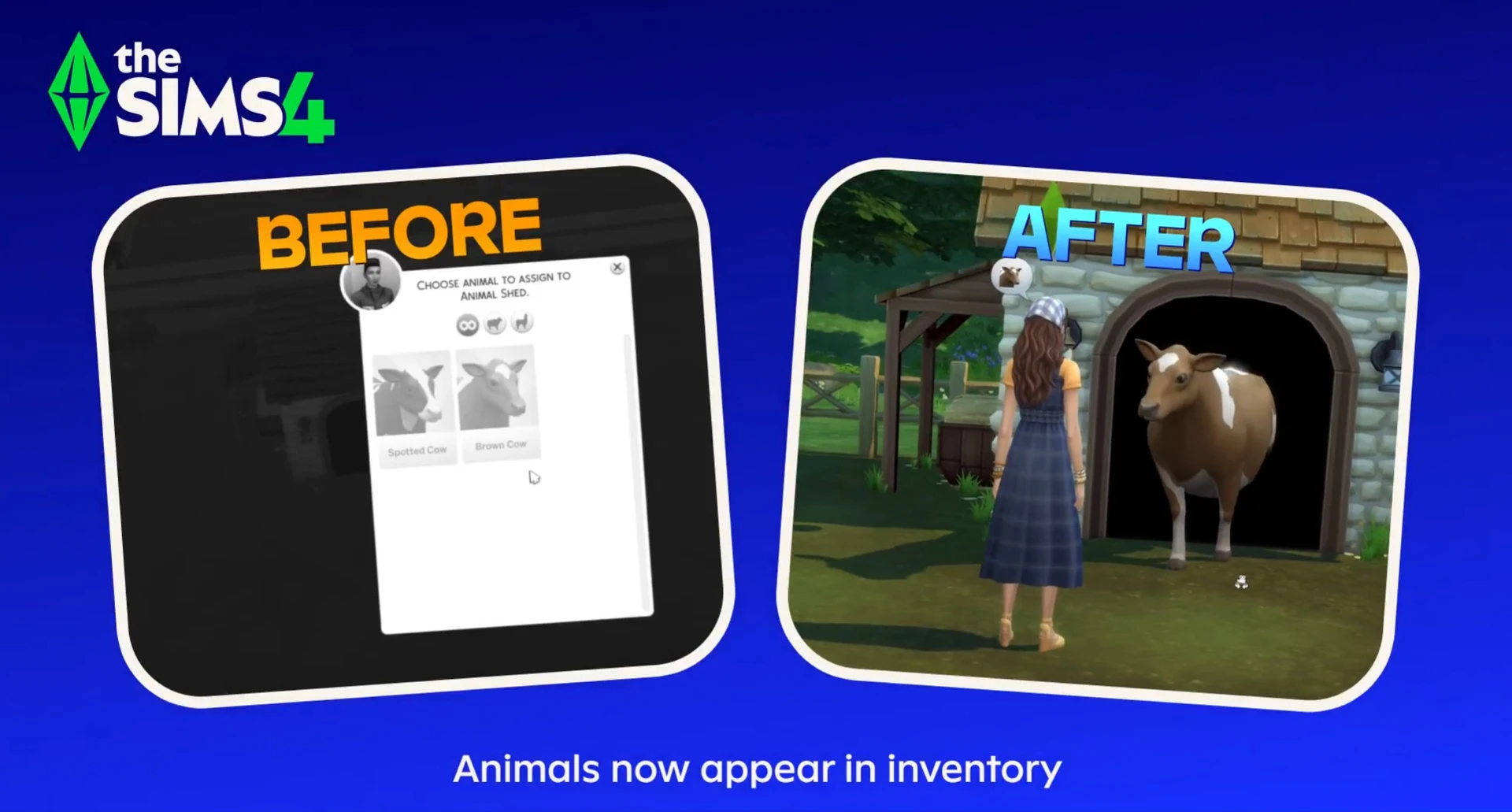
Furthermore, the strange social logic has been fixed: Sims have finally stopped bothering strangers and now prefer talking to those they know. And owners of Cottage Living can breathe a sigh of relief — animals no longer get stuck in inventory when moving households and can successfully be relocated to sheds.
Major Autonomy Overhaul
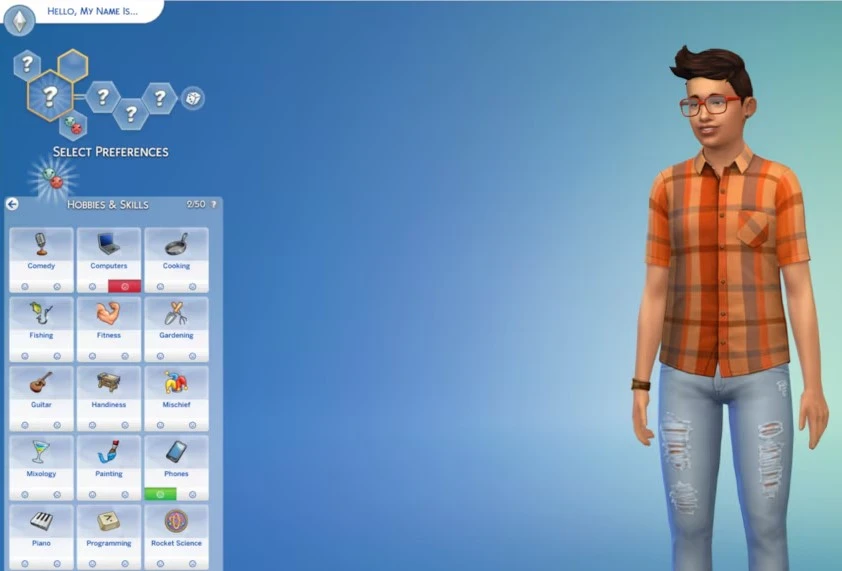
The rework of Sim free will deserves special attention. The developers have addressed the obsession Sims had with phones, computers, and repetitive actions. New traits have been added in CAS: you can now make a Sim a "Liker" or "Disliker" of phones and computers, which will directly impact their behavior.
Additionally, cooldowns have been introduced for most repetitive actions (playing guitar, doing yoga, dancing, exercising) — Sims will no longer do the same thing for hours on end. These cooldowns don't apply in special situations like on getaways, in clubs, or at small businesses.
Fixes for Pets, Farms, and Small Details
Beyond the major changes, the patch also addressed more subtle issues. For example, a bug causing animal duplication in sheds and coops has been fixed — chickens and goats no longer clone themselves when moved. Unflirty Sims no longer react negatively to friendly hugs, and hundreds of tags in Build Mode have been reviewed to ensure items appear in the correct categories.
The complete list of fixes from the official Electronic Arts website is covered in this article, where you can review all the changes in more detail. Stay tuned to keep up with all the latest news!



