
Scandal Between EA and The Sims 4 Fans: The Black Photo Bug Remains Unfixed!
In the latest update on January 12, 2026, developers shared that they had fixed a long-standing bug with in-game photographs that could turn dark at any point in time. The community was delighted and immediately started updating, but players were in for an unpleasant surprise. All photographs and pictures turned black after the very first game save.
This affected all saves, even those that had never experienced this bug before. What to do now and whether it's even possible to fix this mess — we'll cover in this article.

Bugs after the free update
Just a couple of hours after the update's release, players began noticing that something was wrong with their photographs. As we already wrote in this article, the update was supposed to fix a serious error that caused photographs to become black and white. This had been ruining players' saves for several months.
Many started complaining that the problem wasn't solved, and even got worse. Photographs began turning black even for those who hadn't encountered this before.
Mass player complaints
On the official Electronic Arts website, in the bug reports section, a post appeared that described the entire essence of the problem in detail:
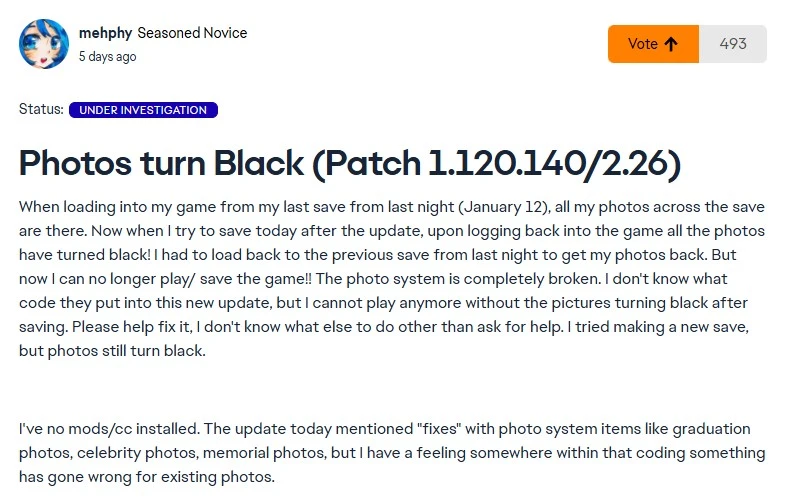
The bug occurs if you updated, saved the game, and loaded it again. In that case, all your photographs will disappear and restoring them will be difficult. If you don't notice this the first time and continue saving, with each new game session the situation will only get worse.
Players also complained about this on X:
Many users lost entire rooms with photographs:
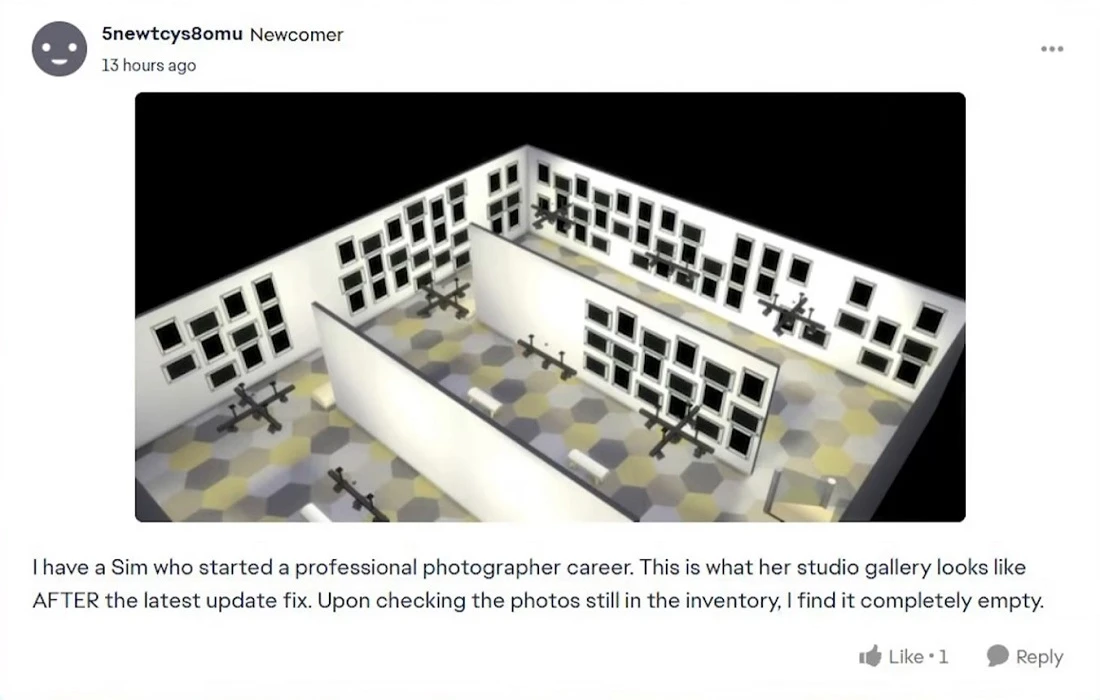
Here a simmer wonders how one can preserve dynasty memories with such game problems:
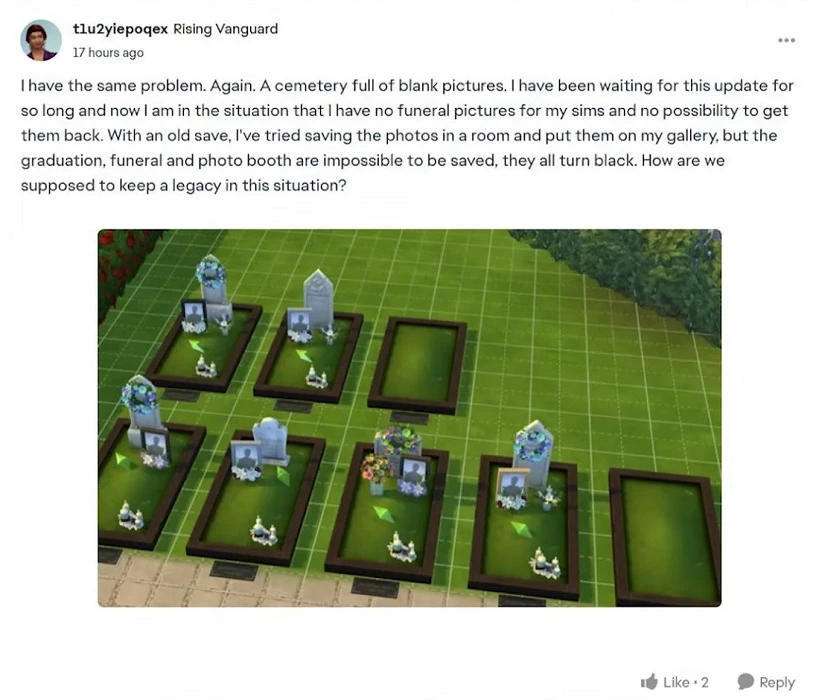
This user writes that they don't see the point in playing dynasty in The Sims, as losses due to bugs are already unbearable:
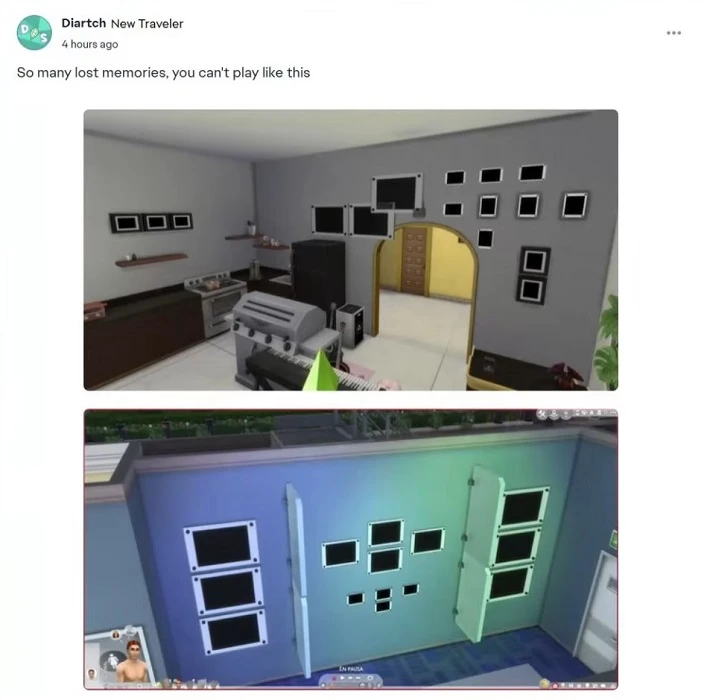
Developers' response to player complaints
After everyone started publicizing the new problem, developers released a post on X promising to fix the bug with the next update in February:
But this only angered the community. Not only are the photographs most likely irretrievably lost, but they'll also have to wait for updates until February.
One of the players wrote:

Other users in the comments insist on urgent fixes, as this problem is quite serious and affects more and more saves.
The culmination of all this dissatisfaction was a post from SimMattically, one of the most well-known and respected modders:
Essentially, the only way to protect your save from breaking right now is simply not to play the game.
Article from developers about how quality control works in The Sims
After all these messages, on the EA site in the news section QA for The Sims, Alex published an article titled "Rinse and Reveal; The Sims QA Team."
The article itself is quite informative, but the timing for publication isn't quite appropriate. In it, Alex explains that their job is to monitor game quality by checking various aspects, including the presence of bugs.
In early development stages, it goes through various degrees of testing that can last from a couple of months to a couple of years, depending on the project.
Alex pays special attention to how important player reports are for them, which help discover problems. For them, this is the main source of information about what's happening in the game. As they say, the best test is release day.
The article also has a section explaining what the quality department can and cannot control. Alex writes that QA is responsible for a lot, but it also has its limitations. The quality control department doesn't choose what features or content will be added to the game. Their task is to be as objective as possible.
Overall, it goes on to say what we've read many times before — the quality department tries their best but can't predict or discover all problems in the game.
Video promoting the article from The Sims Direct
A couple of days after this article's release, The Sims Direct published a video promoting the quality control department material. The text itself is dated January 14, 2026, however, it was most likely prepared in advance and published later. In any case, for many players this video looked quite strange.
In the comments to this video, SimMattically wonders: aren't they ashamed to display such tactlessness by posting a video right now when the entire community is suffering from a serious bug?
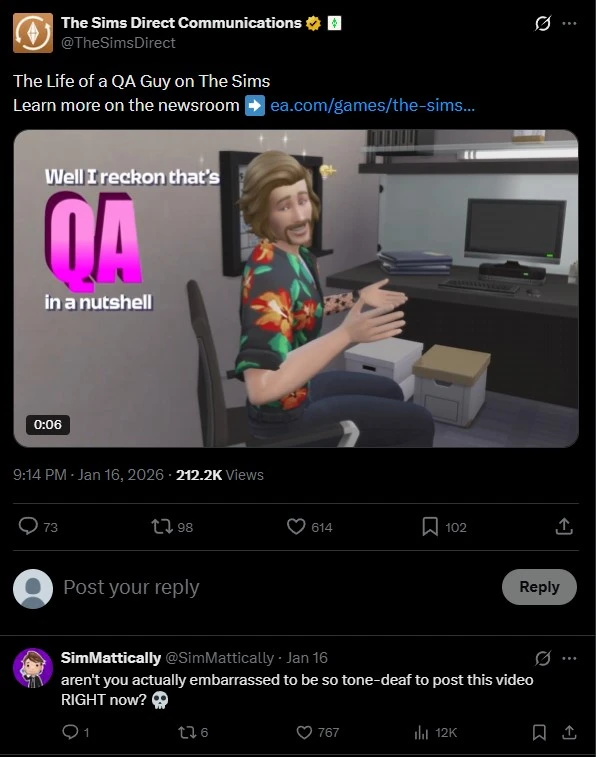
Simspancake_cc also left a comment, who usually doesn't express negativity toward The Sims developers:

Generally speaking, no one can understand how in this situation they can post casual videos about fixing bugs instead of urgently just fixing the error.
Is it possible to restore blackened photographs?
This is a question a huge number of players are asking. Nobody wants to lose several years of gameplay due to some bug.
Community Workaround
A Reddit user going by the name u/Elfinemly shared a method that helps prevent photos from turning black, at least on PC and Mac:
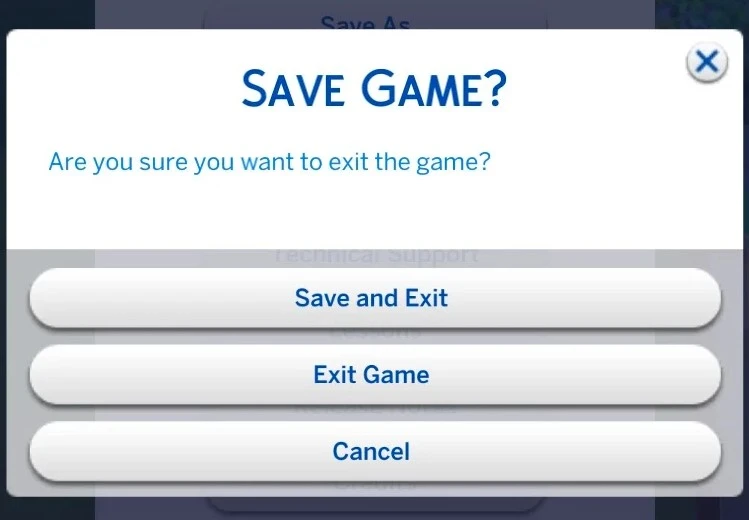
- Do not use the “Save & Exit” button — it appears to be what triggers the bug and corrupts photos.
- Save the game normally and then simply close the game without returning to the main menu, this reduces the chance of the bug occurring.
- Create backup copies of your saves using “Save As” — so you can roll back to a version without corrupted photos.
Create a room with your photos and upload it to the Gallery — this will help preserve them even if the bug appears later. We described this method in more detail in this article.
You can always upload important sims photos to our service by creating your dynasty tree. With us, photographs don't turn black, don't turn white, and don't disappear without a trace, and family histories are preserved for years to come.



