Make Sims 4 Look Beautiful on Mac Without GShade – Best Mods List
Picture this: you bought a MacBook, downloaded The Sims, jumped into the game thinking you could play anywhere you wanted… only to be greeted by the same old game with washed-out colors and flat, lifeless lighting. Can you imagine? Well, some people don't have to. That's exactly why we put together this article – a list of must-have mods that will completely transform your game, no GShade required.

Why GShade and ReShade Don't Work on Mac
Normally, lighting issues in games are fixed by installing third-party programs that layer a filter on top of the game. These tools work at the graphics API level – specifically DirectX – which macOS simply doesn't have. Mac runs on Metal instead.
Sure, there are workarounds like WineBottler or PlayOnMac, but those are just band-aids that aren't always stable and can clash with the game itself. And why bother jumping through hoops when there are plenty of mods out there that make the game look gorgeous without any of that?
Graphics Mods for Mac
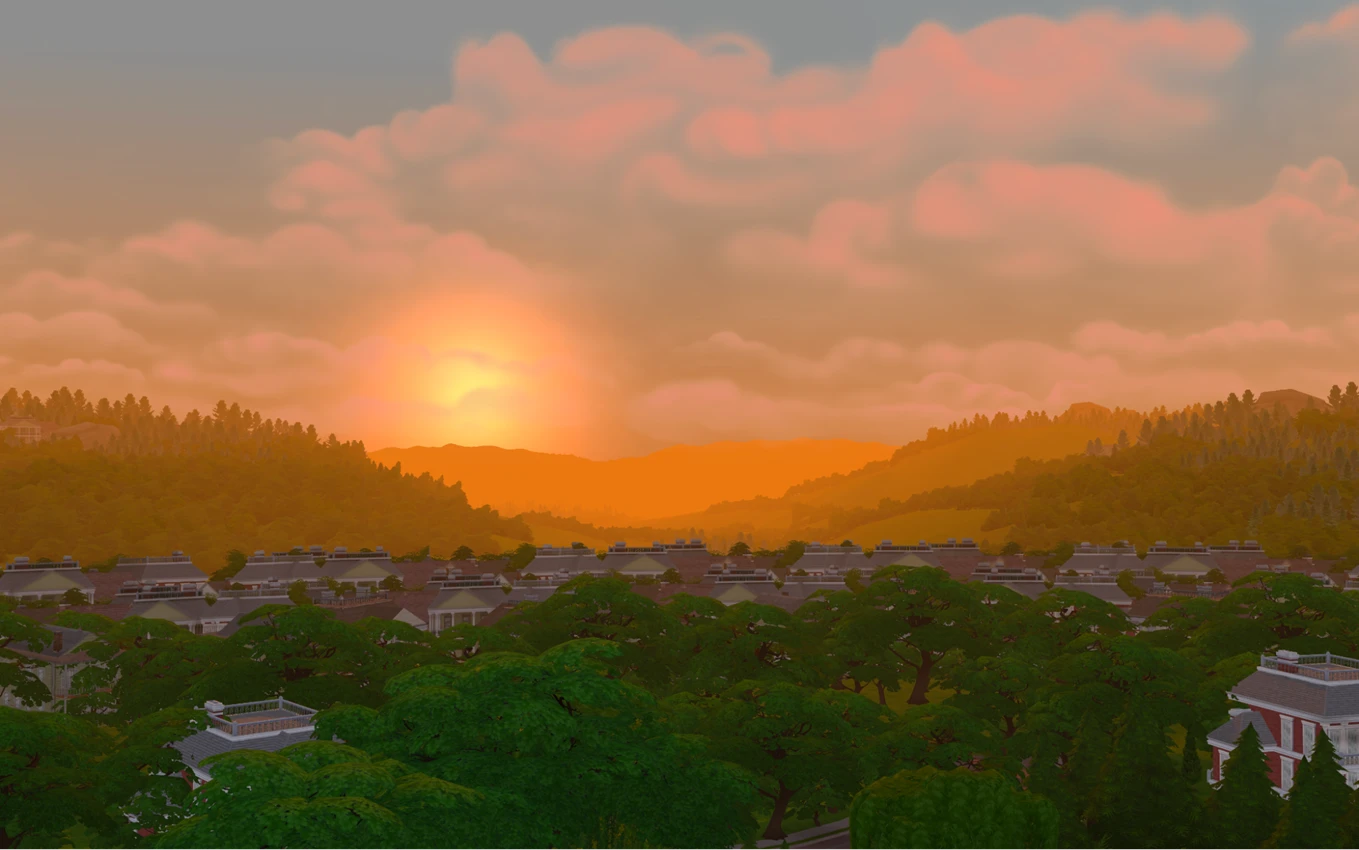
Before we get into the mods themselves, let us show you what we mean when we talk about bad lighting in the game. Here's a screenshot of a sunset sky – no filters, no mods whatsoever:
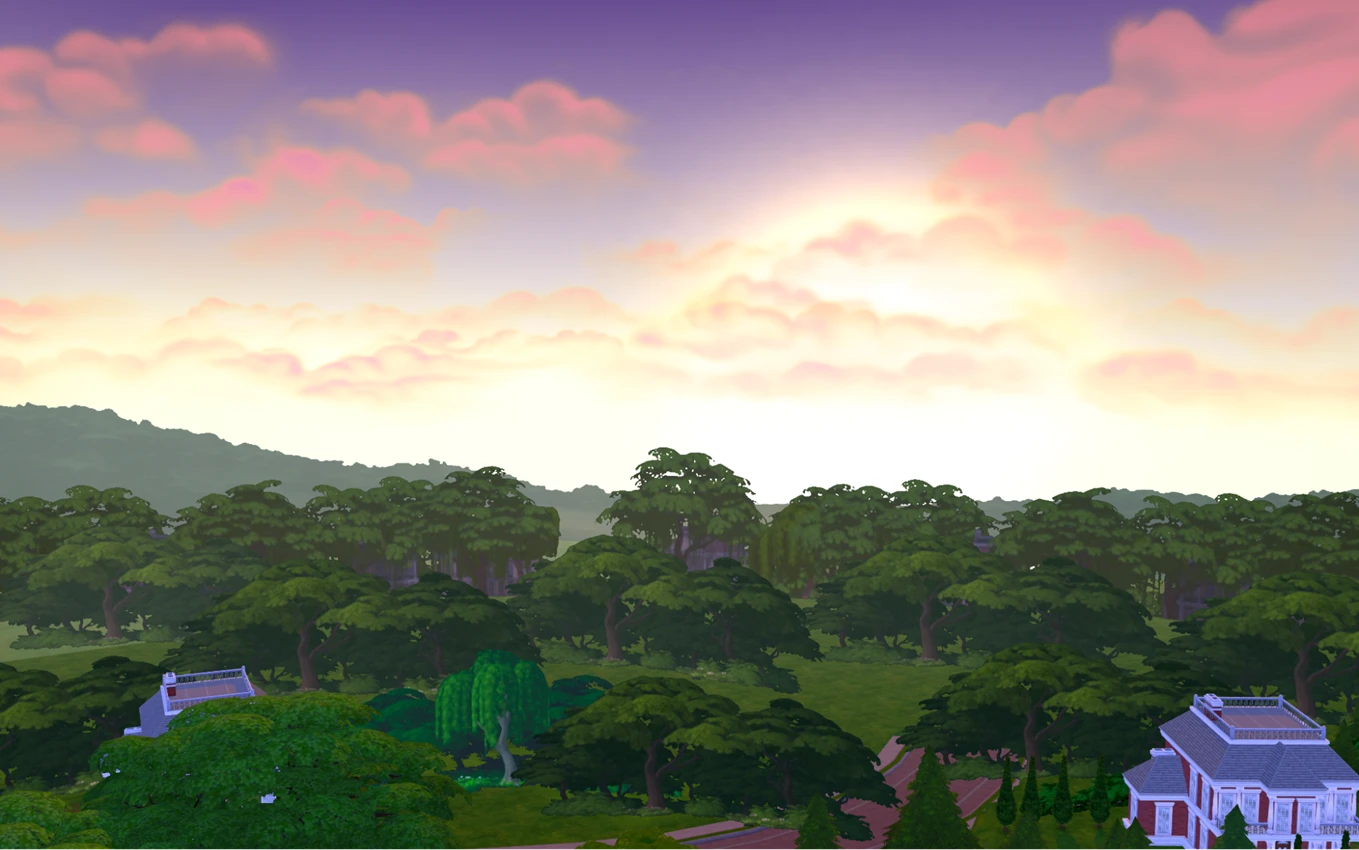
It looks like someone snapped a photo of the sunset on a flip phone, and the blown-out exposure turned it into some kind of incoming explosion about to level the entire city.
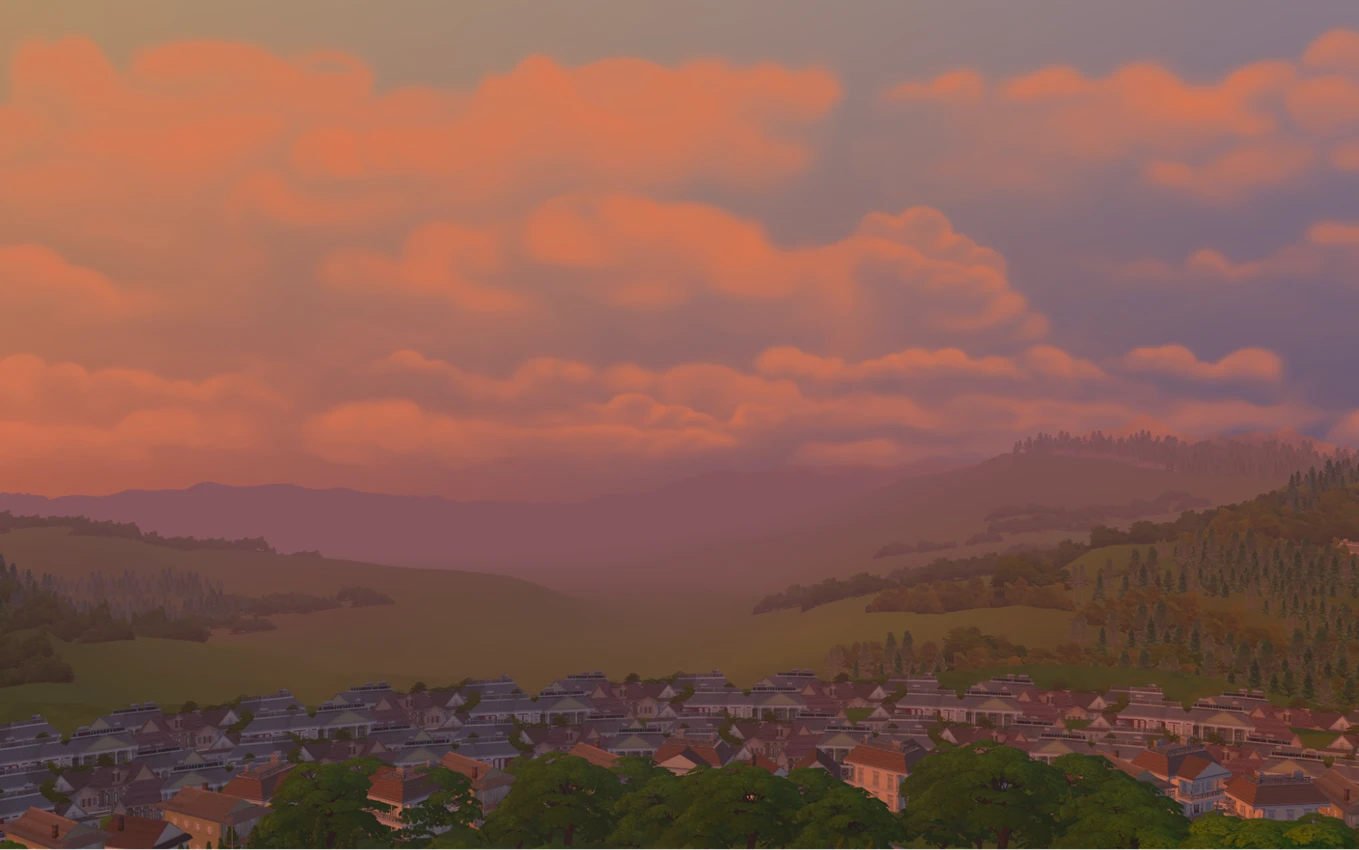
Now here's that same sunset, same spot – just with the lighting mods from this article.
Night and day, right? Of course, these also include mods for better world rendering and reworked tree textures in the distance. All these small tweaks add up to a beautiful picture that surrounds you throughout the entire game.
Sims 4 Lighting Mod – Sunblind by softerhaze
Arguably the most important mod in this roundup. It completely overhauls the lighting system, making colors richer and more realistic. What sets this mod apart is that none of its light sources are based on EA's default ones – every world is tuned individually. Other highlights include:
- Vivid, color-shifting sunrises and sunsets
- Deep, saturated shadows
- Realistic daytime lighting – less blue than EA's default, but still saturated enough to better simulate light bounce (unlike the no-blue mods that completely drain the color out of daytime lighting and shadows)
- Ultra-dark, desaturated lighting and shadows late at night
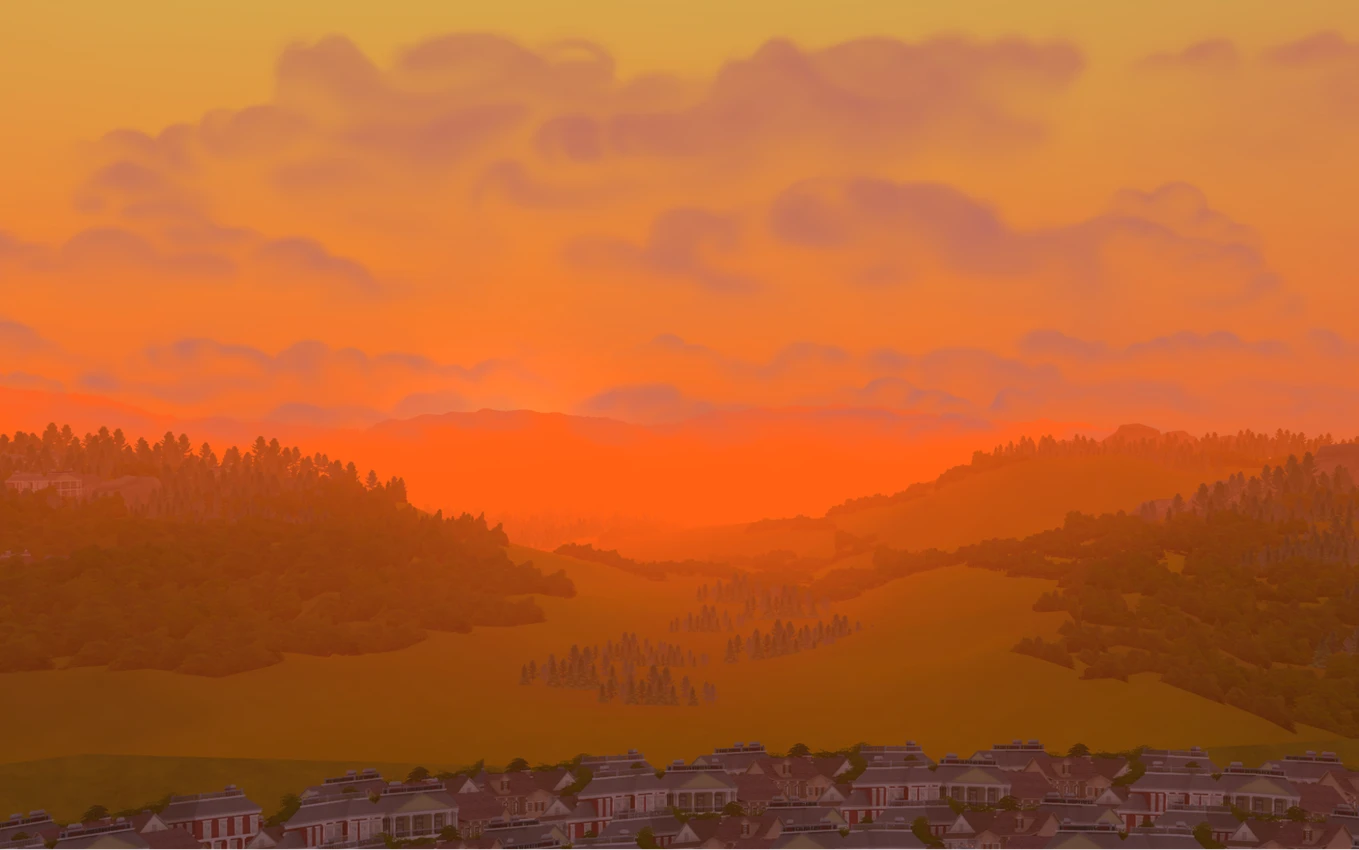
With this mod installed, you'll have a hard time not stopping to stare at the sky – it completely changes the vibe of your entire game.
The creator also has another lighting option – Milk Thistle – so feel free to try both and see which one clicks for you.
The main thing is to read the installation guide on the creator's page carefully. It's nothing complicated, you just need to understand which files to replace. Yes, the mod doesn't work from the Mods folder, but it's absolutely worth figuring out the install. Just keep in mind that you'll need to reinstall the lighting after every game update, since the files get overwritten.
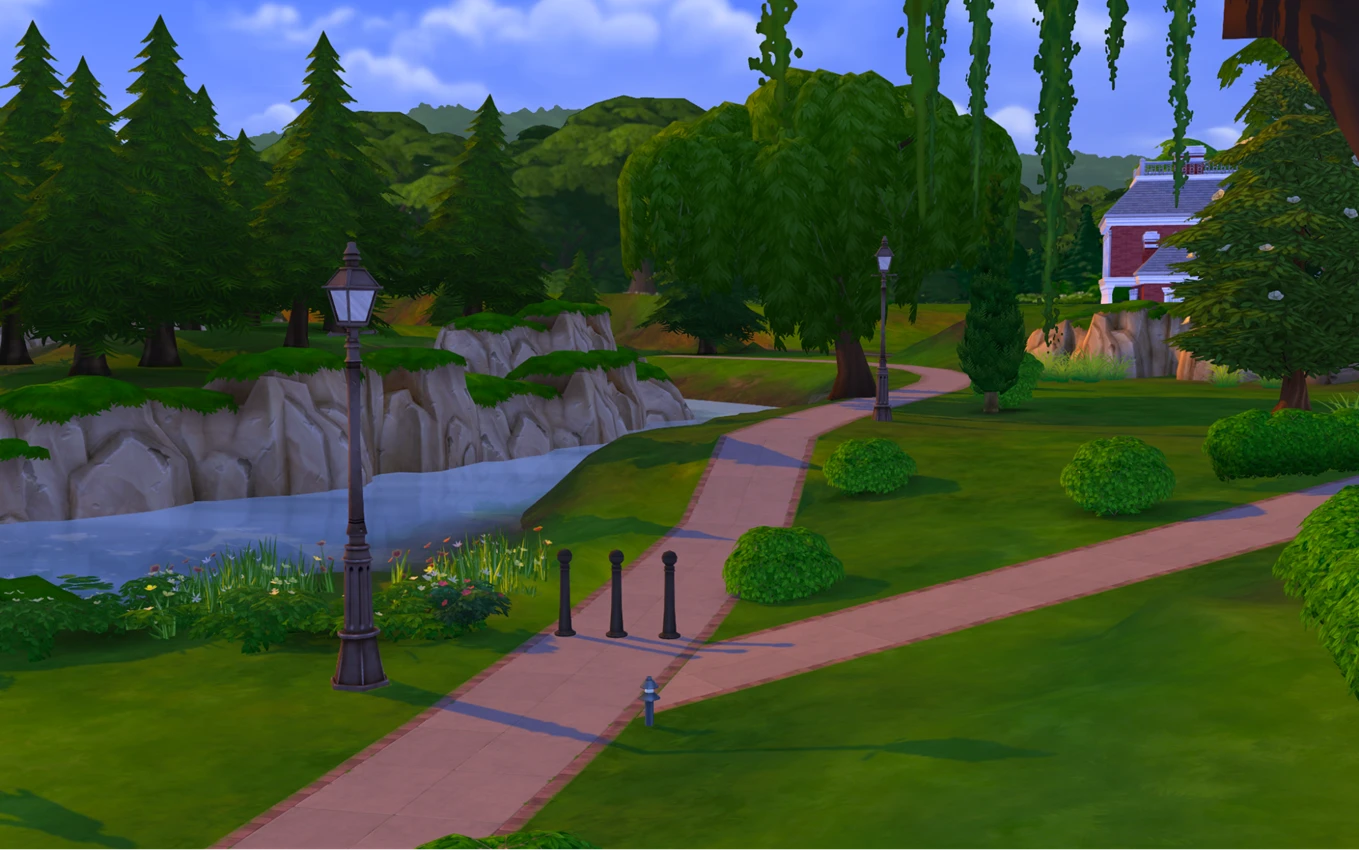
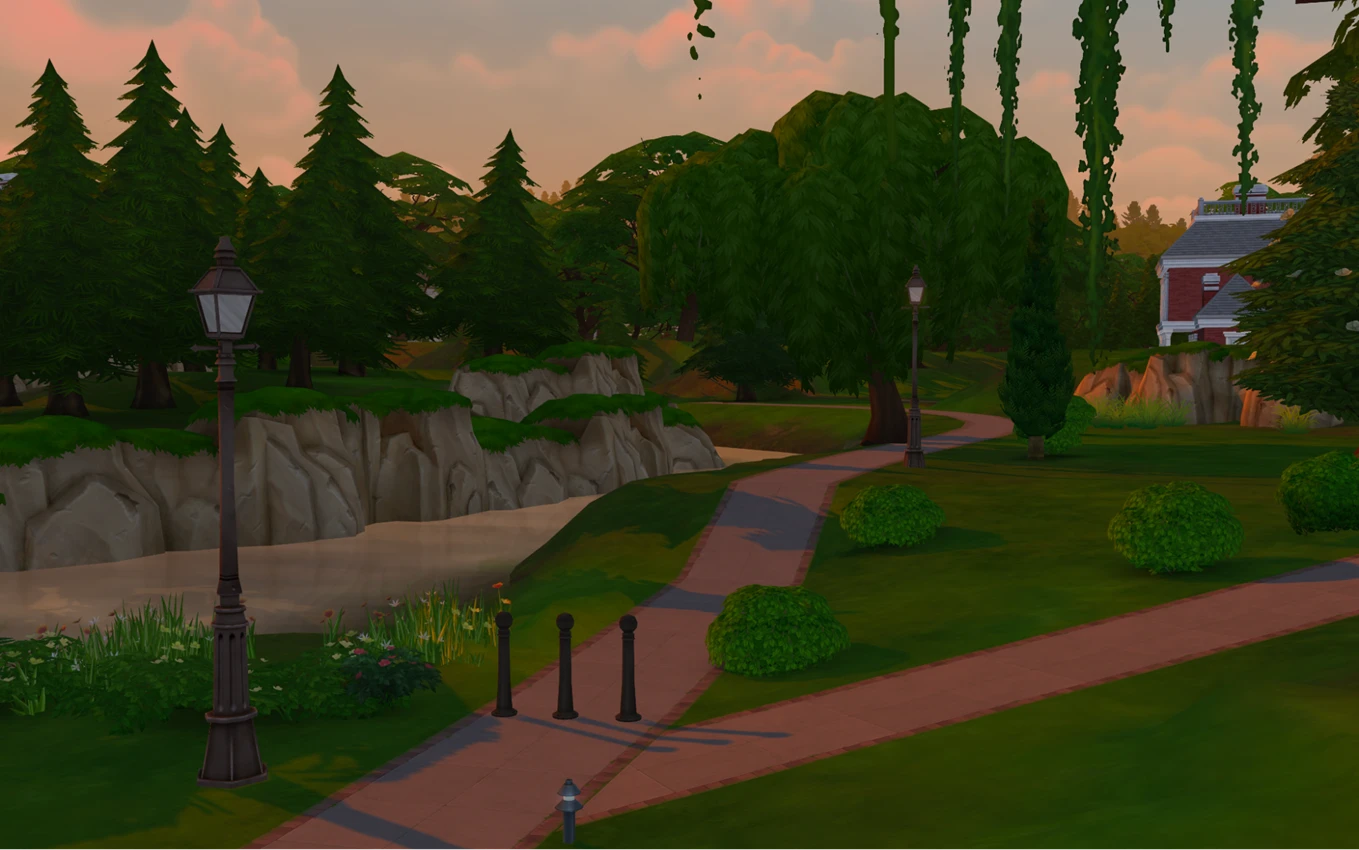
A few more before/after shots:
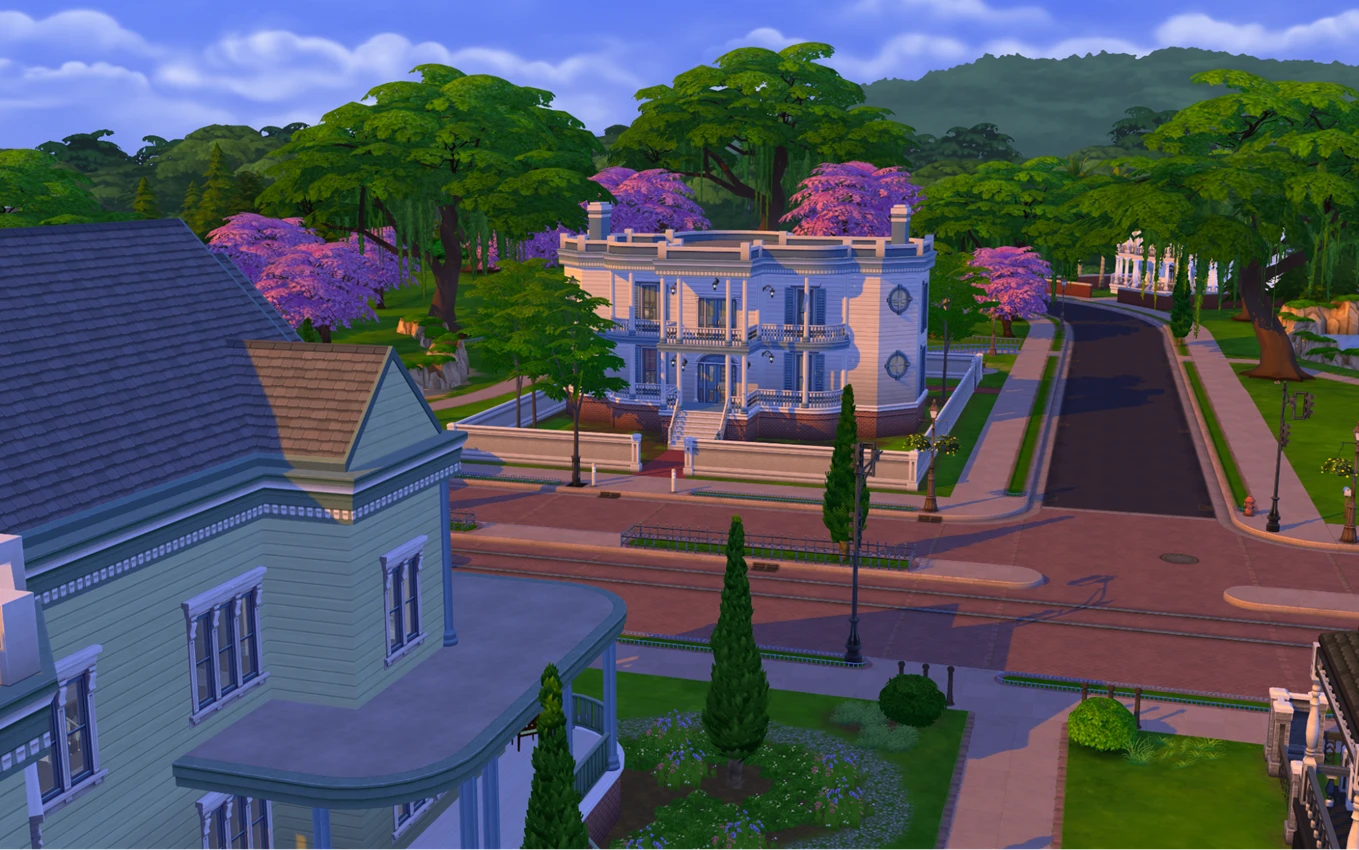
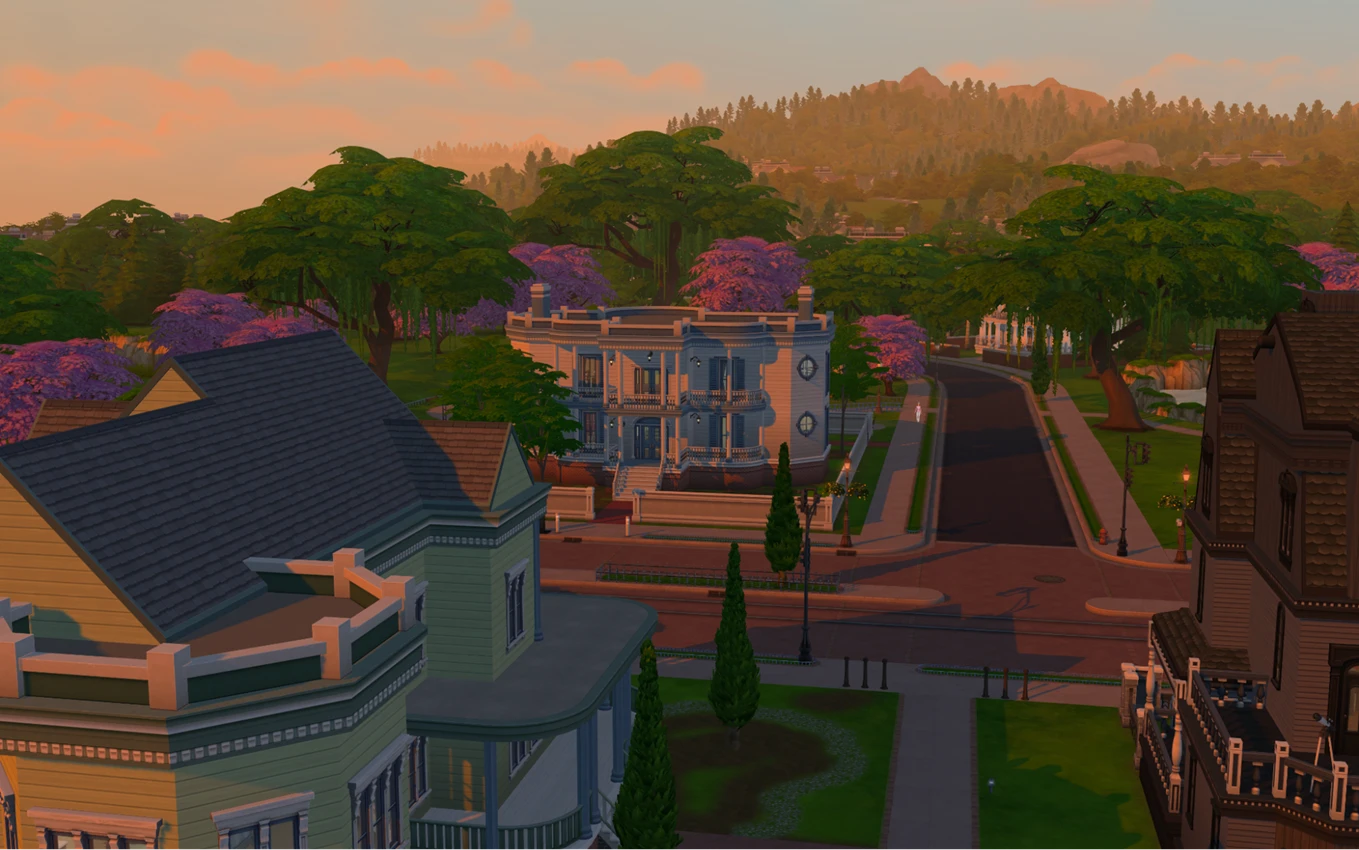
The lighting became warmer and richer, with no blue tint. Pay attention to the difference in sky color – these screenshots were taken at the exact same time of evening.
Sims 4 World Backdrop Replacements – Matte Replacements by Simsiboy
This mod is all about giving your worlds a proper horizon instead of just a hard cutoff where the map ends. It swaps out the flat 2D background landscapes for 3D ones, adding depth, dimension, and a genuine sense of space to your worlds.
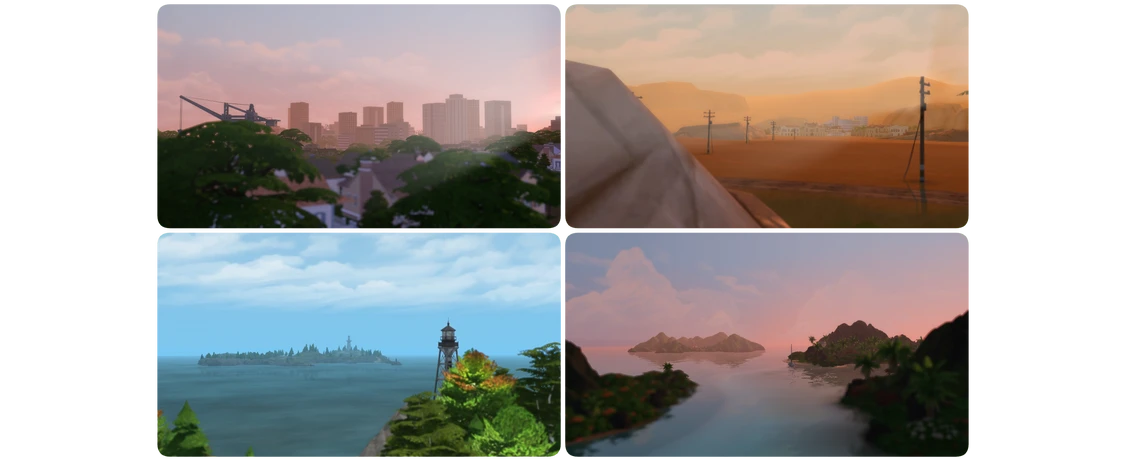
Paired with the lighting mod, it looks absolutely stunning – honestly the best combo you can go with.
Installation is simple – just drop the files into your Mods folder, no extra steps needed.
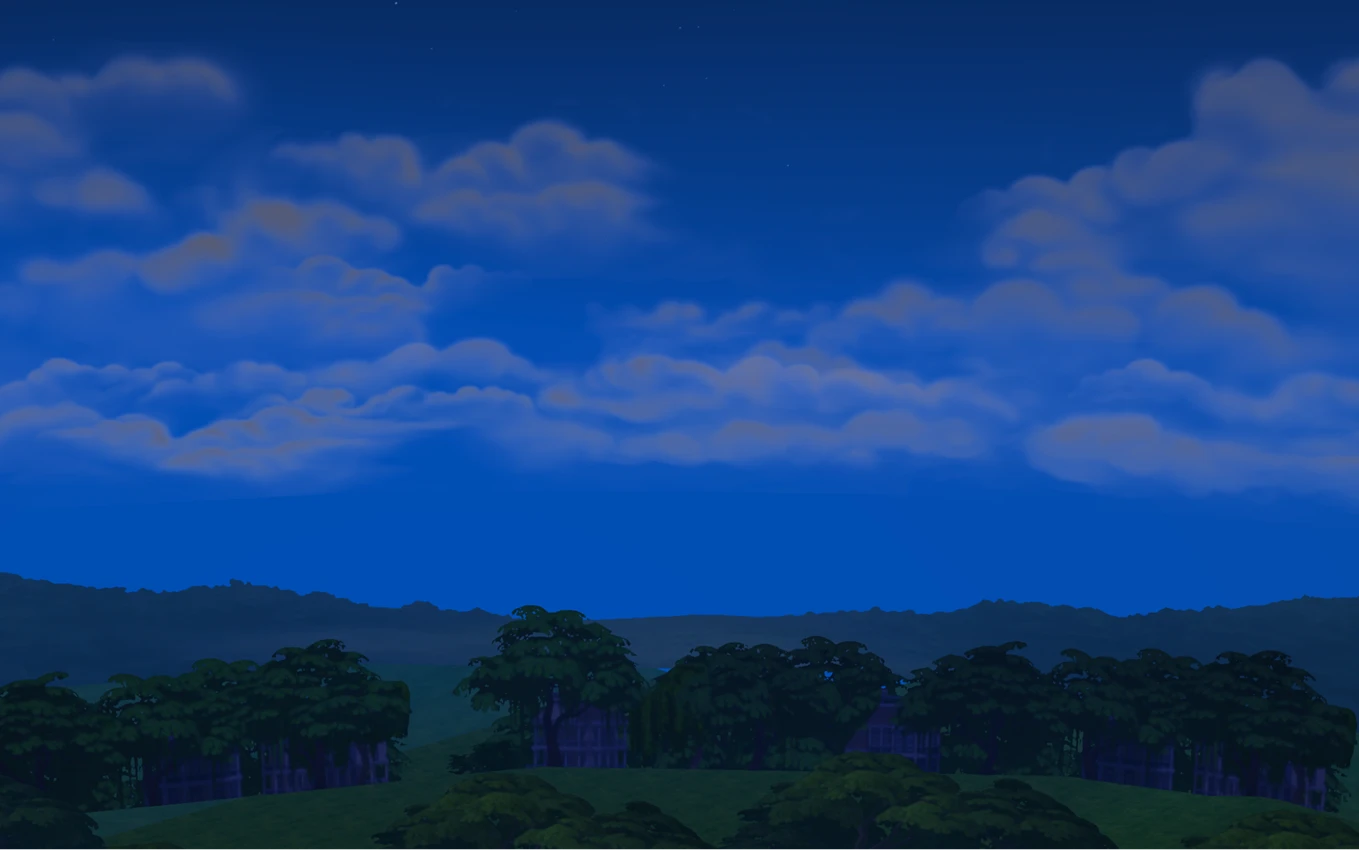
Take a look at how it transforms Willow Creek:
Sims 4 Tree Texture Replacements – Matte Tree Replacements by Simsiboy
Right alongside that, let's talk about the tree replacement mod, which makes trees look fuller and much more visually appealing. It fits perfectly into the previous pair, working as the finishing touch.
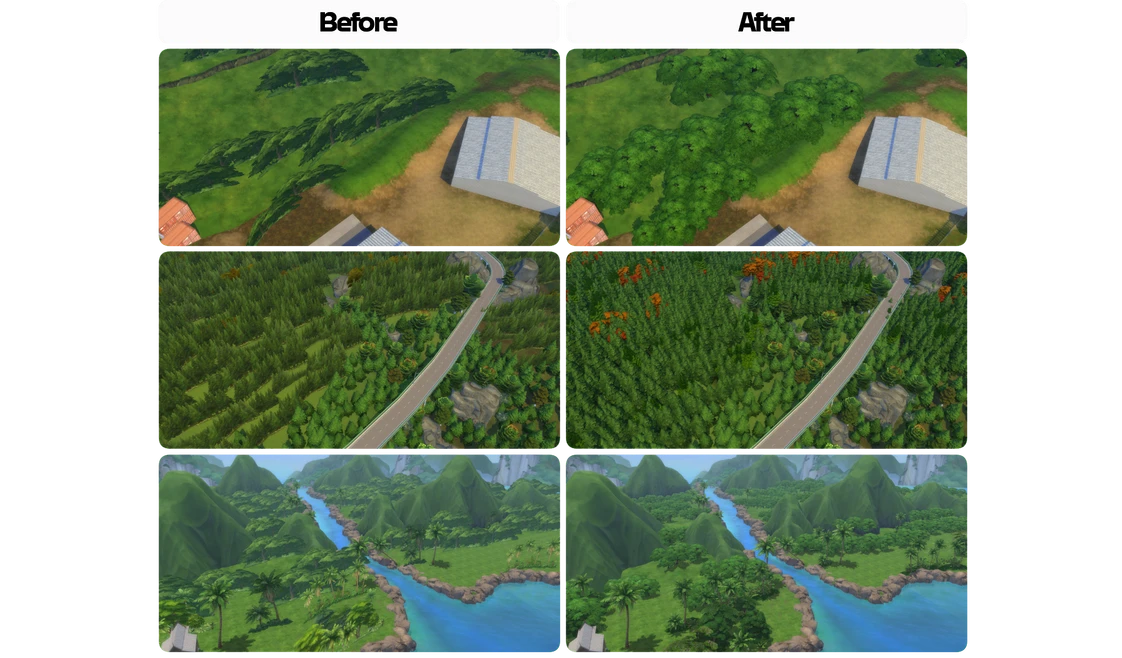
If you look closely, you can already spot it in action in all the screenshots above. It installs just as easily into the Mods folder – just keep an eye on updates!
If you'd rather not have a heavy mods folder, these three alone are more than enough to enjoy a great-looking game. We'd also recommend checking out world map replacements – we covered those in a separate article, and they work just as well on Mac.
One more thing worth mentioning – there are tweaked GraphicsRules file configurations out there, but we'd advise against using them on Mac. They can cause shadow flickering and other lighting issues, which is why we didn't include them in this article.
NoBlu & NoGlo by Luumia for Mac in The Sims 4
Pretty much anyone who's gone down the rabbit hole of improving the game's graphics has come across these two mods – they're everywhere, and people swear by them. And yeah, they genuinely do improve the visuals and make the game look a lot better. You can use them alongside the lighting mod we recommended earlier.
But since we're specifically talking about Mac, let's not forget about the sims themselves and how lighting affects them. All the mods above make the world around you look better – but what about the characters?
Even Better In-Game Lighting Mode by Northern Siberia Winds
This is probably the most popular lighting mod for Mac. It completely reworks the in-game lighting: making it brighter, cleaner, and just all-around nicer to look at.
Here's what it does:
- Overhaulds lighting indoors and outdoors, at any time of day, in any weather
- Brightness adjusts based on time of day – brighter in the morning and afternoon, darker in the evening, but not in the jarring way vanilla does it
- No performance hit
- Works on Mac
This is the mod that actually affects your sims and indoor lighting – something the world lighting mod doesn't touch. The one catch is that it conflicts with NoBlu and NoGlo, since it already covers the same ground. That said, it works perfectly fine alongside the softerhaze mods.
So ultimately, it comes down to whose work you prefer – Luumia or Northern Siberia Winds. Here are some side-by-side examples of sim face lighting with each mod:
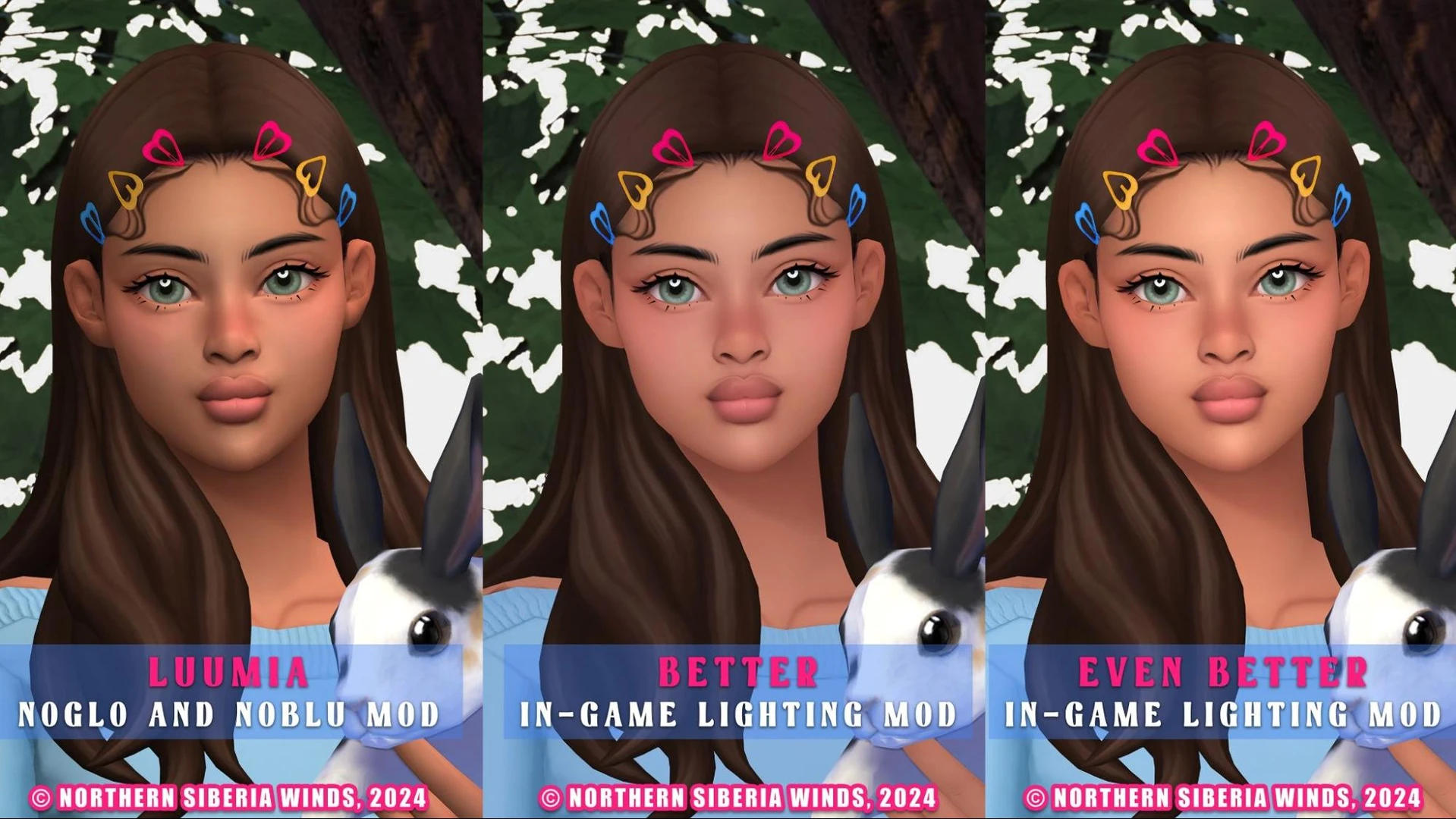
As you can see, playing The Sims 4 on a MacBook is far from a lost cause. Sure, GShade and ReShade are off the table, but the mods that do work are every bit as good. Start with one mod, see the difference for yourself, and go from there. The most important thing is that the options exist. How you mix and match them is entirely up to you.