SimSearch in The Sims 4: Cross‑Language Search, Image Recognition, and Player Backlash – Full Feature Review
EA has officially launched the beta version of SimSearch – a new search engine for The Sims 4 Gallery. Now you can search for builds and rooms not only by names and hashtags but also “by eye”: the system understands that a picture contains a fireplace or a porch. And the language barrier is no longer an obstacle: a query in any supported language will be automatically translated into others. But, as often happens with new EA features, the first reaction from players has been mixed.
What Is SimSearch and Why Do You Need It?
SimSearch is an update to the Gallery’s search system that aims to solve two long‑standing community problems: the language barrier and the limitations of text‑based search. Previously, to find an interesting house, you had to either know its exact English name or rely on luck with hashtags. Now EA offers to search “by meaning” and “by image”.
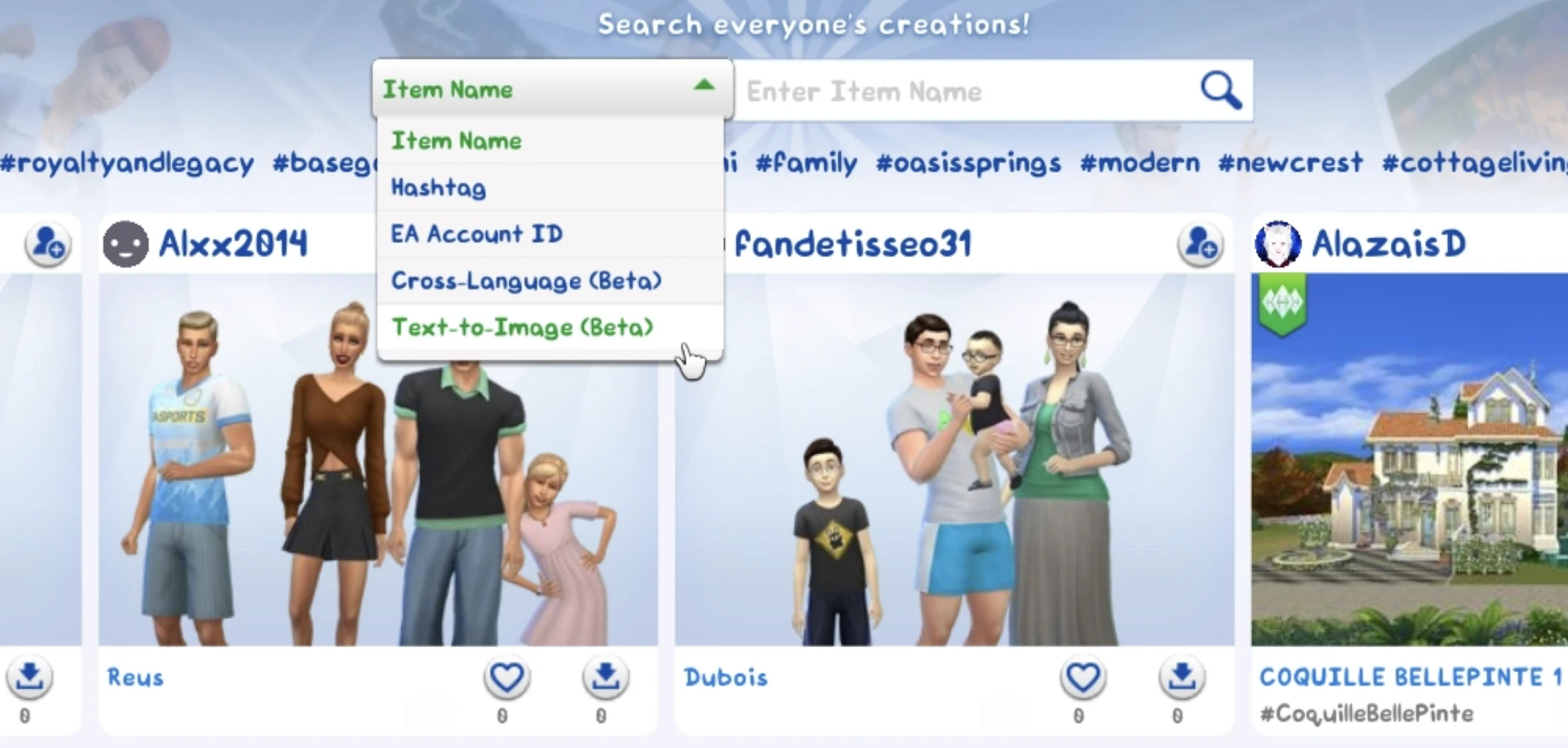
SimSearch is presented in two main modes: cross‑language search and Text‑to‑Image search. Both features are in open beta testing and are available to all players directly inside the game client.
Cross‑Language Search: The End of the English Era in the Gallery
Before, if you searched for “large red house”, the Gallery would only show creations whose titles or hashtags contained English words. Now, the search will automatically translate your query into Spanish (“Gran Casa Roja”), French (“Grande Maison Rouge”), and German (“Großes Rotes Haus”) and return matching creations. Moreover, the algorithm now analyses not only titles and hashtags but also the description text. Additionally, “similar items” will be added to search results – a kind of recommendation system from EA meant to introduce players to creators they might not have noticed before.
However, in practice, things have not been so rosy. Testers, including the author of the article on Sims Community, tested the feature on the same “red house” example. The result was disappointing: English results dominated the feed, while the desired Spanish, French, and German creations only appeared after a long scroll. What’s more, the search returned all sorts of things: small yellow houses, green, blue, white, pink – everything except what was asked for.
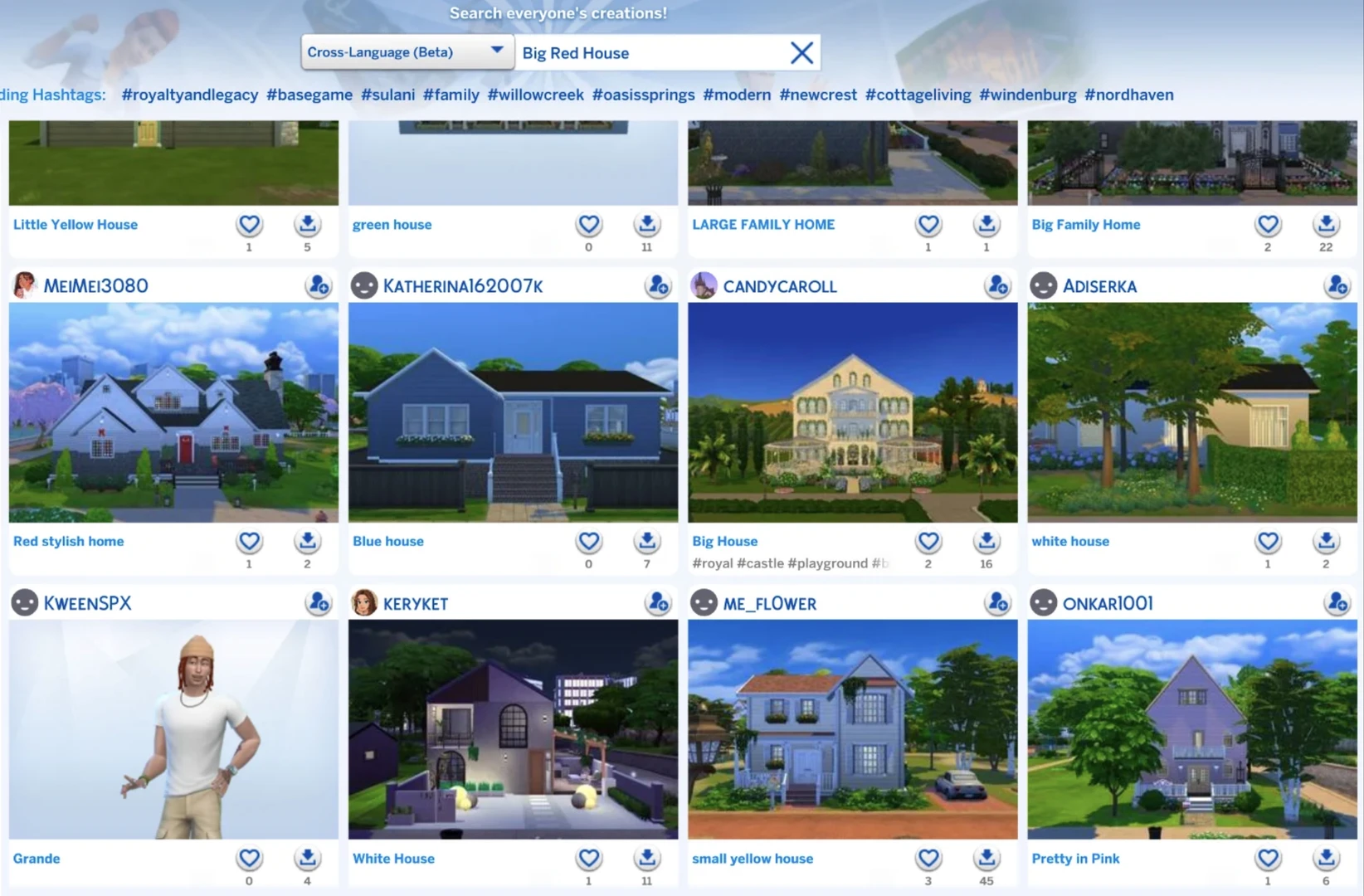
Source: simscommunity
Image Search: How It Works (and Doesn’t Yet)
The second part of the update – image search – is currently available only for lots and rooms (household search will be added later). The idea is simple: the system analyses the thumbnail of an uploaded creation and tries to understand what is shown in it. So if you type the word “fireplace”, the engine should show lots and rooms whose pictures contain a fireplace or a campfire.
The developers openly admit that the technology is still raw. Currently, it works on an “OR” basis: a search for “cozy fireplace” will find everything related to either “cozy” or “fireplace”. In the future, it is promised to be replaced by a more precise “AND” logic. Sorting results also does not work yet due to query processing limitations. On the other hand, EA notes that this gives new creators a chance to “shine” in search results – their work may rank higher than with ordinary popularity sorting.
Beta Is No Excuse: Community Reaction
Players and reviewers have greeted the novelty with scepticism. Those who remember the decline of SimCity 2013 are especially annoyed by the “release a raw product and then polish it” strategy. According to Sims Community, during testing none of the test queries returned non‑English results beyond English ones.
Many players say that EA is simply shifting the testing workload onto fans, and the update itself currently looks more like a “marketing gimmick” than a truly useful tool.
For now, SimSearch is only available inside the game client. Later, EA plans to add it to the web version of the Gallery as well. Regarding sorting and algorithms, the developers promise to refine the system based on feedback.
Truly convenient search will likely take several months and multiple rounds of improvements.
The new feature is completely free for all players. We can only hope that this ambitious technology will eventually live up to expectations and turn the Gallery from a “flea market” into a smart space for sharing creativity.