
The Sims Resource’ LookBuilder Update: Try Makeup, Tattoos, and More Before You Download
LookBuilder just got a major upgrade!
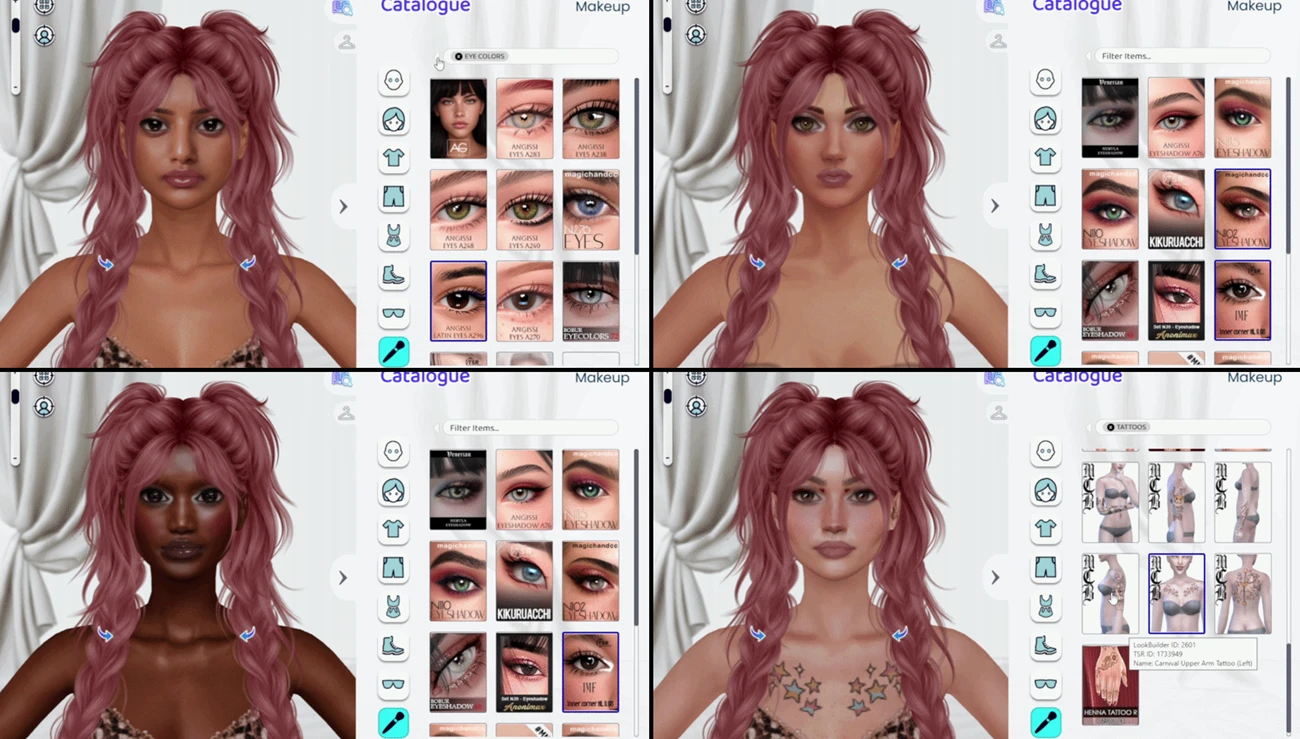
The Sims Resource’ browser-based styling tool already lets you preview outfits before downloading them, but the latest update expands things beyond clothing. You can now experiment with makeup and cosmetic custom content directly inside LookBuilder.
That means you can fully style your sim’s look before ever opening the game.

New Cosmetic Options
With this update, you can now apply several new cosmetic CC categories inside LookBuilder, including:
— Eyeshadow
— Eyeliner
— Blush
— Lipstick
— Eyelashes
— Eye Colors
— Tattoos
These additions are available for both male and female sims, making it easier than ever to test how different items work together before downloading them.
Want to see if a lipstick matches a specific hairstyle? Curious how a tattoo looks with a particular outfit? Now you can try it all in one place.
A Quick Reminder: What LookBuilder Is
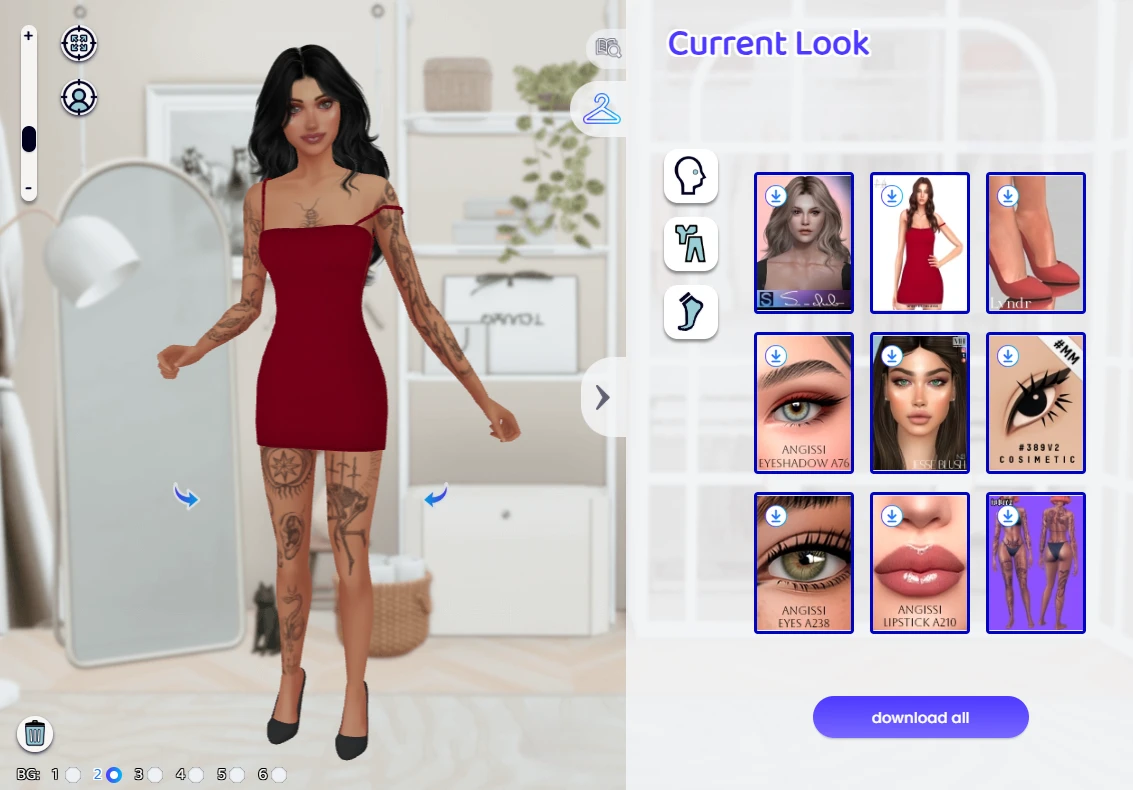
If you haven’t tried it yet, LookBuilder is The Sims Resource’s browser-based tool that lets you preview custom content on a 3D character model before downloading it, currently in Beta.
Instead of installing items blindly and hoping they look right in CAS, you can:
— Mix and match CC outfits
— Rotate and zoom the model
— Preview hairstyles, clothing, and accessories
— Build a complete look using real TSR content
— Download everything together in one bundle
It’s essentially a virtual dressing room for Sims CC, designed to help you avoid broken downloads and incompatible outfits. No more being CAS-fished!
More Updates Ahead
LookBuilder currently focuses on adult sims, but we’re continuing to expand the tool as it develops.
Keep an eye out for future updates as we move toward introducing additional age groups and more customisation options.
Start Building Your Look
LookBuilder is completely free and now in Beta – no installs or mods required. Just open your browser, head to The Sims Resource, and click on LookBuilder to get started.



