Sims 4 Challenge Tracker Mod (SimMattically): In‑Game Goals Checklist & Progress Tracker
If you’ve ever hosted a Sims 4 challenge, you know the struggle: the challenge rules are in one browser tab, while your list of goals hides in a hard-to-find Google Doc. The Challenge Tracker mod for The Sims 4, created by SimMattically, streamlines the entire experience – bringing your custom challenge goals, progress, and rules directly into the game.

What is Challenge Tracker Mod?
The Challenge Tracker is a Sims 4 mod that integrates an interactive, fully customizable goal tracker right into The Sims 4 user interface. With this mod, you get a built-in checklist for any challenge, featuring live progress tracking, autosave, and a sleek, user-friendly design.
Key Features:
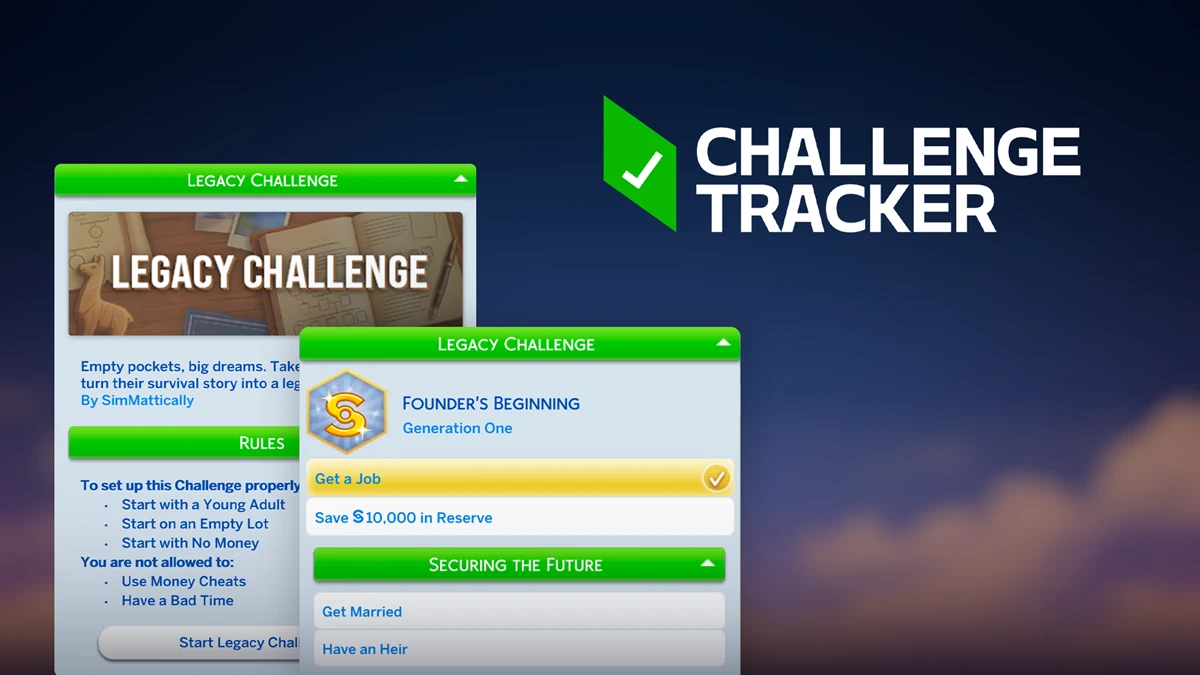
In-game progress tracking. Monitor your challenge progress straight from The Sims 4 interface – no more switching between Google Docs, spreadsheets, or phone notes. Easily update your achievements by right-clicking to mark goals as complete or increase progress counters.
Multi-level challenges. Designed for layered Sims 4 challenges, the mod natively supports chapters, stages, and tiers. When you complete all objectives in a section, you automatically unlock the next set of goals.
Autosave. Your progress is saved for either the whole household or individual sims. Switching between households or exiting the game doesn't risk losing your Sims 4 challenge progress.
Dedicated challenge start screen. Every Sims 4 challenge gets its own page inside the mod, including a banner, written premise or story, author’s name, and an embedded, readable rules dropdown – all viewable without leaving the game.
Pack requirement awareness. If a challenge goal requires Sims 4 packs you don’t own, it is automatically grayed out and disabled, with a tooltip revealing which expansion or stuff pack is missing.
Collapsible, organized categories. Challenge authors can organize goals under expandable and collapsible sections, keeping the Sims 4 UI clean and intuitive – even with extensive challenges.
With Challenge Tracker, running and creating Sims 4 challenges is finally seamless and stress-free – all your challenge management tools are right where you play.
How to install the mod
Challenge Tracker relies on two types of files.
The base mod file – SimMattically_ChallengeTracker_v*.package. This is the mandatory foundation; without it, custom challenges simply won't load (download).
Challenge files – individual .package files, each containing a single challenge. These can be downloaded from the gallery or created from scratch.
Both file types go into the Mods folder. The cleanest approach is to create a dedicated subfolder there – something like ChallengeTracker – and keep everything in it together: the base mod file and all your downloaded challenges. That way they stay in one place and don't get mixed in with the rest of your mods.
One important thing: don't rename the challenge files. The mod looks for them by their original filenames, and if a name is changed, the file simply won't load.
How to use it in-game
Once installed, you'll find the Challenge Manager in the game – a hub where all your installed challenges are listed. You can switch between them at any point, and each one's progress is saved independently.
Opening a challenge takes you to its start screen: you'll see the description, the author's name, and can expand the rules block. From there it's the goal list, which you check off as you play. If the challenge is multi-level, completing one section unlocks the next.
What else is Challenge Tracker good for
The mod is called a challenge tracker, but in practice it's a versatile tool for any kind of list or plan in your game. Here are a few scenarios where it really shines.
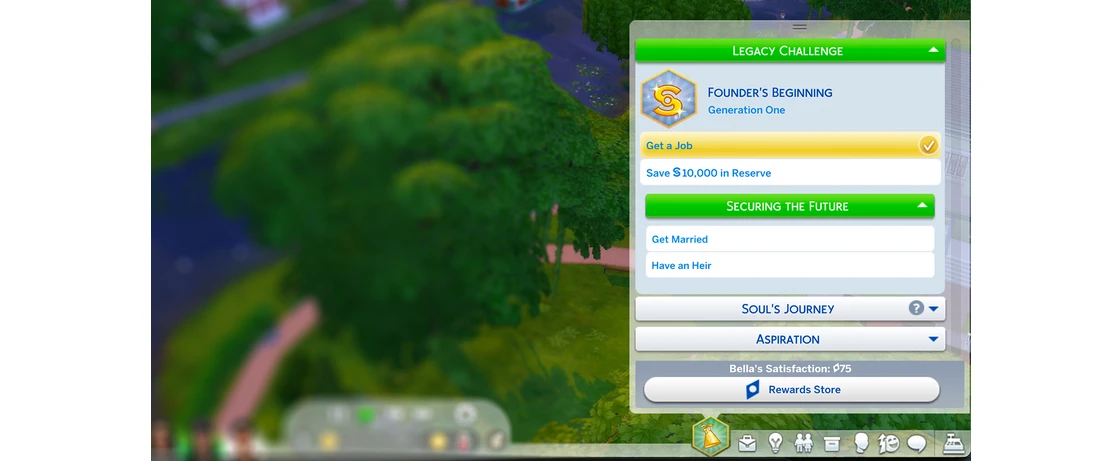
For players who love scripted gameplay. If going with the flow isn't your thing and you'd rather map out your stories and character arcs ahead of time, Challenge Tracker becomes your personal in-game script. Jot down key events, plot twists, and character goals – and it's all right there in front of you at all times. Hit a story beat – check it off.
For rotation play, it's an absolute dream. Create a separate file for each household in your rotation: every family gets their own goals, their own story, their own progress. When you switch to a family, just open their "challenge" and you can see right away where the story left off, what's already been done, and what's still ahead. Nothing needs to be kept in your head or dug up from some outside notes. And worth mentioning: progress for multiple challenges runs in parallel – switching between them resets nothing.
That said, creating a file just for yourself is a completely valid move. It doesn't have to be published to the gallery – you can keep it strictly for your own game or share it directly with friends. A file only goes to the gallery separately, and only if you choose to put it there.
Challenge Creator: how to build your own challenge
Challenge Tracker files are made through a standalone online tool called Challenge Creator. No technical know-how required: there's a built-in tutorial that walks you through every feature.
The interface is intuitive: you can add a cover image, a description, break goals down into levels and categories, specify required packs – all within a comfortable editor. When you're done, downloading the file is a single click.
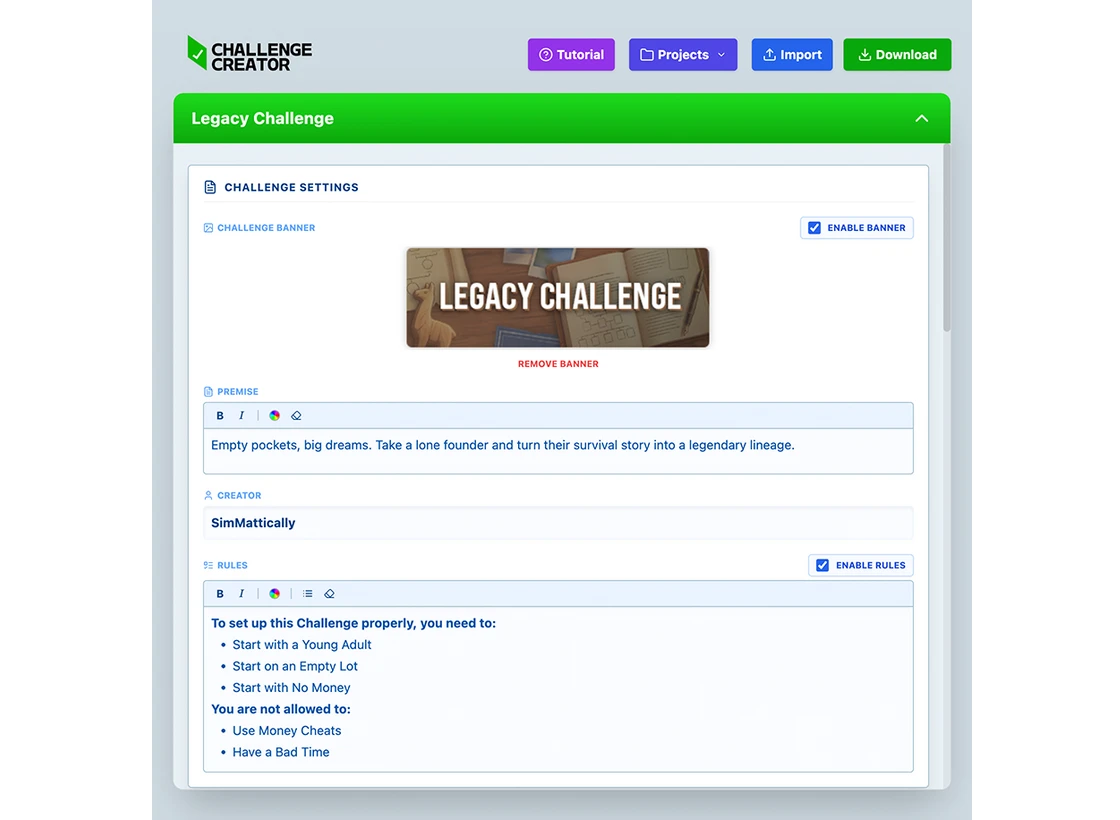
This is especially handy for challenge creators. Before, you had to write your rules somewhere external – in a post, in a Google Doc – and hope that readers would track it all down and not get lost. Now you can put everything together inside Challenge Creator: polished, well-structured, with images and sections. Then just hand people one file that they drop into their Mods folder and open right inside the game.
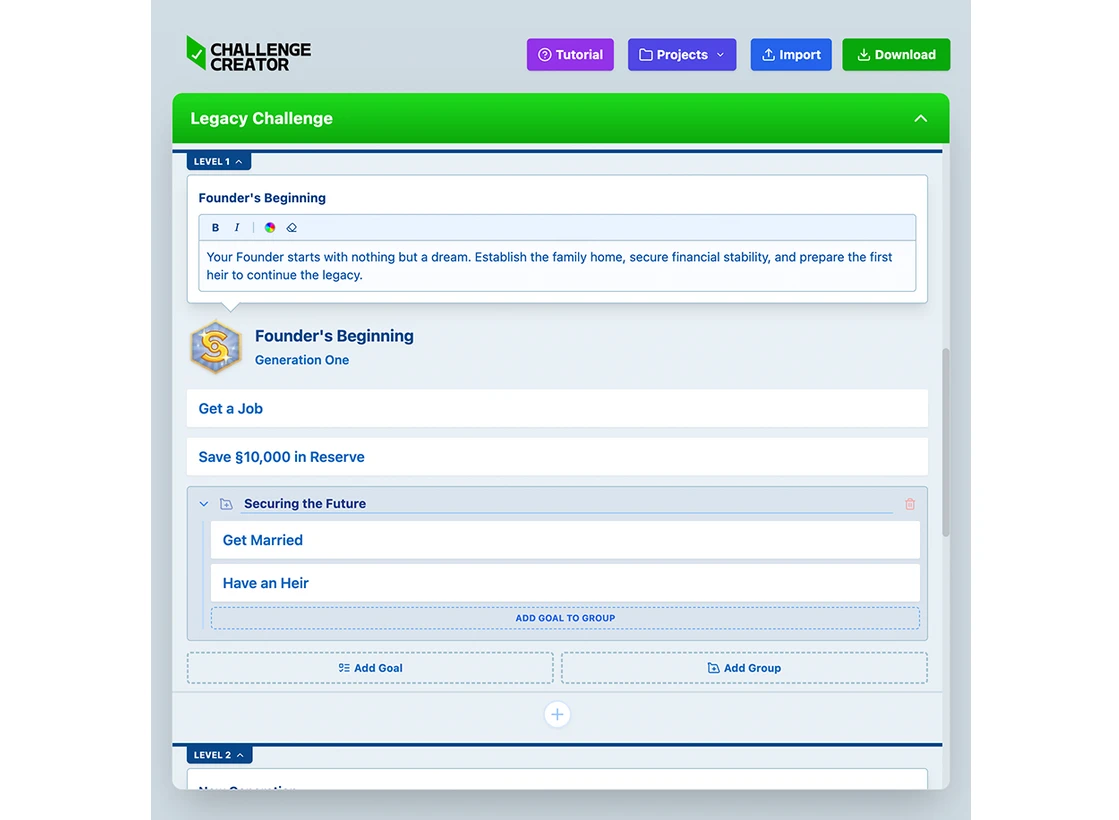
If you want to share your challenge with a wider audience, upload it to the gallery. There's a Submit Challenge button in the top right corner for exactly that.

The challenge gallery
The gallery is a catalog of community-made challenges that you can download and install into your game right away. It currently has around 200 files and the collection keeps on growing.
Navigation is straightforward: challenges can be sorted by number of likes, downloads, or with the newest entries first. There are filters by language and by pack – really handy if you're looking for something built around a specific expansion or want to steer clear of challenges you're missing content for. You can even find niche picks, like challenges built around specific occults.
One thing worth noting: popular challenges in the gallery often show up in multiple versions. This usually happens because the files are uploaded not by the original challenge authors themselves, but by community members – fans who wanted to bring a favorite challenge to other mod users. Which leads to another neat detail: well-known challenges in the gallery will often have versions in different languages. The Very Veggie Challenge, for instance – one of the most popular in the gallery – is available in the original English as well as Spanish and French translations. So even if you don't play in English, the odds of finding a familiar challenge in your own language are pretty solid.
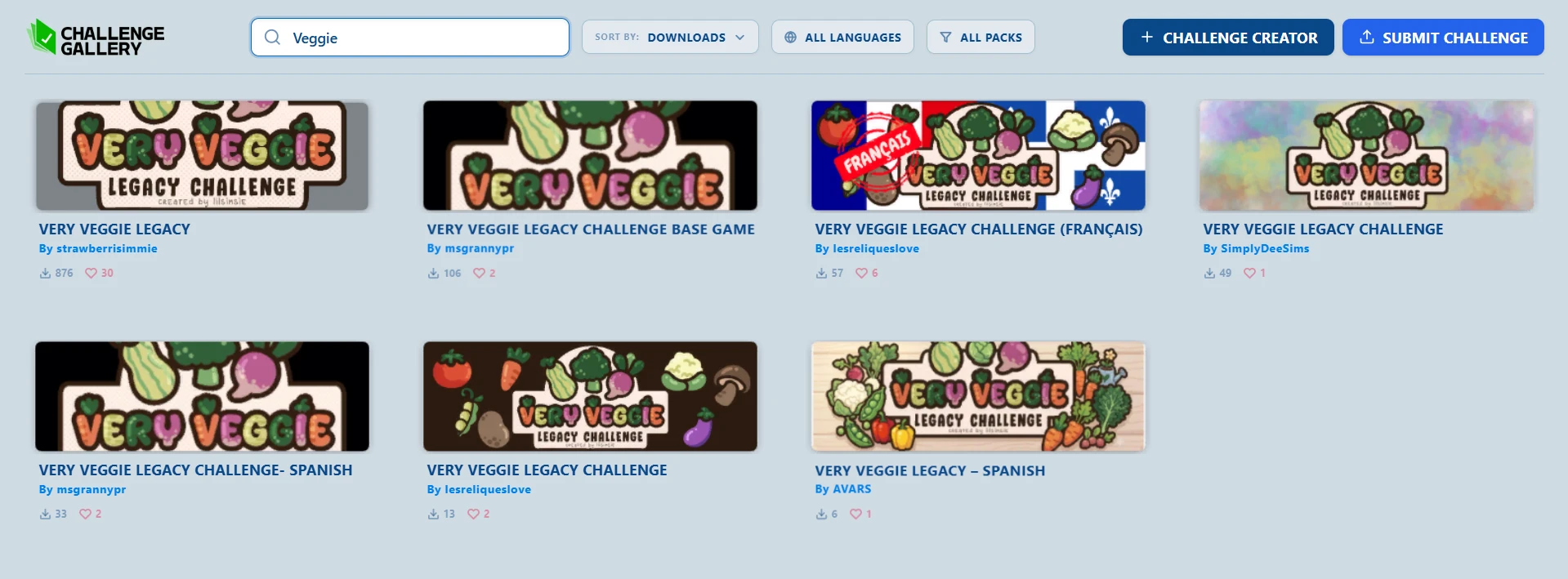
And to give you a jumping-off point, we've put together a small selection straight from the gallery: for anyone who wants to find something off the beaten path – interesting picks that haven't quite made it to the top of the likes and downloads yet, but absolutely deserve a look.
The Interlinked Legacy
A challenge built for rotational play fans: multiple families develop side by side, with their heirs growing more and more intertwined with each passing generation. If you've been wanting to build a truly connected, living world, this is exactly what you're looking for.
A Criminal Legacy Challenge
A classic survival story with a criminal twist: you've lost your job, the debts are piling up, you've got a family to provide for – and you decide to go to work for the Landgraab family.
The Faelore Legacy
A legacy challenge about a dynasty of fairies living in harmony with nature: no money cheats, just the land, the forest, and the magic of wings. A perfect fit for anyone who's fallen in love with the expansion that came out not too long ago.
The Diamond Dynasty Challenge
Inspired by Bridgerton: you're not just building a family – you're building a full-blown empire, navigating high-society intrigue, scandal, and the cutthroat pursuit of power.
The Goth Lineage Legacy
Ten generations of drama, ambition, and secrets: it all kicks off with a scandalous affair with none other than Mortimer Goth himself. For those who can't get enough of dark aesthetics and tangled family histories with a sinister edge.