Clear Hidden Households and Delete Hidden Ghost NPCs in The Sims 4 with MC Command Center
Experienced Sims 4 players understand that regular save file maintenance is essential for ensuring optimal performance and preventing lag or corruption in The Sims 4 (learn more in the article “How to Protect Your Sims 4 Saves: Essential Tips to Prevent Save File Corruption”). One of the most important steps in The Sims 4 save optimization is removing unnecessary ghosts, which can significantly impact your game’s stability and save file size.
Removing Unwanted Ghosts From The Sims 4 Saves
Most deceased sims can be easily located and deleted using The Sims 4’s built-in “Manage Households” menu. However, some NPC ghosts end up in special hidden households, making them inaccessible through standard in-game methods. These hidden sims can clutter your save file, cause performance issues, and even lead to save file bloat or corruption. To permanently delete hidden NPC ghosts, you’ll need to take a few additional but simple steps.
What Are Hidden Households in The Sims 4?
Hidden households are a protected category of sims created by the developers for essential gameplay functionality. These typically include:
- Important NPCs required for story progression
- Sims linked to special events and core game mechanics
- Service sims necessary for normal game operation

This separation prevents accidental deletion of critical NPCs. Hidden sims won’t appear in the standard Sims 4 Manage Households list, but they still occupy space within your save file and can affect the game’s performance.
Why Ghosts in Hidden Households Are a Problem
Sometimes, due to Sims 4 gameplay quirks, ghosts of deceased NPCs – sims who died in-game – can be assigned to hidden households by mistake. These ghosts:
- Do not serve any active gameplay purpose
- Retain complete data, including relationships, skills, and memories
- Occupy valuable save file space, increasing save file size
- Can lead to The Sims 4 lag, slow load times, and game stuttering
Therefore, regularly checking and clearing hidden households of unnecessary ghosts is a key part of Sims 4 save file optimization and maintenance.
The most effective tool for managing this is the MC Command Center mod for The Sims 4, which helps players control and clean up their saves.
How to Remove Hidden Ghosts in The Sims 4 (Step-by-Step Instructions)
1. Enter The Sims 4 with any playable household in Live Mode.
2. Click on the mailbox and follow this path:
MC Cheats → Sims/NPC Households Cheats → Unhide Hidden Households
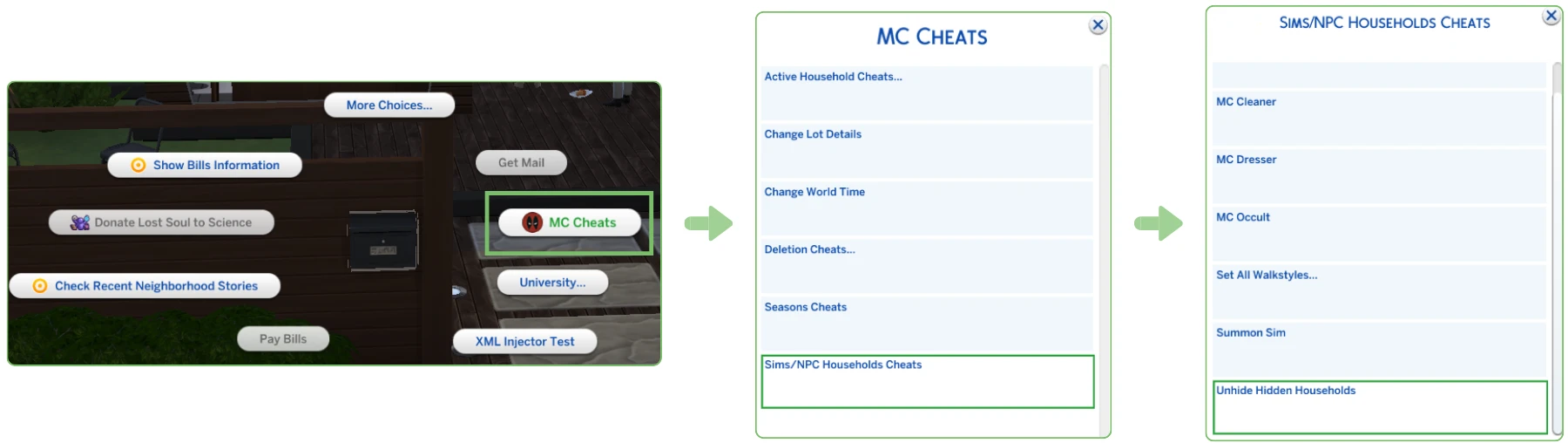
3. In the list that appears, locate and select the unnecessary ghost sims you wish to delete.
Do NOT delete these key sims, as they are essential for game function and stability:
- Grim Reaper
- Event NPCs
- Pollination Technician
- Criminals
- Patchy the Scarecrow
- Flower Bunny
- Baby Ariel
- Night Wraith
- L. Faba (Sage of Mischief Magic)
- Simeon Silversweater (Sage of Practical Magic)
- Morgyn Ember (Sage of Untamed Magic)
- University Professors (all NPCs)
- Batuu NPCs (Kylo Ren, Rey, Vi Moradi, Hondo Ohnaka, Lt. Agnon)
- Yamachan
- Temperance
- Gregorious Lunvik (Greg)
- Roberto Crinkletop (Mysterious Rancher)
- Sienna Grove (Horse Trainer)
- Ring Bear
4. After selecting which sims to remove, click OK. The selected ghosts will be moved to the visible list of all households.

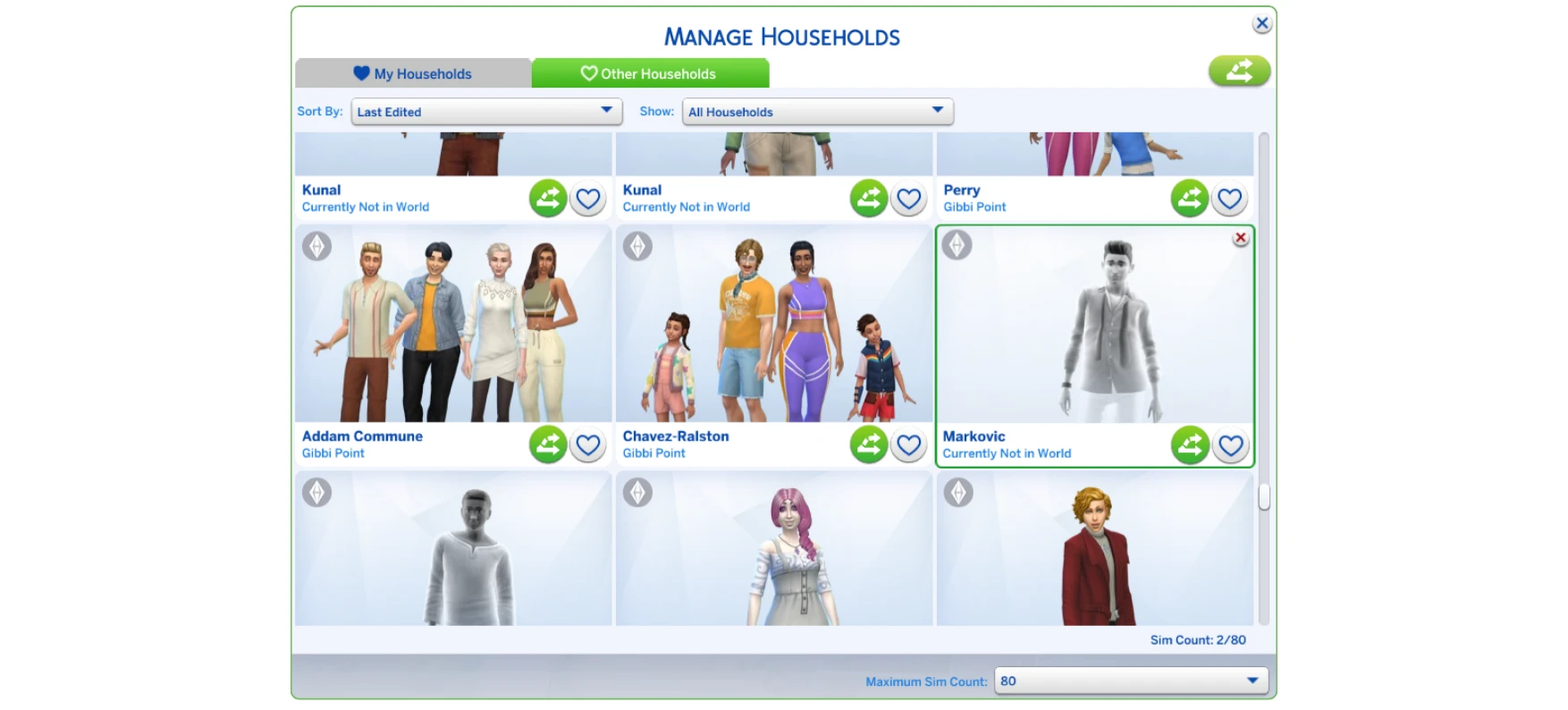
5. Navigate to Manage Worlds > Manage Households.
6. Find your ghosts under Other Households and delete them (click the X button) to permanently remove unwanted NPC ghosts from your save.