
Challenge Tracker: New Mod by SimMattically Adds In-Game Checklists for Custom Challenges
In the Sims 4 community, custom challenges and various gameplay tests are very popular. Typically, information about them is found on creators' websites, while players track their progress in spreadsheets, phone notes, or keep dozens of rules and conditions in their heads. Modder SimMattically, known for creating Better Simology Panel and other useful mods, has released Challenge Tracker — a tool that brings all these notes directly into the game. We've gathered everything known about this mod and explored how and why you might use it.
What Is Challenge Tracker?
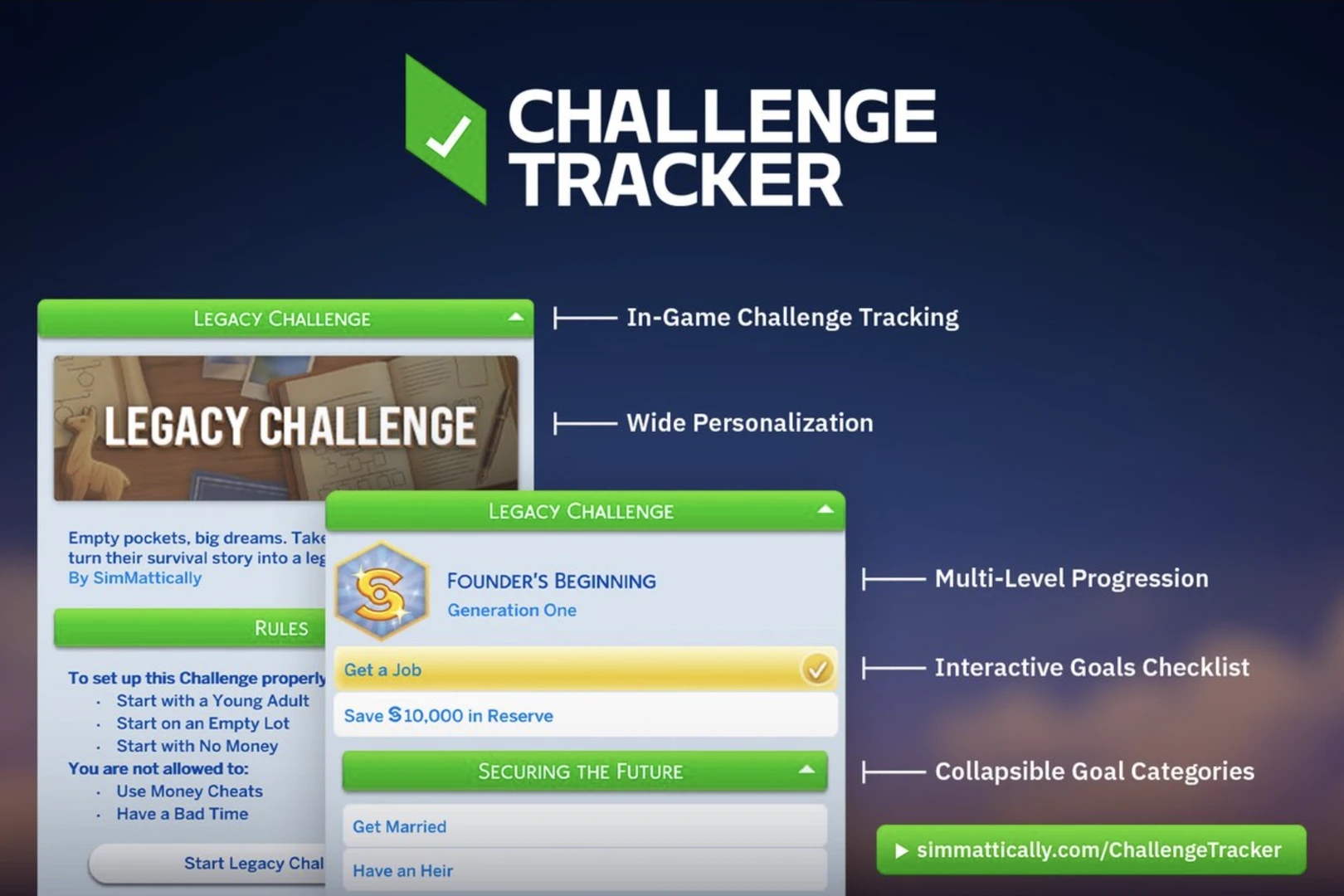
Challenge Tracker is a mod for The Sims 4 that essentially turns scattered challenge rules into a convenient in‑game task list. You no longer need to tab out of the game to check your progress — everything is right on your screen. According to the creator, the mod helps "track your custom Challenge progress with interactive goal checklists, multi-level progression, and personalized story descriptions."
How the Mod Works: Key Features
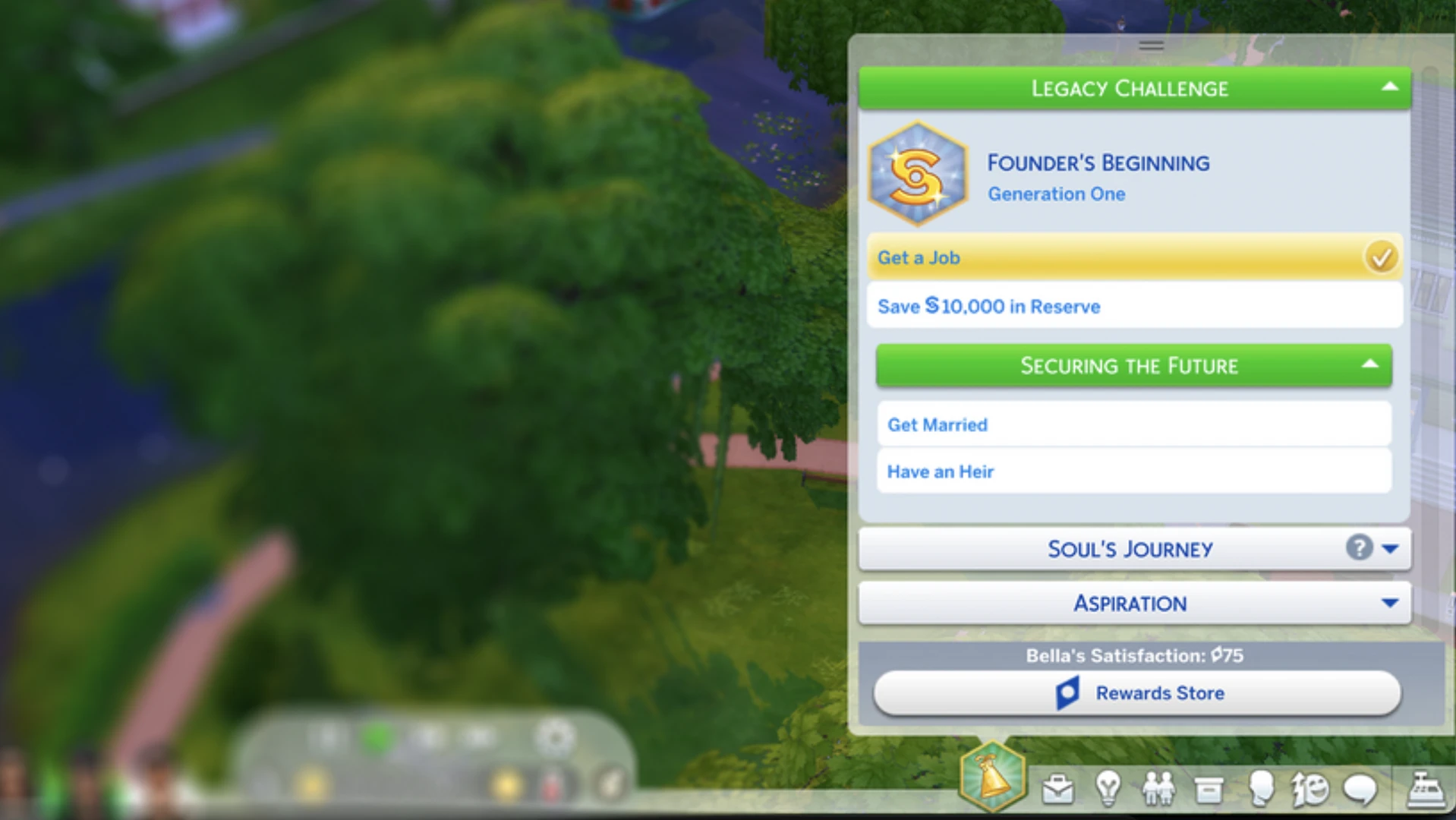
One of the mod's main features is that progress is tied to a specific household. This means you can safely close the game or switch to another family, and all your achievements will be saved. Moreover, you can replace the active challenge file at any time without fear of losing accumulated data.
Source: MissLollypopSim
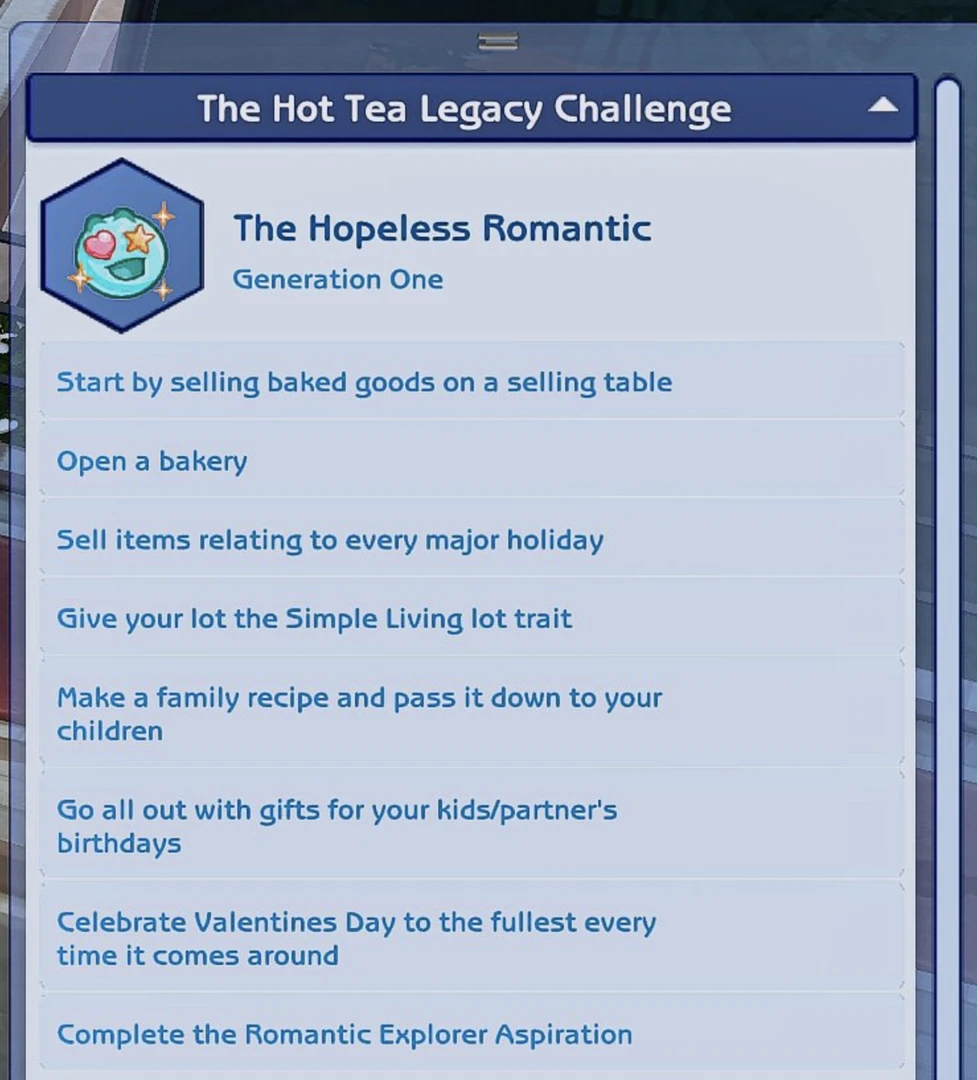
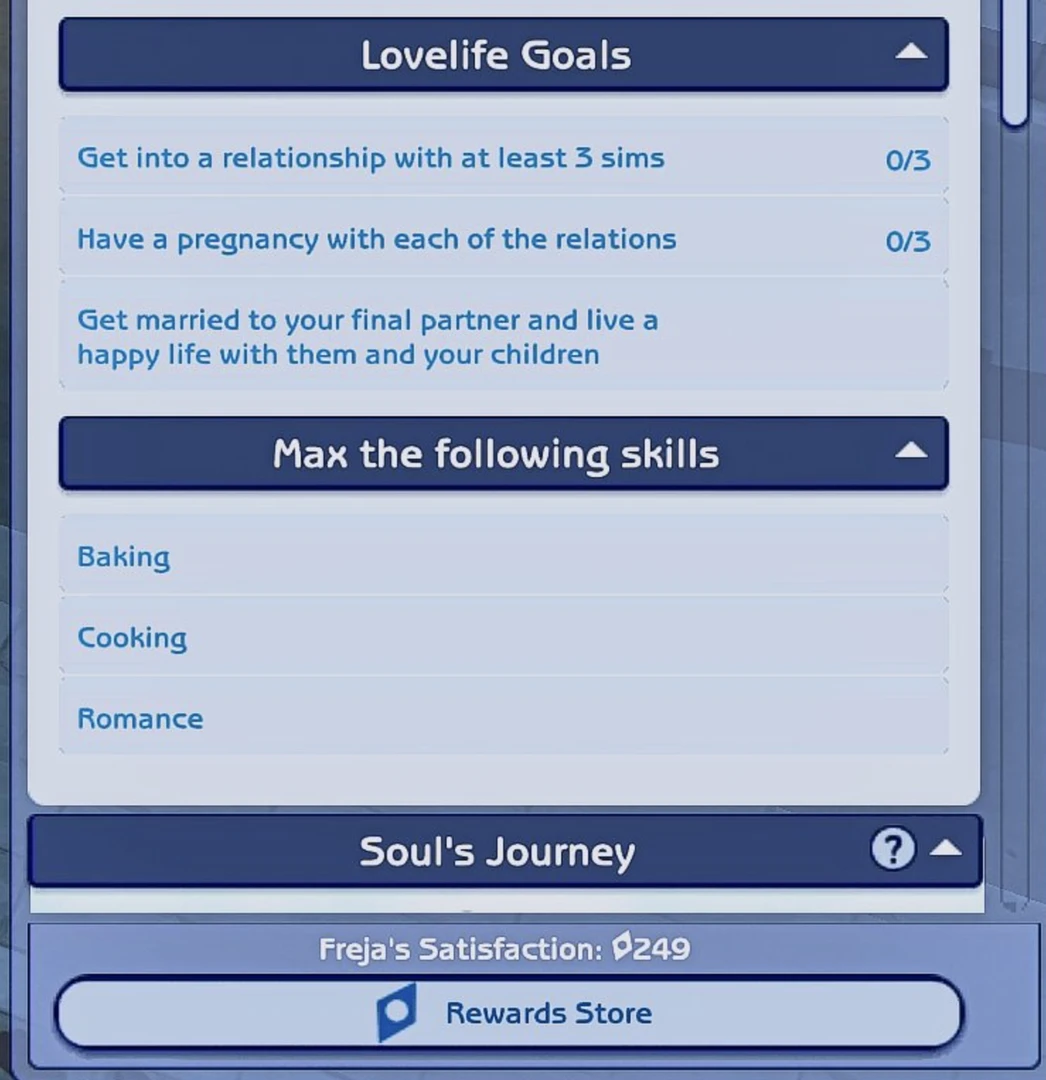
The mod's interface is an interactive checklist: simply right‑click on a task to mark progress or complete it entirely. If a challenge has several stages, the tracker allows you to move to the next level after completing all goals in the previous section. "Once you complete all the goals in a section, you can advance to the next level," the author explains.
Source: MissLollypopSim
Video overview of some of the mod's features:
Additional Features: Customization and Convenience
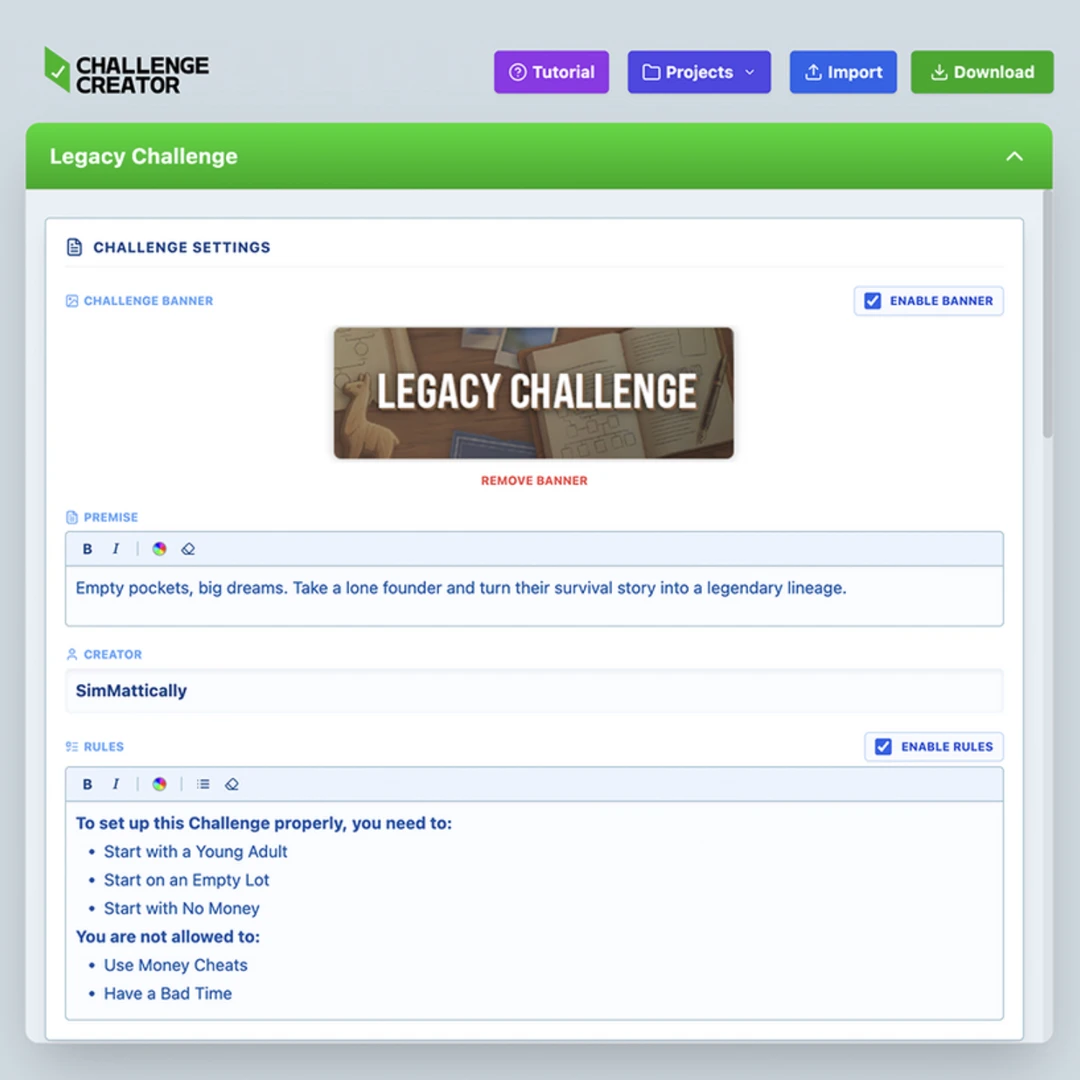
The challenge's internal menu can be customized with a personal banner — this makes your file stand out and provides more space for storytelling. The start screen displays the challenge name, its description, and the author's name, along with a dropdown list containing the full rules.

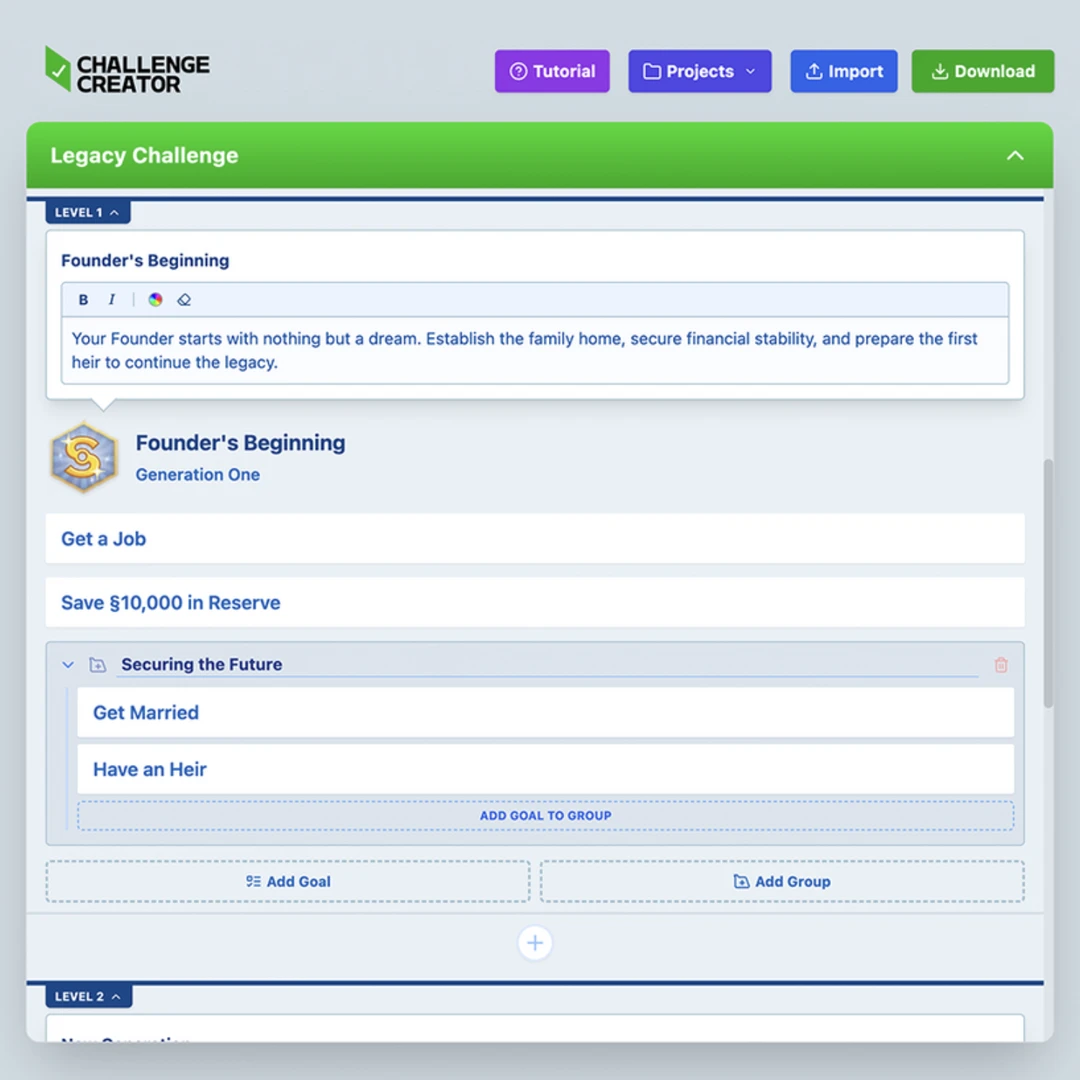
Another important detail is pack checking. If a task requires a pack you don't own, that item will automatically be greyed out. Hovering over it will show a tooltip with the required pack name. Challenges with many items won't look cluttered: you can group related tasks into collapsible menus.
Tool for Creators: Challenge Creator
For those who want not only to play existing challenges but also to share their own, there is Challenge Creator. This is an online tool for creating custom challenges that requires no technical knowledge — just follow the built‑in step‑by‑step tutorial.
Challenge Gallery: A Place to Share Creations
To turn challenge creation and completion into a full‑fledged ecosystem, SimMattically announced The Challenge Gallery — a gallery where anyone can upload their creations and download others' work. Essentially, this is a centralized database of user challenges that solves several problems at once:
For creators: share your challenge with the entire community without uploading files to third‑party hosts. Simply go to the submission page and upload the settings file.
For players: find hundreds of diverse challenges in one place, sorted by theme and difficulty, and install them with just a few clicks.

You can access the gallery via a special page on the author's website where new challenges are posted. This platform aims to unite the community and greatly simplify the search for interesting challenges, turning gameplay into an ongoing, varied experience.
Currently, the mod is in early access. You can get it by subscribing to SimMattically's Patreon. However, the author states that it will soon become publicly available to everyone. This system allows players to support the developer and get early access to new features, and after the public release, the mod will be free.
Why You Need Challenge Tracker: New Ways to Use It
One of the mod's greatest strengths is its versatility. The built‑in task list can be useful in many different gameplay situations beyond classic challenges. For example, the tracker can be used for:
Managing large households: Create a to‑do list for each family member and mark completed tasks.
Roleplay storytelling: Track career milestones or relationship stages between characters, noting important story beats.
Global goals: Set long‑term objectives like "build a huge mansion" or "collect a full set of items" and gradually check off completed steps.
Guides: Create achievement checklists or hidden locations to visit.
Creative projects: Plan story events, marking which scenes are ready and which still need to be implemented.
Using Challenge Tracker for guides or scenarios is especially relevant for those who keep gameplay journals, blogs, or create videos. It adds structure and clarity to the process.
Community Reaction
The mod announcement quickly gained popularity among players. Here's what people are saying on X:
And there are dozens of such comments — players are incredibly excited about this mod and the opportunity to add even more convenience to the game.
Challenge Tracker has the potential to make life much easier for those who love unconventional approaches in The Sims 4. If you've been wanting to tackle a challenge or create your own, this mod could be a great helper.
