TheSimsTree July 2026 UPDATE
Update! New Features Are Now Available on TheSimsTree!
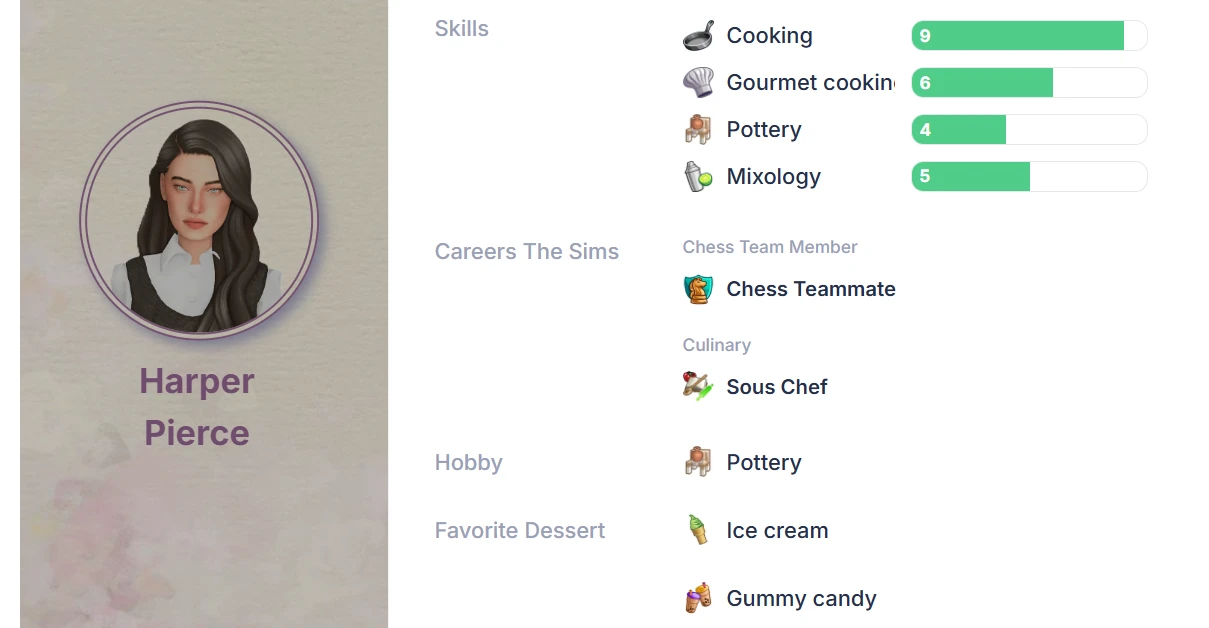
— Careers are now available in Sim profiles.
All The Sims 4 careers and career levels have been added to a convenient dropdown menu. Every career includes its in-game icon, making it quick and easy to find the right one.
— The jumping cursor issue when editing Sim descriptions has been fixed.
The cursor no longer jumps back to the beginning of the text, making long biographies easy to edit again.
— The comment section is now visible when opening a diary entry via a direct link.
Additionally, as always, we've made several minor improvements to optimize the service's performance and fixed a few subtle bugs.
Careers
To add a career from The Sims game to a character, open the sim's card and switch to edit mode. Locate the field you need: Careers The Sims .
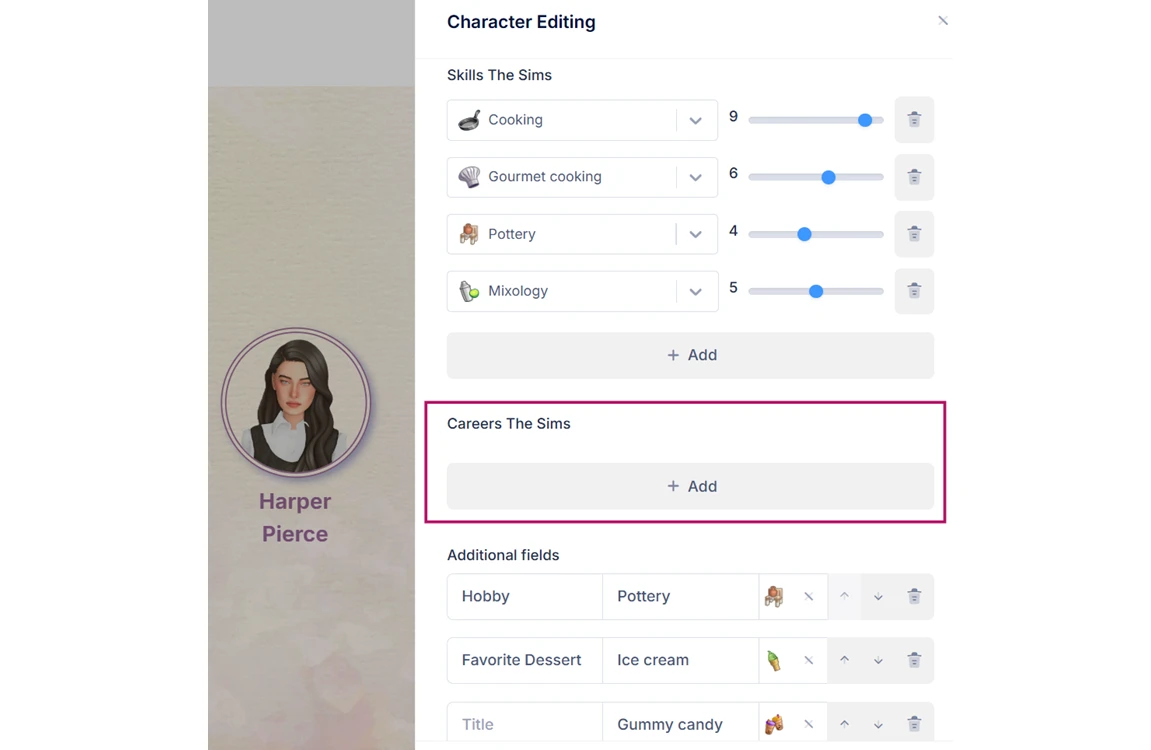
Click the "Add" button, and an empty field for the new career will appear.

Clicking on the entry row will reveal a dropdown list containing various in-game options.
For your convenience, start typing the career name into the field: matching results will appear in the dropdown list.

Select the desired career, then use the dropdown list on the right to choose the career level.
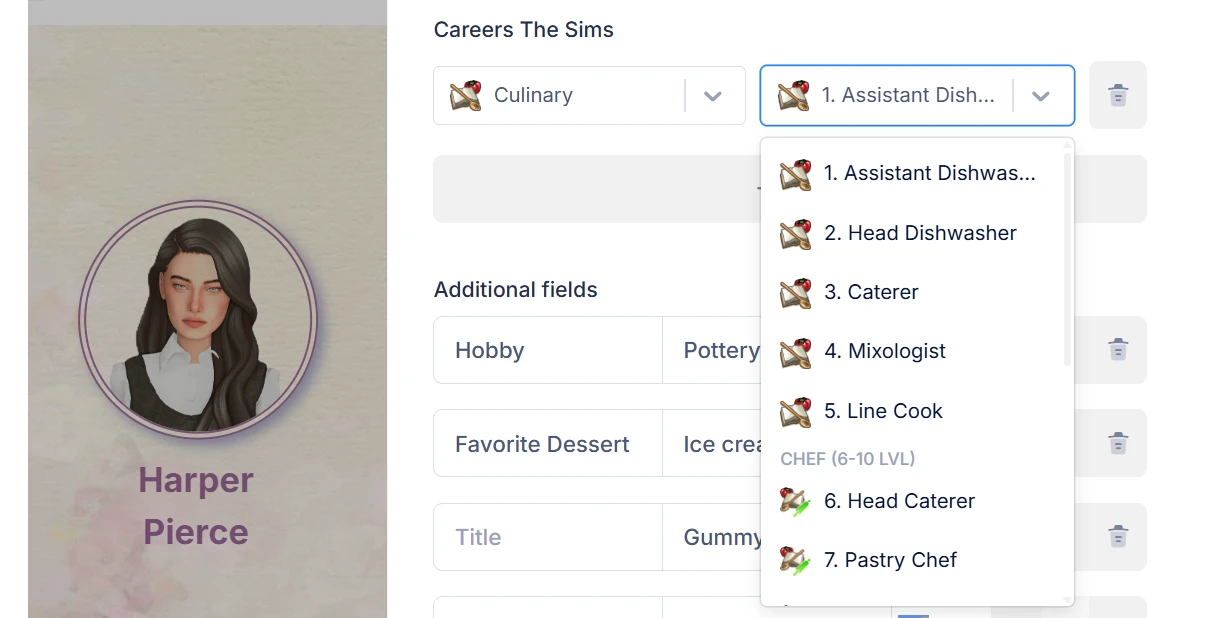
Each character can be assigned multiple careers.